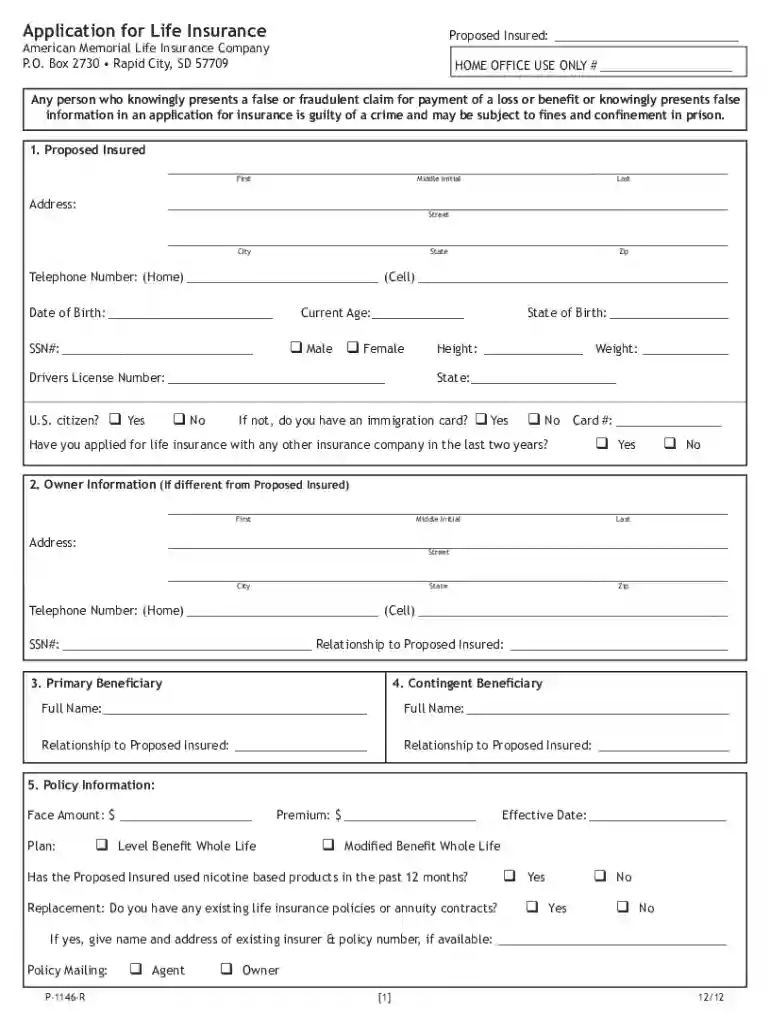
Definition and Meaning
The "Funeral Home Claim Form - TruStage Insurance" is a specialized document utilized to request the disbursement of life insurance benefits after an insured individual's death. This form is designed for use by funeral homes to claim a death benefit from TruStage Insurance, effectively enabling them to cover the costs associated with funeral arrangements. The primary aim is to streamline the benefit payment process, ensuring timely financial assistance for funeral expenses.
Purpose and Functions
- Claim Processing: Facilitates the processing of insurance claims by providing required information about the deceased and the funeral home’s authorized representatives.
- Financial Coverage: Assists in obtaining funds necessary for funeral services, helping alleviate the financial burden on the deceased's family.
- Beneficiary Documentation: Ensures that all beneficiary details are accurate and complete, which is crucial for processing the insurance payout efficiently.
How to Use the Funeral Home Claim Form - TruStage Insurance
Funeral homes need to follow a series of steps to effectively use this form and secure the insurance benefits for their services. Understanding the usage procedures is essential for accurate and efficient claim processing.
Steps for Funeral Homes
- Obtain the Form: Start by procuring the official claim form from TruStage Insurance. This can typically be done by contacting their office or downloading it from their official website.
- Complete Necessary Sections: Provide detailed information about the deceased, including personal details and insurance policy information.
- Include Funeral Home Details: Fill in the relevant sections pertaining to the funeral home, such as name, address, and contact information of the funeral director or authorized representative.
Key Elements of the Funeral Home Claim Form - TruStage Insurance
This form comprises several critical sections and fields that necessitate accurate completion. Each component plays a pivotal role in the overall success of the claim process.
Main Components
- Deceased's Information: Includes full name, date of birth, date of death, and policy number.
- Beneficiary Information: Lists individuals eligible to receive benefits, relationship to the deceased, and contact details.
- Funeral Home Authorization: Requires signature and official stamp of the funeral director, providing consent to claim insurance funds.
Steps to Complete the Funeral Home Claim Form - TruStage Insurance
Completing this form accurately is critical to ensure that the life insurance benefits are disbursed without delay. Here’s a detailed guide to assist funeral homes through the process.
Detailed Completion Instructions
- Gather Required Documents: Collect all necessary documents such as the death certificate and insurance policy details.
- Fill Out Personal Information: Enter all personal details of the deceased accurately; ensure there are no discrepancies.
- Authorize the Form: The funeral director must sign and date the form, attesting to the validity of the information provided.
Legal Use of the Funeral Home Claim Form - TruStage Insurance
Understanding the legal implications when using this form is crucial to avoid any legal repercussions. The submission of this form falls under certain legal mandates.
Key Legal Considerations
- Compliance with Insurance Laws: Ensure all information is accurate and truthful, as false declarations can lead to legal action.
- Data Privacy: Adhere to privacy laws by securing personal data and only sharing it for the fulfillment of the insurance claim.
Required Documents
Ensuring all required documents are submitted alongside the claim form can expedite the processing time and minimize delays.
Necessary Documentation
- Death Certificate: Official document confirming the death of the insured individual.
- Insurance Policy Proof: Copy of the original life insurance policy indicating coverage details.
- Beneficiary Identification: Valid ID proof of the beneficiary listed in the claim.
Form Submission Methods (Online / Mail / In-Person)
There are various methods available for submitting the "Funeral Home Claim Form - TruStage Insurance," each with its own advantages.
Submission Options
- Online Submission: Convenient for quick processing; requires digital copies of supporting documents.
- Via Mail: Traditional method, acceptable for sending physical documents for validation.
- In-Person Delivery: Facilitates direct handling of documents, ensuring their safe and immediate reception by the insurance provider.
Criteria Overview
- Valid Policy: The deceased must have a valid and active life insurance policy with TruStage Insurance at the time of death.
- Document Completion: All sections of the claim form must be accurately filled out with requisite signatures and authorizations.
These structured insights offer a comprehensive exploration of the "Funeral Home Claim Form - TruStage Insurance," ensuring funeral homes and related stakeholders can effectively navigate the form usage and submission.