




Here's how it works

01. Edit your form 3522 california 2023 online
Type text, add images, blackout confidential details, add comments, highlights and more.

02. Sign it in a few clicks
Draw your signature, type it, upload its image, or use your mobile device as a signature pad.

03. Share your form with others
Send 3522 form via email, link, or fax. You can also download it, export it or print it out.
How to use or fill out ftb form 3522 with DocHub

- Click ‘Get Form’ to open the FTB Form 3522 in our editor.
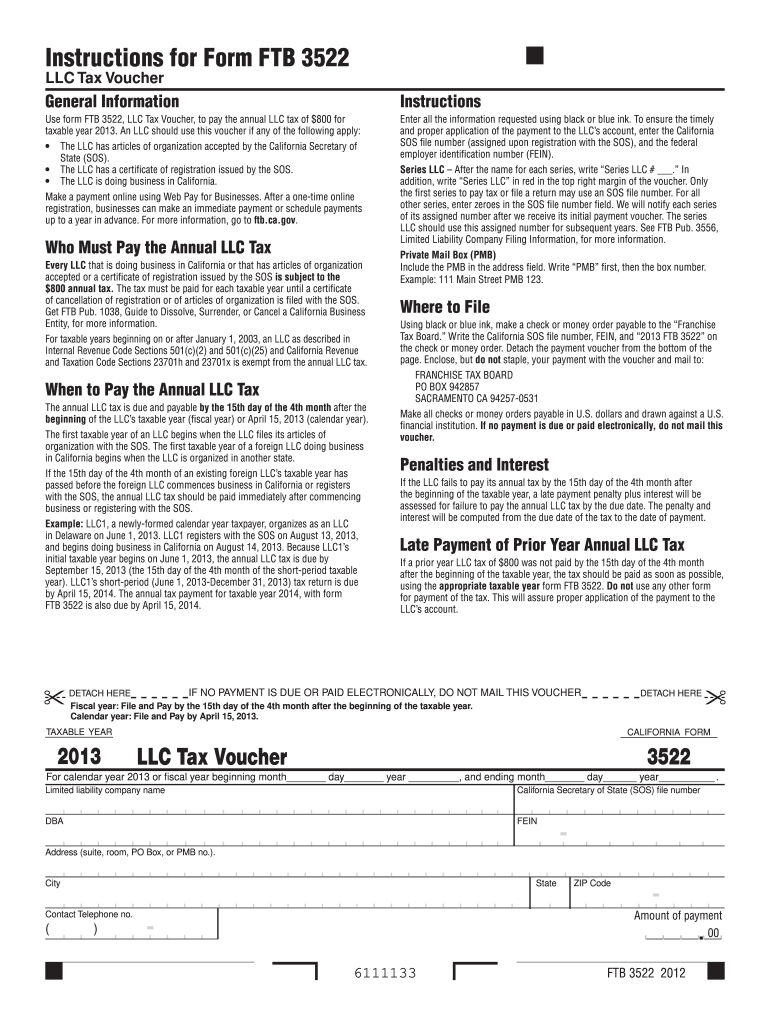
- Begin by entering your LLC name and California Secretary of State (SOS) file number. Ensure you use black or blue ink for clarity.
- If applicable, indicate if your LLC is a Series LLC by writing 'Series LLC # ___' next to the name and marking 'Series LLC' in red at the top right margin.
- Fill in your federal employer identification number (FEIN) and address, including any Private Mail Box (PMB) details formatted as 'PMB [box number]'.
- Specify the amount of payment due, ensuring it reflects the annual tax of $800. Detach the payment voucher from the bottom of the page once completed.
- Make a check or money order payable to 'Franchise Tax Board', including your SOS file number and FEIN on it. Enclose this with your voucher for mailing.
Start using our platform today to easily complete your FTB Form 3522 online for free!
Fill out ftb form 3522 online
It's free
It's free
Security and compliance
At DocHub, your data security is our priority. We follow HIPAA, SOC2, GDPR, and other standards, so you can work on your documents with confidence.
Learn more




