




01. Edit your fema data collection online
Type text, add images, blackout confidential details, add comments, highlights and more.

Type text, add images, blackout confidential details, add comments, highlights and more.

Draw your signature, type it, upload its image, or use your mobile device as a signature pad.

Send fema p 154 via email, link, or fax. You can also download it, export it or print it out.
Data Collection Forms are crucial documents used to gather specific information systematically. They serve as tools to accurately record and compile data, often serving various industries like healthcare, education, and government sectors. The key function of these forms is to ensure the structured capture of data, reducing inaccuracies and enhancing analysis efficiency.
Data Collection Forms are designed to suit specific purposes, such as demographic surveys, application forms, or feedback requests. Each form is typically structured with designated fields to capture different types of data, such as numbers, text, or checkmarks. The consistent format allows for easier data entry and processing while ensuring all required information is gathered efficiently.
To use Data Collection Forms effectively, it is essential to understand the purpose of each form and the information it aims to capture. Here are general steps to use these forms:
Identify the Purpose: Before filling out the form, understand its objectives. Is it for customer feedback, demographic data, or another purpose?
Gather Required Information: Before starting, compile all necessary information to complete the form accurately. This might include personal identifiers, contact information, or specific data responses.
Follow Instructions: Each form comes with instructions on how to fill it out. Read these carefully to ensure compliance and avoid errors.
Complete Form Fields: Enter data into each field, ensuring accuracy and adherence to any specified formats (e.g., dates or numbers).
Review Before Submission: Double-check the completed form for mistakes or incomplete sections. Make corrections as necessary.
By following these steps, users can efficiently complete Data Collection Forms, ensuring the data gathered is precise and usable for its intended analysis or record-keeping purpose.
Data Collection Forms include several key elements necessary for their effective use:
Form Fields: Spaces designed to capture specific pieces of information, such as names, dates, or checkboxes.
Instructions: Guidelines provided to help the user understand how to fill out the form correctly.
Submission Details: Information on how to submit the completed form, which could include addresses, online portals, or email instructions.
Contact Information: Details on whom to contact if there are questions about completing the form.
Verification Section: Forms might include a verification section requiring a signature or confirmation checkbox to affirm the accuracy of the provided information.
These elements ensure the form serves its data collection purpose while enabling the submitter to provide the required information accurately.
Understanding important terms associated with Data Collection Forms can enhance the form completion process:
Demographic Data: Information related to statistical characteristics of a population, such as age, gender, or employment status.
Feedback: Information provided in response to a survey or form that gauges satisfaction, opinions, or experiences.
Metadata: Data that provides information about other data; often involves details such as the source and format used in the forms.
Anonymization: Process of removing personally identifiable information from data sets to protect the privacy of individuals.
Validation: Ensuring the data entered into a form is correct and meets predefined criteria before submission.
By familiarizing themselves with these terms, users can better navigate the data collection process and ensure form accuracy.
Completing these forms involves several steps:
Read Instructions: Begin by understanding the instructions provided to avoid mistakes.
Check Required Fields: Note which fields are mandatory and must be completed.
Gather Necessary Data: Assemble information needed to populate the form.
Fill In Details: Enter data into each appropriate section, double-checking for accuracy.
Review: Go over the form to catch any errors or missing information.
Submit: Send the completed form through the designated method, whether online, by mail, or in-person.
Confirmation: Look for any confirmation messages or receipts indicating successful submission.
By following these steps, the form is more likely to be completed correctly, facilitating accurate data collection.
Data Collection Forms often come in both digital and paper versions, each with pros and cons:
Advantages:
Disadvantages:
Advantages:
Disadvantages:
Understanding these differences helps in selecting the form type best suited for specific data collection activities.
For forms integrated into software solutions like TurboTax or QuickBooks, several considerations are important:
Integration: These platforms often offer integrated support for form submission, streamlining the process.
Format Requirements: Correct file formats must be used to ensure compatibility (e.g., .pdf for TurboTax submissions).
Updates: Keeping software up to date ensures access to the latest form versions and features.
Guided Assistance: Software may provide step-by-step guidance for completing and submitting the forms accurately, maximizing the utility of these platforms for form management.
Data Collection Forms are utilized across various sectors:
These examples highlight the versatility of Data Collection Forms, demonstrating their application in diverse fields to enhance decision-making and administrative efficiency.
We've got more versions of the fema data collection form. Select the right fema data collection version from the list and start editing it straight away!
At DocHub, your data security is our priority. We follow HIPAA, SOC2, GDPR, and other standards, so you can work on your documents with confidence.


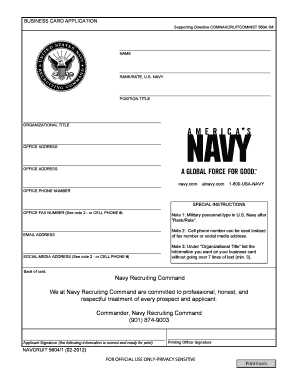
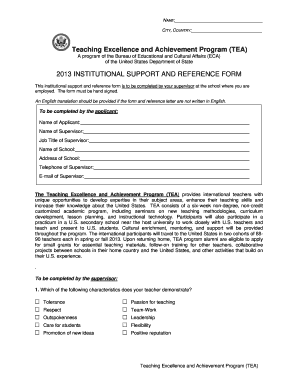
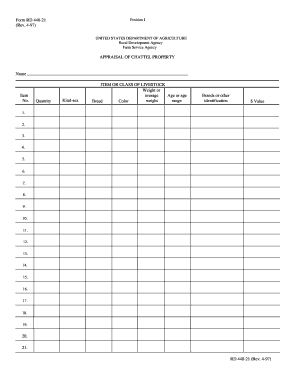
Data Collection 1 Data Collection by Goal Use this to document the learners performance across goals in a day; includes prompting and reinforcers used.
To standardize the Human Practices (HP) component of our iGEM team activities and ensure ethical compliance and standardized procedures for data collection
Pick a Data Collection Tool Three types of services can help you create online forms and collect data: online forms, online surveys, and registry platforms.Read more


