
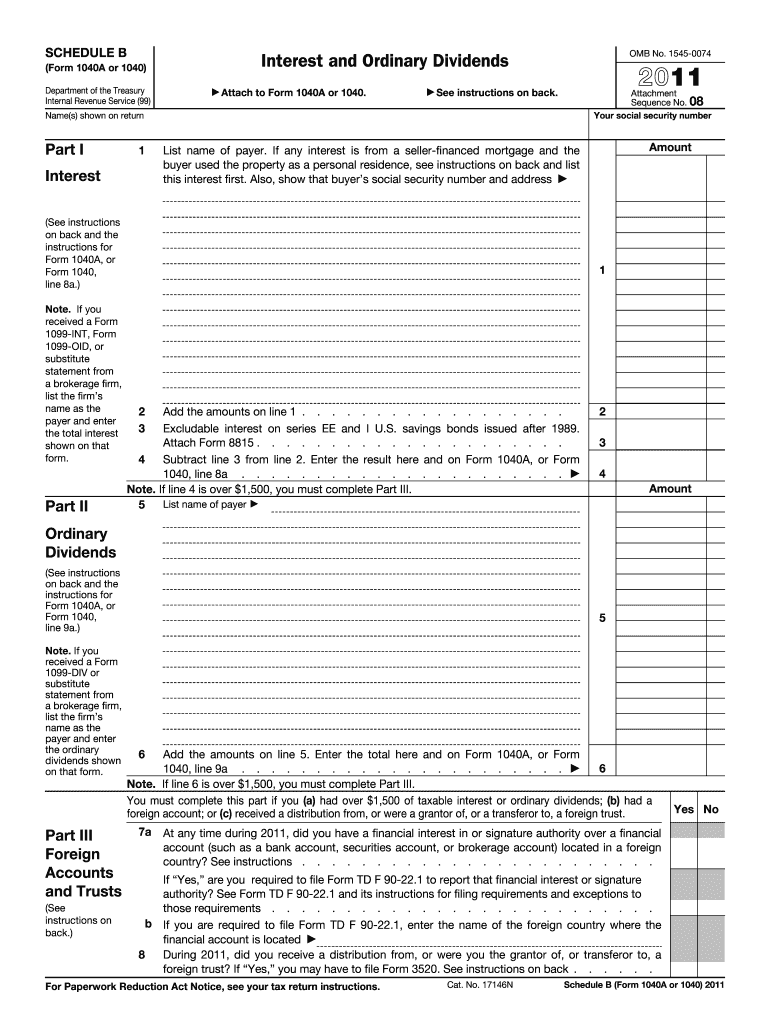







Definition & Purpose of the 2011 IRS Schedule B Form
The 2011 IRS Schedule B Form, formally known as Schedule B (Form 1040A or 1040), is used by individuals to report interest and ordinary dividends exceeding $1,500 during the tax year. It serves an essential role in ensuring taxpayers accurately disclose income from specific sources, such as seller-financed mortgages and foreign financial accounts. This form helps the IRS track potentially underreported sources of income, which is crucial for maintaining tax compliance and assessing accurate tax liabilities.
Detailed Guide on Using the 2011 IRS Schedule B Form
Key Steps for Completion
-
Review the Requirements: Confirm that your total interest and dividends exceed $1,500. Assess if you received any interest from seller-financed mortgages, as well as any foreign accounts.
-
Gather Necessary Documentation: Collect all 1099-INT and 1099-DIV forms received from financial institutions. These documents detail the amounts that need to be reported on Schedule B.
-
Fill Out the Form:
- Part I: List all interest income sources, identifying payer details and interest amounts.
- Part II: Report ordinary dividends, ensuring payer information and amounts are accurately documented.
- Part III: Address questions about foreign accounts and trusts to ensure compliance with international financial reporting.
-
Double-check Entries for Accuracy: Verify all figures and payer details to prevent filing errors that could lead to penalties.
Examples and Edge Cases
- Example 1: If you received dividends from multiple stock investments, list each issuer with the corresponding dividend amount.
- Edge Case: In instances of jointly owned accounts, clarify which taxpayer should report the income based on ownership percentage or as agreed upon with financial institutions.
Who Typically Uses the 2011 IRS Schedule B Form
This form is commonly used by:
- Investors who earn significant interest or dividend income.
- Retirees who rely on interest-bearing accounts for income.
- Business Owners with seller-financed mortgage interests or foreign accounts.
- Expats residing outside the U.S. but still tied to U.S. financial systems.


IRS Guidelines for the Form
Reporting Foreign Financial Accounts
- Account Ownership: Disclose any foreign accounts if their cumulative value exceeds $10,000 at any time during the year. Follow additional requirements outlined in the FBAR (Report of Foreign Bank and Financial Accounts) guidelines.
Key Terms
- 1099-INT: Document provided by financial institutions outlining interest income.
- 1099-DIV: Form detailing dividend earnings issued by investment companies or corporations.
How to Obtain the 2011 IRS Schedule B Form
Methods of Access
- Online: Available for download on the IRS website. Ensure you select the correct year version to match your tax filing needs.
- In-Person: Obtainable at local IRS offices or designated libraries and post offices.
- Tax Software: Included in most tax preparation software packages, such as TurboTax or QuickBooks, which can autofill data based on your input.
Filing Deadlines & Important Dates
- Regular Filing Date: The annual deadline is typically April 15. Ensure all schedules, including Schedule B, are filed with your Form 1040 or 1040A.
- Extensions: If filing for an extension, submit Form 4868 to extend your filing deadline, but remember that tax payments are still due on April 15 to avoid interest charges.
Penalties for Non-Compliance
Failing to file Schedule B when required can result in penalties, including:
- Underreporting Penalties: Interest on unpaid taxes due to inaccurate income reporting.
- FBAR Non-Compliance: For those with foreign accounts, significant penalties may apply for failing to properly report them.
Digital vs. Paper Version of the Form
- Digital Submission: Enables quicker processing and error-checking through electronic tax filing services.
- Paper Filing: Suitable for those who prefer traditional mail or lack digital access but may involve slower processing times and increased error risk.
Software Compatibility
Schedule B is compatible with major tax preparation software like TurboTax and QuickBooks, which can import financial data directly from linked accounts, improving ease of use and accuracy. Ensure your software is updated to the latest version to avoid potential filing issues or errors.




