01. Edit your affidavit of death form california online
Type text, add images, blackout confidential details, add comments, highlights and more.
02. Sign it in a few clicks
Draw your signature, type it, upload its image, or use your mobile device as a signature pad.
03. Share your form with others
Send sample affidavit of death of joint tenant california via email, link, or fax. You can also download it, export it or print it out.
How to use or fill out affidavit of death of joint tenant with our platform
Ease of Setup
DocHub User Ratings on G2
Ease of Use
DocHub User Ratings on G2
Click ‘Get Form’ to open the affidavit of death of joint tenant in the editor.
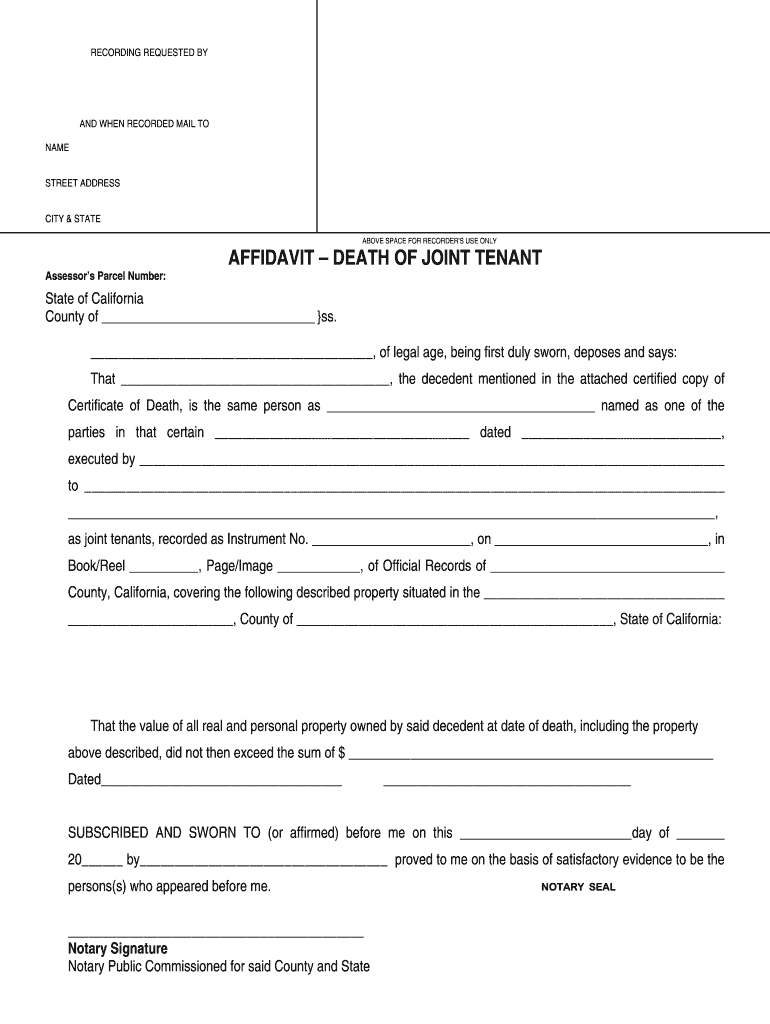
Begin by filling in the 'Recording Requested By' section with your name and address. This ensures that the document is properly recorded.
In the 'Affidavit – Death of Joint Tenant' section, provide the decedent's name as it appears on the Certificate of Death. Ensure accuracy for legal purposes.
Next, detail the property involved by including its description and relevant recording information such as Instrument Number and date recorded.
Indicate the total value of all real and personal property owned by the decedent at their time of death. This is crucial for estate matters.
Finally, sign and date the affidavit. A notary public must witness your signature, so ensure you have a notary available to complete this step.
Start using our platform today to easily fill out your affidavit for free!
Fill out affidavit of death of joint tenant online It's free
Sample affidavit of death of joint tenantHow to fill out Affidavit Death of joint tenantAffidavit of Death of joint tenant Los Angeles CountySample Affidavit of Death of joint TENANT CaliforniaAffidavit of Death of Joint Tenant pdfAffidavit of death of joint Tenant NevadaAffidavit of death of joint tenant riverside countyAffidavit of Death of joint Tenant san bernardino County
Security and compliance
At DocHub, your data security is our priority. We follow HIPAA, SOC2, GDPR, and other standards, so you can work on your documents with confidence.
That the affiant was the owner of the following described real property with. (and no other party) as joint tenants with right of survivorship:.Read more
If parties hold title as joint tenants and one is deceased, the survivor may file an Affidavit of Death of Joint Tenant. It may be advisable to consult anRead more
Order To Show Cause: The order to show cause may be based upon an affidavit filed by the Town Manager, Town Attorney, or anyone else the Town Manager hasRead more
Cookie consent notice
This site uses cookies to enhance site navigation and personalize your experience.
By using this site you agree to our use of cookies as described in our Privacy Notice.
You can modify your selections by visiting our Cookie and Advertising Notice.