DR 1002 Form UpdatesDepartment of Revenue - Taxation-2026

Get Form
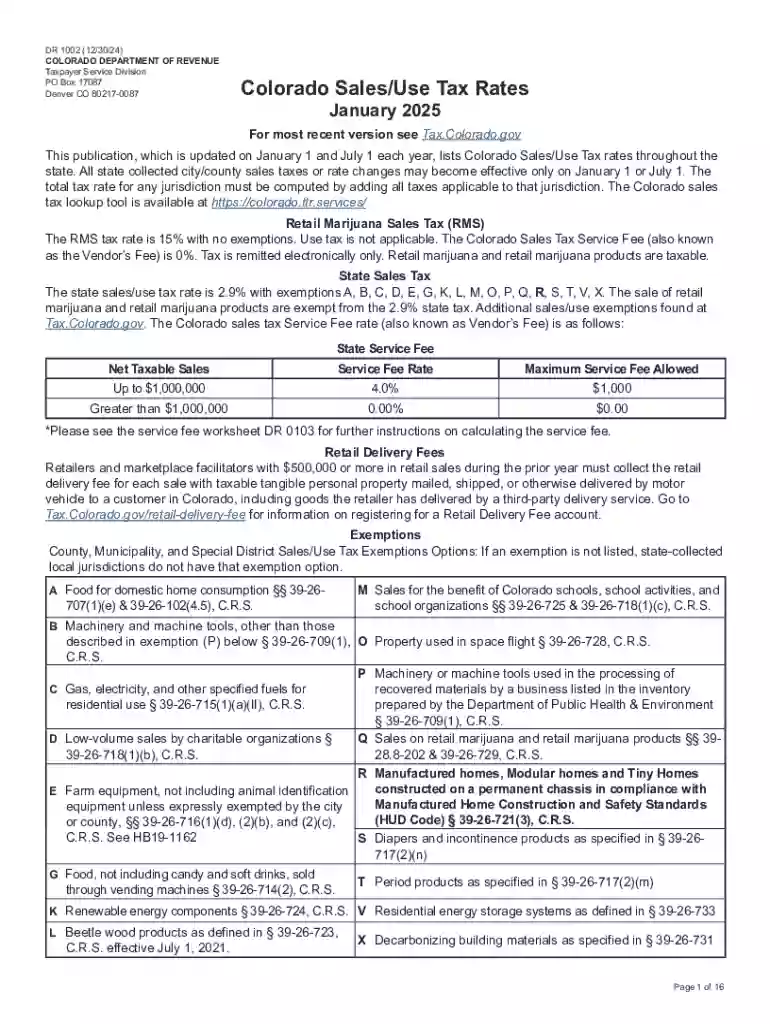
2025 colorado tax rates Preview on Page 1

Here's how it works

01. Edit your 2025 colorado tax rates online
Type text, add images, blackout confidential details, add comments, highlights and more.

02. Sign it in a few clicks
Draw your signature, type it, upload its image, or use your mobile device as a signature pad.

03. Share your form with others
Send it via email, link, or fax. You can also download it, export it or print it out.

Introduction to the DR 1002 Form: Purpose and Scope

The DR 1002 Form is a crucial document issued by the Department of Revenue - Taxation, primarily used for tax compliance by businesses operating in Colorado. It plays a significant role in reporting sales, use, and various other state-specific taxes. Understanding its purpose can help taxpayers meet their obligations effectively and avoid penalties.

Definition & Purpose

  • The DR 1002 Form is utilized to report specific tax information required by the Colorado Department of Revenue.
  • It includes details on sales tax, use tax, and other applicable taxes that businesses must account for.

Key Usage Scenarios

  • Businesses with physical or economic presence in Colorado.
  • Companies dealing with taxable goods and services subject to the state’s jurisdiction.

Key Elements of the DR 1002 Form

Understanding the core components of the DR 1002 Form is essential for accurate reporting. This section outlines the main sections and their significance.

Major Sections

  • Taxpayer Information: Includes fields for business name, tax ID, and contact details.
  • Tax Categories: Allows for reporting of different types of taxes such as sales, use, and special taxes.
  • Calculation Details: Provides space for detailed calculations of taxes owed or overpaid.

Important Fields

  • Gross Sales: Total sales before deductions.
  • Exempt Sales: Sales that qualify for tax exemption.
  • Deductions: Specific allowable deductions that reduce taxable income.

How to Obtain and Access the DR 1002 Form

Accessing and obtaining the DR 1002 Form is a straightforward process, whether you prefer a digital or paper copy.

Access Points

  • Online: Download directly from the Colorado Department of Revenue’s official website.
  • Mail: Request a paper copy from the Department of Revenue to be delivered to your business address.

Digital vs. Paper Versions

  • Digital forms can be filled online and submitted electronically, ensuring quicker processing.
  • Paper forms require manual filling and postal submission, which might take longer to process.

Step-by-Step Guide to Completing the DR 1002 Form

Completing the DR 1002 Form accurately involves several detailed steps. Follow this guide to ensure compliance.

Step-by-Step Instructions

  1. Enter Taxpayer Information: Fill out the business identification details accurately.
  2. Report Gross Sales: List total sales without deductions.
  3. Calculate Exempt Sales and Deductions: Deduct exempt sales and other applicable deductions.
  4. Summarize Tax Owed: Calculate the total tax payable based on sales and deductions.
  5. Review and Sign: Cross-check all entered information and sign where required.

State-Specific Rules and Requirements

Different jurisdictions within Colorado may have unique requirements for the DR 1002 Form. Understanding these can prevent errors.

Colorado-Specific Tax Regulations

  • Each locality may impose additional sales and use tax rates.
  • Reporting requirements can vary; ensure you are referencing the latest regulations.

Compliance and Reporting

  • Regular updates from the Department may affect filing processes.
  • It's advisable to consult with a tax professional familiar with Colorado tax laws.

Legal Use and Compliance

Legal considerations surrounding the DR 1002 Form ensure that businesses adhere to state tax laws.

Legal Obligations

  • Filing this form is a legal requirement for businesses meeting certain thresholds in sales.
  • Accurate reporting protects businesses from penalties and audits.

Compliance Strategies

  • Keep abreast of state updates and changes in tax rates or categories.
  • Regularly consult with tax advisors to ensure your business remains compliant.

Common Errors and Tips for Accurate Filing

Avoiding common errors can help prevent delays and penalties.

Frequent Mistakes

  • Incorrectly calculating total deductions.
  • Missing deadlines, which can lead to penalties.
  • Failing to account for all taxable sales and exemptions.

Tips for Accuracy

  • Double-check all numerical entries.
  • Reconcile sales data with accounting records before submission.
  • Use tax software compatible with Colorado's requirements to assist with calculations.

Important Dates and Filing Deadlines

Keeping track of important dates is crucial to ensure timely filing of the DR 1002 Form.

Key Deadlines

  • Quarterly Filings: Typically due at the end of each quarter, adhering to a quarterly schedule.
  • Annual Reconciliation: Some businesses may require an annual summary of the entire year's tax activities.

By maintaining these considerations, businesses can ensure effective compliance with Colorado’s tax reporting requirements using the DR 1002 Form.

See more DR 1002 Form UpdatesDepartment of Revenue - Taxation versions

We've got more versions of the DR 1002 Form UpdatesDepartment of Revenue - Taxation form. Select the right DR 1002 Form UpdatesDepartment of Revenue - Taxation version from the list and start editing it straight away!
Versions Form popularity Fillable & printable
2025 4.1 Satisfied (54 Votes)
2024 4.7 Satisfied (32 Votes)
2023 4.1 Satisfied (31 Votes)
2022 4.8 Satisfied (46 Votes)
2021 4.8 Satisfied (113 Votes)
2020 4.3 Satisfied (206 Votes)
2019 4.4 Satisfied (211 Votes)
2019 4.4 Satisfied (285 Votes)
2018 4.3 Satisfied (181 Votes)
2018 4.3 Satisfied (307 Votes)
2017 4.3 Satisfied (187 Votes)
2014 4 Satisfied (47 Votes)
be ready to get more

Complete this form in 5 minutes or less

Get form

Security and compliance

At DocHub, your data security is our priority. We follow HIPAA, SOC2, GDPR, and other standards, so you can work on your documents with confidence.

Learn more
ccpa2
pci-dss
gdpr-compliance
hipaa
soc-compliance