




01. Edit your dr 0104 online
Type text, add images, blackout confidential details, add comments, highlights and more.

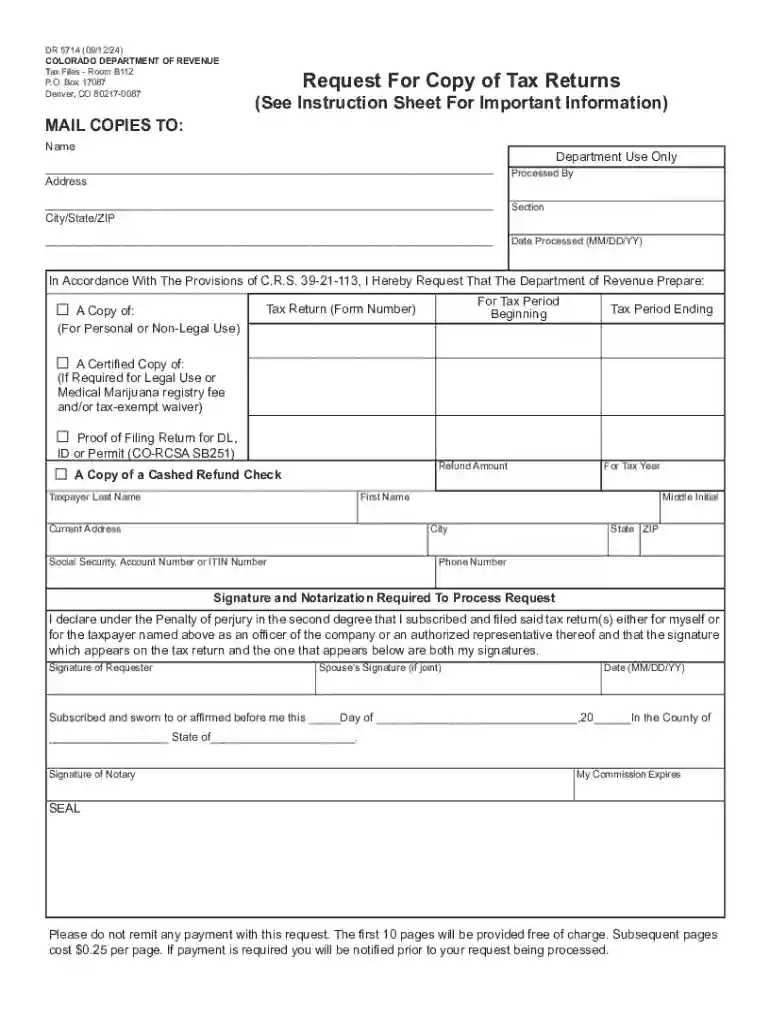
Type text, add images, blackout confidential details, add comments, highlights and more.

Draw your signature, type it, upload its image, or use your mobile device as a signature pad.

Send dr 0104 form via email, link, or fax. You can also download it, export it or print it out.
The DR 0104 Colorado form is a request form issued by the Colorado Department of Revenue, primarily used for obtaining copies of tax returns. It serves as an official document that taxpayers in Colorado utilize to access their tax records for a specific period. The form includes detailed sections where individuals must provide necessary personal information, the tax period in question, and additional requirements such as notarization. Using this form ensures that taxpayer information is processed securely and accurately, adhering to state guidelines.
Using the DR 0104 form involves a series of precise steps to ensure proper submission. First, gather all necessary personal details, including your full name, tax identification number, and the specific tax years you are requesting. Next, follow the form's instructions to fill out each section accurately. For secure processing, notarization may be required, depending on the specifics of your request. Users engaged in a document workflow, such as with platforms like DocHub, can digitally fill and manage the form for efficiency. Finally, review your completed form thoroughly to avoid errors before submission.
Personal Information: Enter your full legal name as it appears on official documentation. Include your tax identification number and current contact information to ensure proper identification and communication.
Tax Period Selection: Indicate the specific tax years for which you require copies. Be precise, as inaccuracies can lead to processing delays or incorrect documents.
Notarization: If notarization is required, schedule a visit with a certified notary public. Bring a valid photo ID and the completed form for verification purposes.
Review Process: Carefully check the form for any errors or omissions. Ensuring accuracy at this stage can prevent potential issues during processing.
Submission: Submit the completed form according to the Colorado Department of Revenue’s guidelines, choosing from available submission methods.
The DR 0104 form can be obtained through various channels for convenience. Visit the Colorado Department of Revenue’s official website to download the form directly. Alternatively, platforms like DocHub allow users to access, fill, and submit the form online, integrating seamlessly with cloud storage and document management systems. If preferred, taxpayers can also contact the Department directly to request a mailed paper version. Ensuring you have the latest version of the form is crucial for accurate submission.
Legally, the DR 0104 form is a critical tool for taxpayers in Colorado seeking access to past tax returns. The form complies with state regulations, ensuring that submitted requests are processed within the legal framework established by the Colorado Department of Revenue. By following the outlined protocols, individuals can secure their tax information while adhering to privacy and data protection laws. The form’s design also aligns with the ESIGN Act, accommodating electronic signatures for streamlined processing through digital platforms.
Submitting the DR 0104 form requires supporting documentation to validate the request. Taxpayers must provide a valid photo ID to confirm their identity. In cases where notarization is involved, presenting government-issued identification is mandatory. If acting on behalf of someone else, provide documentation of authorization, such as a power of attorney. Ensuring all necessary documents accompany your form submission helps streamline processing and avoid unnecessary delays.
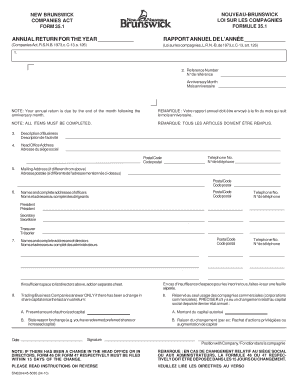
We've got more versions of the dr 0104 form. Select the right dr 0104 version from the list and start editing it straight away!
At DocHub, your data security is our priority. We follow HIPAA, SOC2, GDPR, and other standards, so you can work on your documents with confidence.




You may be required to file a state income tax return, Colorado Form DR 0104, if you had any taxable income, or if you expect to receive a refund of state
This controller is ASPI compliant and includes free CD-ROM and hard disk drivers. Using PCMCIA is the only way to add CD-ROM with acceptable performance. TheRead more


