
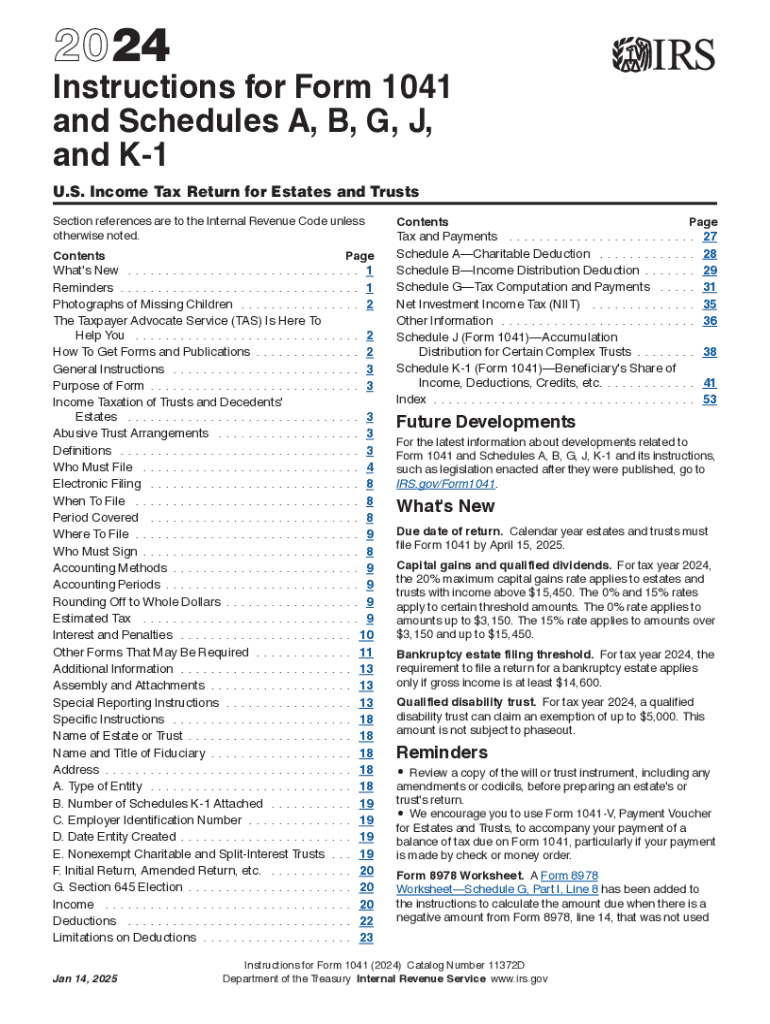







Definition and Purpose of Form 1041
Form 1041, officially known as the United States Income Tax Return for Estates and Trusts, is utilized by fiduciaries of estates and trusts to report income, deductions, gains, and losses. The purpose of this form is to calculate the amount of income tax due for these entities. Estates and trusts often accumulate income from various sources, and properly completing Form 1041 ensures that the correct tax liabilities are calculated and reported to the Internal Revenue Service (IRS).
Understanding the Associated Schedules
- Schedule A: Addresses charitable deductions allowed for estates and trusts.
- Schedule B: Used to report income distribution deductions.
- Schedule G: Summarizes tax computation and payments made.
- Schedule J: Facilitates adjustments between estimated tax and tax liability.
- Schedule K-1: Provides details to beneficiaries about the income distributed to them.
How to Use the 2024 Instructions for Form 1041 and Schedules
The 2024 Instructions for Form 1041 and its related schedules serve as a comprehensive guide for fiduciaries tasked with preparing an income tax return for estates and trusts. These instructions provide:
- Step-by-Step Guidelines: Detailed procedures for entering information accurately on each line of the form and its schedules.
- Clarifications and Examples: Explanations and real-world scenarios that illustrate complex concepts, aiding in accurate form completion.
- Legal References: Citations to applicable tax codes and regulations that justify the form's requirements.
Steps to Complete the Form and Schedules
Completing Form 1041 and its associated schedules involves several steps:
- Gather Required Documents: This includes income statements, prior year returns, and records of any distributions made to beneficiaries.
- Fill Out Form 1041: Begin with basic information about the estate or trust before detailing income sources, applicable deductions, and tax liabilities.
- Complete the Schedules: Each schedule has specific instructions relating to differing financial aspects of the estate or trust, such as distributions and charitable deductions.
- Review and Submit: Double-check the completed form for accuracy before filing with the IRS, using either electronic submission or mailing a paper copy.
Key Elements to Note
Certain elements in the 1041 form instructions require special attention:
- Taxation of Income: Understand the nuances of how different types of income are taxed at the entity level.
- Distribution Requirements: The need to accurately report distributions to beneficiaries using Schedule K-1.
- Filing Deadlines: Typically, Form 1041 is due by the 15th day of the fourth month after the end of the entity's tax year, generally April 15 for calendar-year filers.
IRS Guidelines and Compliance
The instructions also outline IRS guidelines, focusing on:
- Compliance: Ensuring the completeness and accuracy of filings to avoid penalties.
- Documentation: Properly maintaining records supporting the income and deductions claimed.
- IRS Updates: Staying informed of any changes in tax law that might affect estate or trust taxation.
Penalties for Non-Compliance
Not adhering to filing requirements can result in various penalties:
- Late Filing Penalty: Imposed when the form is filed after the due date without a valid extension.
- Accuracy-Related Penalty: Results from underpayments due to negligence or substantial understatement of tax.
Taxpayer Scenarios and Examples
The guidance provides numerous taxpayer scenarios to illustrate form usage across various situations:
- Simple Trusts: Example scenarios show how to report income that is required to be distributed currently.
- Complex Estates: Outlines the process for estates accumulating income over time.


Software Compatibility
DocHub enables users to manage documents like Form 1041 seamlessly across platforms, ensuring:
- Integration with Tax Software: Compatible with popular tax preparation software such as TurboTax and QuickBooks, streamlining the preparation process.
- Online Annotation Tools: Users can directly edit forms online, adding necessary information and signatures.
Filing Methods and Deadlines
Various submission methods ensure that fiduciaries can file efficiently:
- Electronic Filing: Preferred method for speed and convenience, offering submission verification.
- Physical Mail: An alternative for those preferring traditional methods, though slower.
Each filing method must adhere to the deadlines specified to avoid penalties, ensuring timely compliance with IRS filing requirements.




