




01. Edit your 2019 4506t online
Type text, add images, blackout confidential details, add comments, highlights and more.

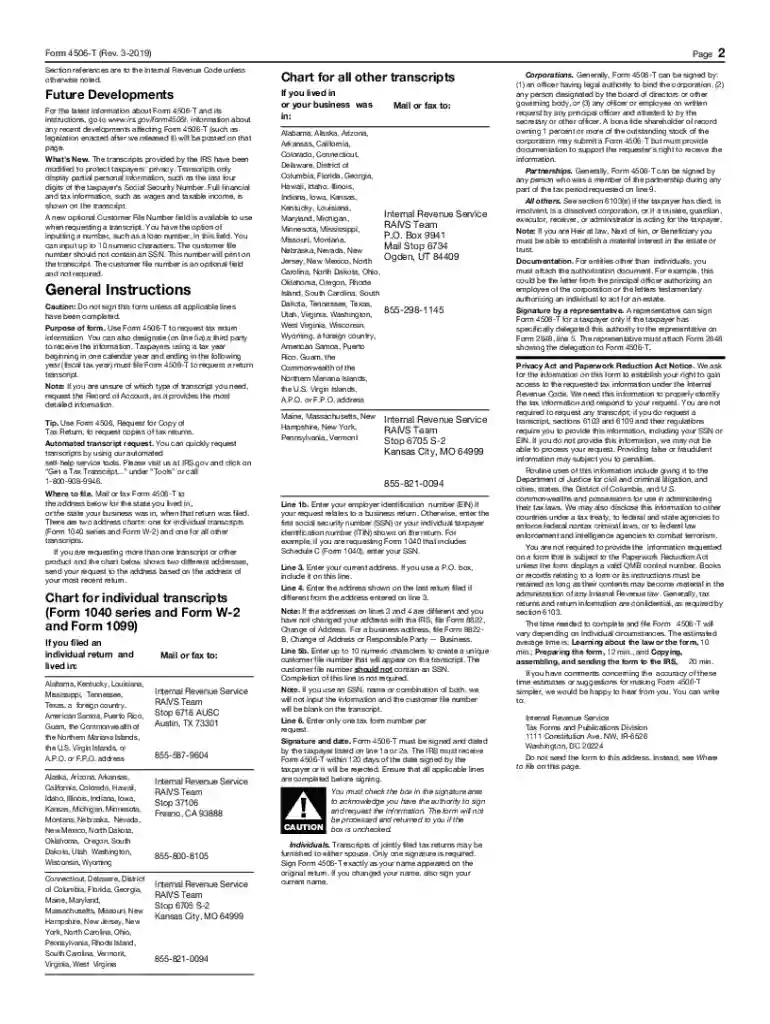
Type text, add images, blackout confidential details, add comments, highlights and more.

Draw your signature, type it, upload its image, or use your mobile device as a signature pad.

Send 4506 t march 2019 via email, link, or fax. You can also download it, export it or print it out.
Form 4506-T, Request for Transcript of Tax Return, is a document used to request a transcript of various types of tax return data from the Internal Revenue Service (IRS). This form allows individuals and businesses to obtain crucial information for financial planning, mortgage applications, or verifying income. It includes details such as return transcripts, account transcripts, and records of account. This form is typically required in situations where proof of tax filing is essential, such as loan applications or legal proceedings.
Understanding these options ensures that you request the appropriate document for your needs.
To use Form 4506-T effectively, you must first identify the type of transcript required. The March 2019 version of the form was updated to reflect changes in transcript request procedures and privacy rules.
Provide Personal Information: Start by filling in personal details like name, Tax Identification Number (TIN), and address.
Specify Transcript Type: Choose the transcript type or types needed from the checkboxes provided.
Fill in Tax Form Number: Indicate the tax form number for which the transcript is being requested, such as 1040.
Select Tax Years: Clearly specify the tax years or periods required.
Sign and Submit: Ensure the form is signed by the taxpayer or an authorized representative. Incomplete or unsigned forms will not be processed by the IRS.
The form can be downloaded directly from the IRS website. It is freely accessible to anyone needing to request a transcript. Ensure you have the correct March 2019 version to avoid processing delays.
Form 4506-T is crucial for verifying income and tax filing status, especially when documentation of previous tax activities is requested. Whether you're applying for a mortgage or involved in financial or legal arrangements that require proof of income, this form serves as an authoritative source of your tax history.
The form is commonly used by various individuals and entities, each with their scenarios.
Form 4506-T contains sections essential for processing your transcript request.
Complete these sections with accurate details to avoid delays.
The Form 4506-T process complies with legal standards set by the ESIGN Act, allowing electronic submissions where applicable.
Using this structured approach and comprehensive understanding ensures you navigate the requirements of Form 4506-T, March 2019 version, effectively and efficiently.
At DocHub, your data security is our priority. We follow HIPAA, SOC2, GDPR, and other standards, so you can work on your documents with confidence.




Use Form 4506-T to order a transcript or other return information free of charge. See the product list below. You can quickly request transcripts by using ourRead more
Jan 3, 2018 Mail Form 4506-T or Form 4506T-EZ (both available on IRS.gov). Using online tools to help prepare your return. Go to. IRS.gov/Tools for theRead more


