




01. Edit your oregon dmv gov online
Type text, add images, blackout confidential details, add comments, highlights and more.

Type text, add images, blackout confidential details, add comments, highlights and more.

Draw your signature, type it, upload its image, or use your mobile device as a signature pad.

Send oregon dmv online official site via email, link, or fax. You can also download it, export it or print it out.
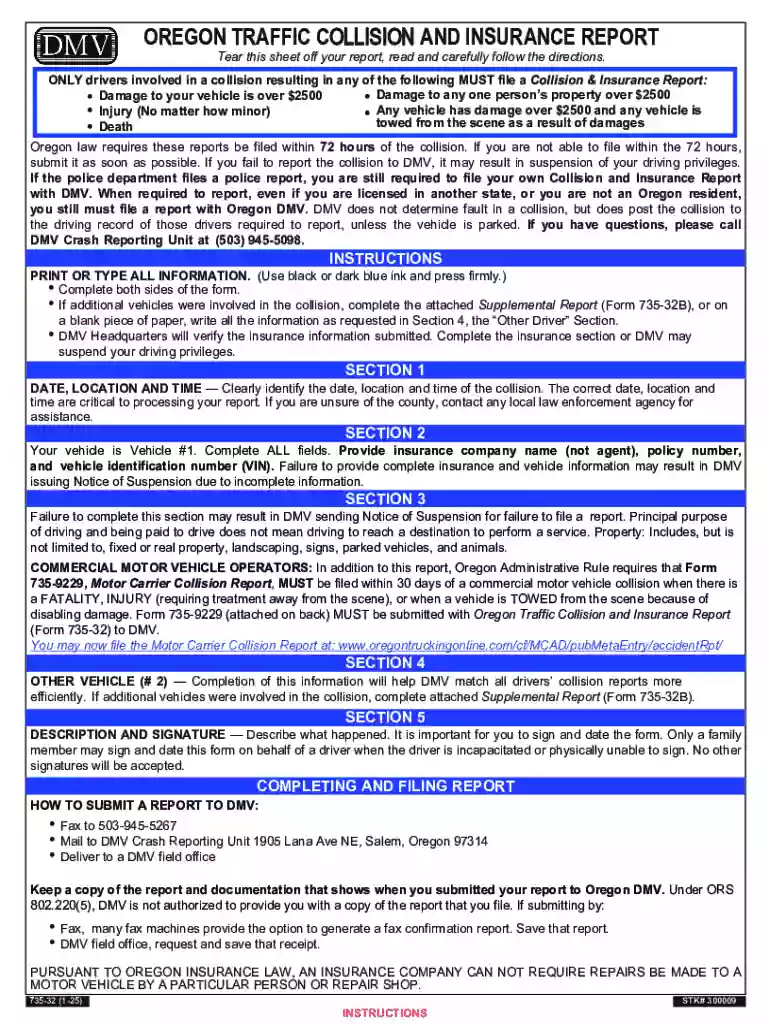
An Oregon DMV Accident Report, formally known as the Oregon Traffic Collision and Insurance Report, is an official document used to report a vehicle collision within the state. This report serves several purposes, including documenting the details of the accident for insurance claims, legal procedures, and administrative records. It is essential for reporting incidents involving property damage exceeding $2,500, injury, or fatalities.
Completing the Oregon DMV Accident Report online simplifies the process and ensures that all necessary sections are filled accurately. This digital approach provides a user-friendly experience with built-in guidance.
Using the online version ensures that statutory compliance is met promptly and effectively.
Follow these steps for a smooth completion and submission process:
These steps facilitate an efficient reporting process, reducing potential issues with incomplete information.
Understanding the crucial components of the accident report ensures full compliance and precision:
Each element plays a critical role in creating a comprehensive and legally sound report.
Comprehending legal obligations and possible repercussions is vital for all drivers:
Understanding these aspects protects drivers from legal liabilities and ensures proper adherence to state laws.
Oregon’s rules and procedures underscore the importance of context-specific understanding:
These guidelines support the consistent application of state regulations and enhance procedural transparency.
The advantages of utilizing an online platform for report filing are significant:
Online submission aligns with modern expectations for managing documentation efficiently and securely.
Choosing between paper and electronic versions involves weighing several factors:
Opting for the digital version aligns with contemporary trends in document management, emphasizing user experience and environmental considerations.
We've got more versions of the oregon dmv gov form. Select the right oregon dmv gov version from the list and start editing it straight away!
| Versions | Form popularity | Fillable & printable |
|---|---|---|
| 2025 | 4.2 Satisfied (61 Votes) | |
| 2023 | 4.1 Satisfied (36 Votes) | |
| 2023 | 4.6 Satisfied (42 Votes) | |
| 2021 | 4.8 Satisfied (80 Votes) | |
| 2019 | 4.2 Satisfied (97 Votes) | |
| 2017 | 4.4 Satisfied (639 Votes) | |
| 2014 | 4.3 Satisfied (78 Votes) | |
| 2011 | 4.2 Satisfied (54 Votes) | |
| 2009 | 4.2 Satisfied (59 Votes) | |
| 2004 | 4 Satisfied (26 Votes) |
At DocHub, your data security is our priority. We follow HIPAA, SOC2, GDPR, and other standards, so you can work on your documents with confidence.


The most secure and quickest way to submit a collision report to DMV is online. Call DMV Customer Assistance at 503-945-5000. Complete and sign the form. 503-
TO SUBMIT A REPORT TO DMV: Online at DMV2U.Oregon.gov. Fax to 503-945-5267. Call 503-945-5098 for assistance in completing the report.


