




01. Edit your ny state unemployment registration online
Type text, add images, blackout confidential details, add comments, highlights and more.

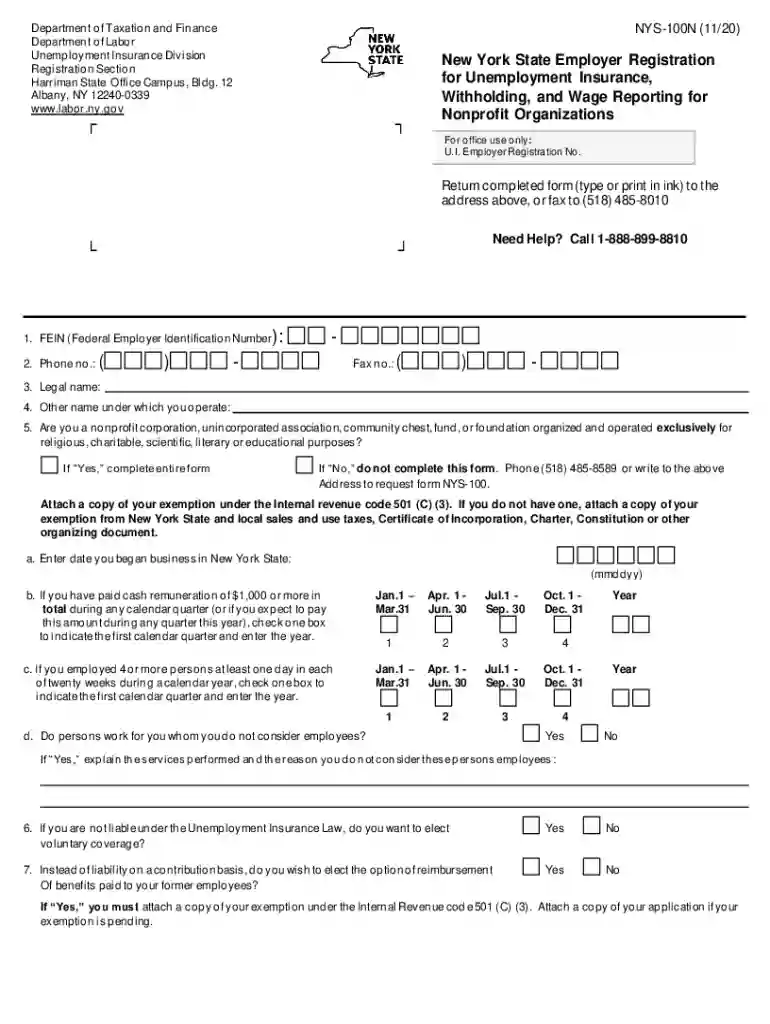
Type text, add images, blackout confidential details, add comments, highlights and more.

Draw your signature, type it, upload its image, or use your mobile device as a signature pad.

Send nys 100 fillable form via email, link, or fax. You can also download it, export it or print it out.

Start using our platform today to fill out your NYS 100N form easily and efficiently!
We've got more versions of the ny state unemployment registration form. Select the right ny state unemployment registration version from the list and start editing it straight away!
At DocHub, your data security is our priority. We follow HIPAA, SOC2, GDPR, and other standards, so you can work on your documents with confidence.
Our program completers consistently exceed the required 80% pass rate on the New York State Teacher Certification Exams (NYSTCE). Summary Pass RateRead more
Established in 1995, the Interstate Technology Regulatory Council (ITRC) is a state-led, national coalition of personnel from the environmental regulatoryRead more
Personal information, including Social Security Account number, requested on Form NYS-100N, New York. State Employer Registration for Unemployment InsuranceRead more


