Definition & Meaning
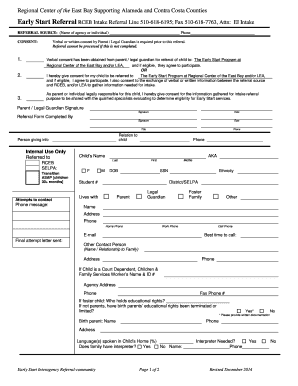
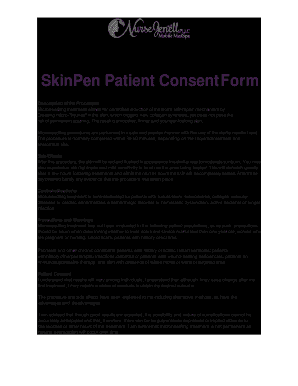
A "curriculum vitae pdf para preencher" refers to a fillable PDF form of a curriculum vitae, commonly known as a CV. This type of document is used to present an individual’s personal, educational, and professional history in a structured format. It is typically used in academic, medical, and research fields, providing comprehensive details about one’s qualifications, achievements, and skills. This fillable format allows users to input their information directly into the document, enabling easy customization and ensuring that all necessary sections are completed cleanly and accurately.
Benefits of Using a Fillable PDF CV
- Ease of Use: The pre-set format ensures all critical sections are included, minimizing the risk of missing necessary information.
- Professional Appearance: Ensures uniformity and professionalism with standardized fonts and layouts.
- Time Efficiency: Users save time by filling out structured fields instead of creating a document from scratch.
How to Use the Curriculum Vitae PDF para Preencher
Using the "curriculum vitae pdf para preencher" is straightforward with the right tools and guidance. Follow this procedure to fill out your CV optimally:
- Choose the Right Tool: Use a PDF editor like DocHub, which allows you to input data into fillable PDF forms easily.
- Input Personal Information: Start by entering your name, contact information, and other personal details in the designated fields.
- Complete Academic Background: List your educational qualifications, starting with the most recent. Be sure to include institution names, degrees earned, and dates of completion.
- Detail Professional Experience: Add your work experience in reverse chronological order, including the company name, job title, responsibilities, and employment dates.
- Highlight Skills and Achievements: Use this section to mention any awards, recognitions, or skills that align with the job you are targeting.
- Review and Edit: Thoroughly check for errors or omissions before saving or submitting the form. Utilize editing tools to adjust the layout if necessary.
How to Obtain the Curriculum Vitae PDF para Preencher
Acquiring a fillable CV form can be efficiently done online. There are several methods to secure access to the document:
- DocHub Platform: Visit DocHub to download a template that fits your needs, ensuring it is U.S.-compatible if applying within the United States.
- University or Career Center Resources: Many educational institutions provide CV templates for students and alumni.
- Professional Networking Sites: Websites like LinkedIn often offer downloadable templates for their users.
Steps to Complete the Curriculum Vitae PDF para Preencher
Successfully completing the fillable CV involves an organized approach:
- Gather Information: Collect all pertinent details related to your education, job history, skills, and achievements.
- Use a Detailed Template: Select a template that includes sections specific to your industry.
- Ensure Accuracy: Double-check spelling, dates, and job titles for accuracy.
- Optimize for Keywords: For digital submissions, incorporate keywords relevant to your desired job to pass through Applicant Tracking Systems (ATS).
- Finalize and Save: Once all sections are filled out and reviewed, save the document in a secure format and rename the file appropriately for submission.
Why You Should Use a Curriculum Vitae PDF para Preencher
Using a fillable CV comes with numerous advantages, especially for digital submissions:
- Electronic Submissions: Fillable forms are ideal for online job applications where digital documents are required.
- Structured Presentation: Ensures that all components of a CV are systematically covered.
- Customizability: Easily tailor your CV for different applications by modifying sections as needed.
Important Terms Related to Curriculum Vitae PDF para Preencher
Understanding the terminology associated with a fillable CV form enhances its utilization:
- PDF (Portable Document Format): A file format that preserves document layout across devices.
- Fillable Fields: Sections in a PDF that users can edit to input data.
- Applicant Tracking System (ATS): Software used by employers to manage the recruitment process.
- Reverse Chronological Order: A listing style starting with the most recent experiences or accomplishments.
Key Elements of the Curriculum Vitae PDF para Preencher
A well-structured CV should include several critical components:
- Personal Details: Name, contact information, and possibly a LinkedIn profile link.
- Educational Background: Schools attended, degrees earned, and academic honors.
- Professional Experience: Employers, positions held, and responsibilities.
- Skills and Achievements: Relevant capabilities and notable accomplishments.
- References: Typically optional but can be included if space permits and requested by the employer.
Software Compatibility for the Curriculum Vitae PDF para Preencher
Using specific software can streamline the process of handling a fillable CV:
- DocHub: Provides tools for editing and saving PDFs with full encryption and security features.
- Adobe Acrobat Reader: A commonly used tool for viewing and filling out PDFs.
- Microsoft Word: Convert the PDF to a Word document if additional edits beyond simple text entry are necessary.