01. Edit your form online
Type text, add images, blackout confidential details, add comments, highlights and more.

Type text, add images, blackout confidential details, add comments, highlights and more.

Draw your signature, type it, upload its image, or use your mobile device as a signature pad.

Send it via email, link, or fax. You can also download it, export it or print it out.
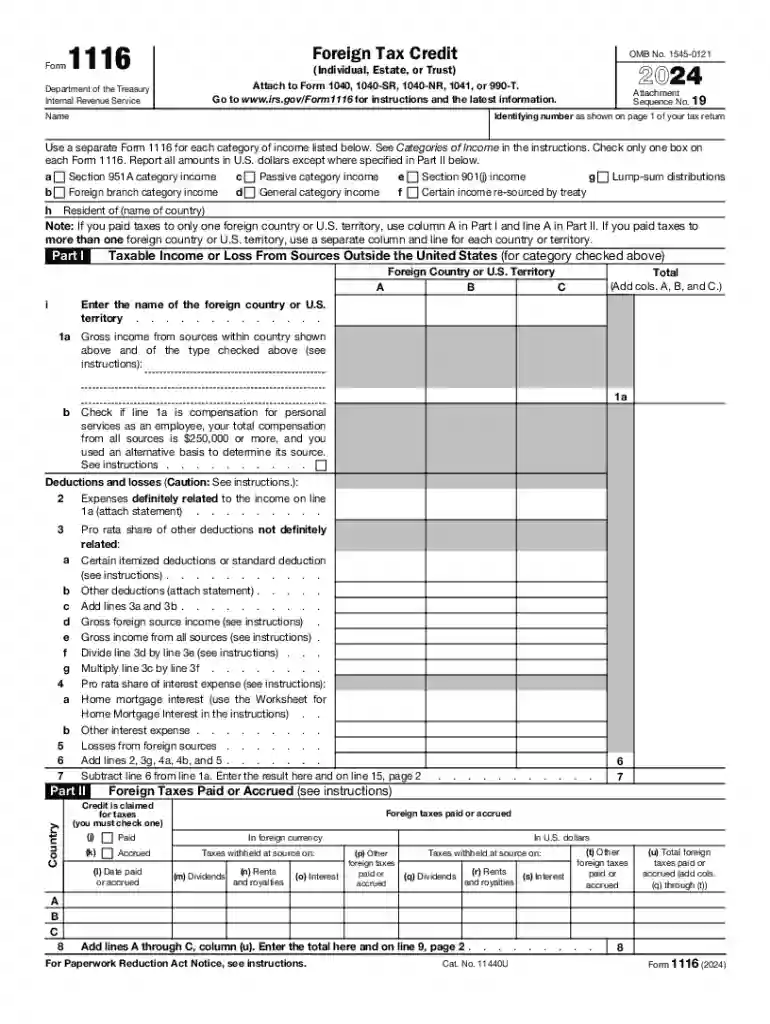
The 2024 Form 1116, titled "Foreign Tax Credit (Individual, Estate, or Trust)," is utilized by U.S. taxpayers aiming to claim a foreign tax credit on their federal tax returns. This credit helps mitigate the potential double taxation that can arise when income is taxed in both a foreign country and the United States. The form requires taxpayers to provide detailed information about foreign income and taxes paid or accrued to foreign countries, enabling the calculation of the credit amount available to offset U.S. tax liabilities.
To access the 2024 Form 1116, individuals can download it directly from the IRS website. Here are steps to obtain the form:
Taxpayers may also receive the form through tax preparation software, which often includes the latest versions of all required IRS forms.
Using Form 1116 is crucial for U.S. taxpayers who have paid taxes to foreign governments. The primary reasons for using this form include:
Form 1116 is commonly used by:


Completing Form 1116 involves several detailed steps. Here’s a breakdown:
Several important terms are crucial when dealing with Form 1116:
The IRS provides specific guidelines for Form 1116 to ensure compliance:
To be eligible for the foreign tax credit using Form 1116:
Ensuring eligibility is the first step toward successfully claiming the foreign tax credit.

Let's explore some scenarios where Form 1116 is applicable:
Failing to accurately complete Form 1116 or to include it when necessary can lead to:
To avoid penalties, taxpayers should ensure all information is accurate and complete when filing.
We've got more versions of the 2024 Form 1116 Foreign Tax Credit (Individual, Estate, or Trust) form. Select the right 2024 Form 1116 Foreign Tax Credit (Individual, Estate, or Trust) version from the list and start editing it straight away!
At DocHub, your data security is our priority. We follow HIPAA, SOC2, GDPR, and other standards, so you can work on your documents with confidence.