Type text, add images, blackout confidential details, add comments, highlights and more.
02. Sign it in a few clicks
Draw your signature, type it, upload its image, or use your mobile device as a signature pad.
03. Share your form with others
Send shipment exception via email, link, or fax. You can also download it, export it or print it out.
How to use or fill out exemption delivery with our platform
Ease of Setup
DocHub User Ratings on G2
Ease of Use
DocHub User Ratings on G2
Click ‘Get Form’ to open the exemption delivery document in the editor.
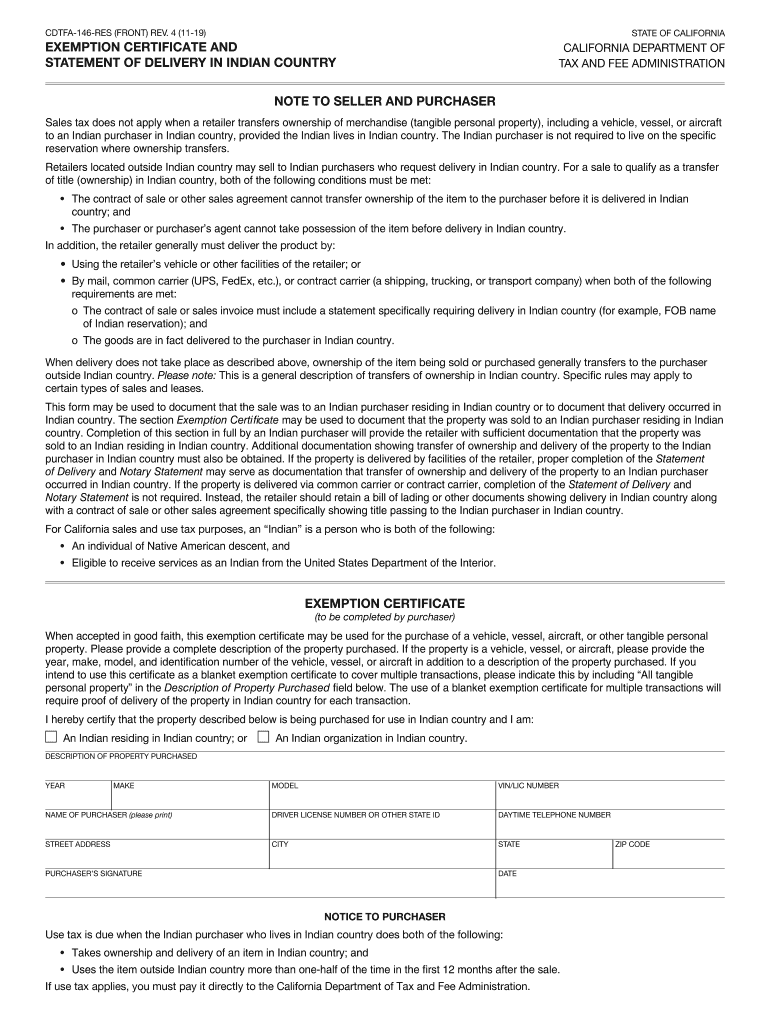
Begin by completing the Exemption Certificate section. Provide a detailed description of the property purchased, including year, make, model, and identification number if applicable. If using as a blanket exemption certificate, indicate 'All tangible personal property' in the Description field.
Fill in your personal information as the purchaser: name, driver license number or state ID, daytime telephone number, street address, city, state, and ZIP code.
Sign and date the form to certify that you are an Indian residing in Indian country or an Indian organization.
Next, complete the Statement of Delivery section if you are delivering the property yourself. Include details such as type of merchandise, year, invoice number, make, model, VIN/LIC number, name of reservation, delivery date, and seller's information.
If applicable, have a notary public complete the Notary Statement to verify identities involved in the transaction.
Start using our platform today for free to streamline your exemption delivery process!
Exemption delivery meaningExemption delivery exampleWhat do I do if my package has a delivery exceptionShipment exception FedExDelivery exception customer not availableDelivery exception Local delivery restrictionDelivery exception at destination FedEx facilityDelivery exception future delivery requested
Security and compliance
At DocHub, your data security is our priority. We follow HIPAA, SOC2, GDPR, and other standards, so you can work on your documents with confidence.
17 CFR 230.174 - Delivery of prospectus by dealers
The statutory period for prospectus delivery specified in section 4(3) of the Act shall not terminate until 90 days after the date funds and securities areRead more
Cookie consent notice
This site uses cookies to enhance site navigation and personalize your experience.
By using this site you agree to our use of cookies as described in our Privacy Notice.
You can modify your selections by visiting our Cookie and Advertising Notice.