




01. Edit your form online
Type text, add images, blackout confidential details, add comments, highlights and more.

Type text, add images, blackout confidential details, add comments, highlights and more.

Draw your signature, type it, upload its image, or use your mobile device as a signature pad.

Send it via email, link, or fax. You can also download it, export it or print it out.
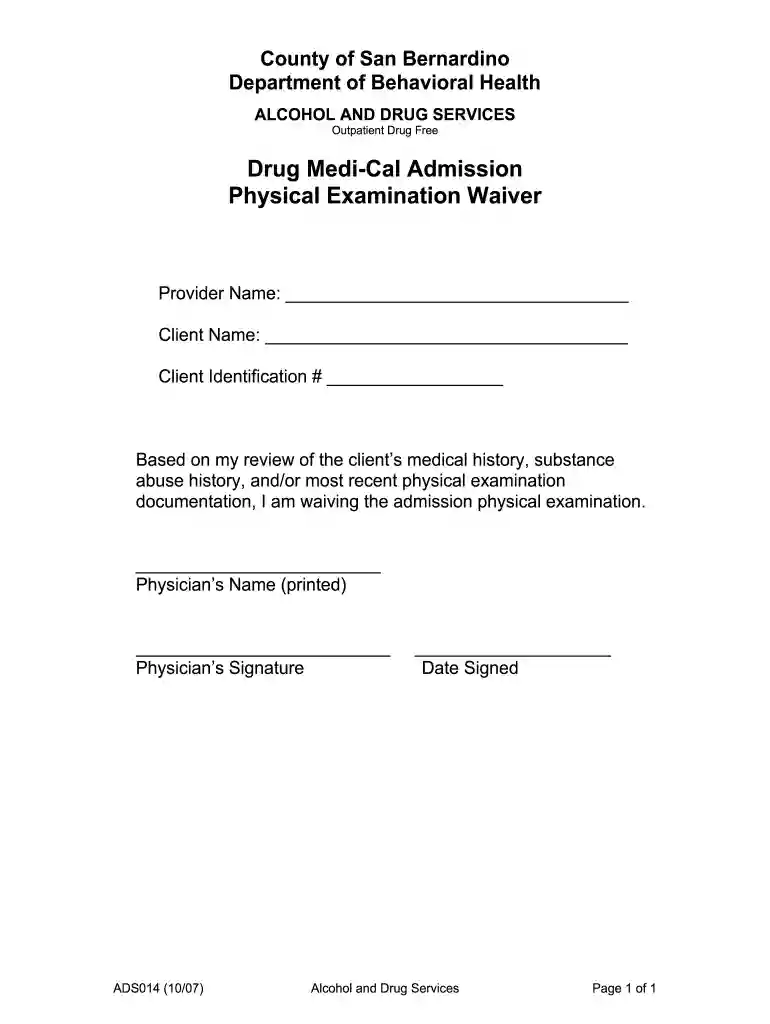
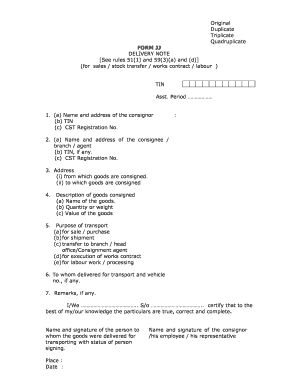
"Departmental Forms - San Bernardino County, California" refers to official documents utilized by various departments within San Bernardino County for administrative, legal, or service-oriented purposes. These forms serve diverse functions such as collecting information, authorizing actions, or providing legal acknowledgments. For instance, the Department of Behavioral Health in San Bernardino County may use forms to waive the requirement for a medical examination for certain admissions. Understanding the specific purpose of each form is crucial, as it dictates the data required and the procedures to follow for compliance.
To effectively use departmental forms from San Bernardino County, California, follow these steps:
Completing these forms requires attention to detail:
Read All Instructions: Start by thoroughly reading any instructions that accompany the form to understand specific requirements.
Enter Personal Information: Provide your full legal name, address, and other identifying information where required.
Fill Out Specific Sections: Depending on the form type, complete the sections related to your situation such as health, financial, or legal details.
Review and Correct: Before submitting, review the form for any errors or omissions. This reduces the chance of delays.
Sign and Date: Most forms require a signature and date to validate authenticity, especially if legally binding.
Attach Required Documents: Include any necessary documents referenced in the form instructions.
These forms are essential for facilitating interactions between individuals, businesses, and the government entities in San Bernardino County. They ensure legal compliance, assist in resource allocation, and enhance service delivery. For example, completing a waiver form in the Department of Behavioral Health enables individuals to access essential health services under specific conditions without redundant medical examinations.
A wide range of individuals and groups utilize these forms:


Each form includes critical features such as:
These forms hold legal significance, often serving as binding documents upon completion. They ensure that the information provided is used in accordance with county and state laws. Legal use includes, but is not limited to, waivers, applications for services, and compliance documentation. Misrepresenting information or misuse can result in legal repercussions.
San Bernardino's departmental forms are primarily available in digital formats, compatible with document management platforms such as DocHub. This compatibility ensures ease of use when editing, signing, and submitting forms electronically. Users can integrate cloud services like Google Drive for seamless document handling, enhancing efficiency and accessibility.
We've got more versions of the Departmental Forms - San Bernardino County, California form. Select the right Departmental Forms - San Bernardino County, California version from the list and start editing it straight away!
| Versions | Form popularity | Fillable & printable |
|---|---|---|
| 2007 | 4.3 Satisfied (44 Votes) |
At DocHub, your data security is our priority. We follow HIPAA, SOC2, GDPR, and other standards, so you can work on your documents with confidence.




San Bernardino County Department of Behavioral Health (DBH) Form Submit a Student Accident/Injury Report Tech Support Title IX. San Bernardino, CA 92410
Forms Fees ; pdf, Affidavit- Death of Joint Tenant, Recorder ; pdf, Application for Issuance of Tentative Map Number, Recorder ; pdf, Assignment of Deed of TrustRead more
Mar 17, 2026 Devil Canyon hydroelectric plant is an operating hydroelectric power plant in San Bernardino, San Bernardino County, California, United States.


