




01. Edit your title 19 status release online
Type text, add images, blackout confidential details, add comments, highlights and more.

Type text, add images, blackout confidential details, add comments, highlights and more.

Draw your signature, type it, upload its image, or use your mobile device as a signature pad.

Send it via email, link, or fax. You can also download it, export it or print it out.
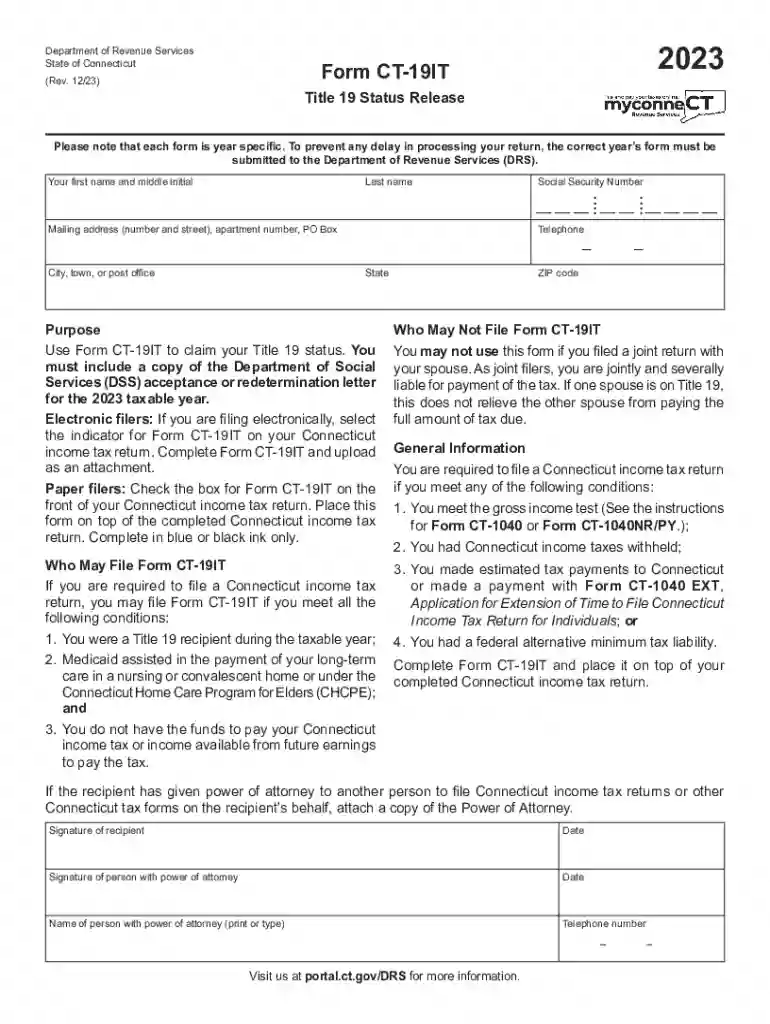
The Free Form CT-19IT Title 19 Status Release 2023 is a document issued by the Connecticut Department of Revenue Services. It is used to claim Title 19 status for the 2023 taxable year. Title 19, part of the Medicaid program, assists individuals who cannot afford to pay their Connecticut income tax due to long-term care expenses. The form outlines eligibility criteria and filing instructions, making it essential for individuals receiving Title 19 assistance.
Obtaining the Free Form CT-19IT Title 19 Status Release 2023 is straightforward. The form can be downloaded from the official Connecticut Department of Revenue Services website. Alternatively, individuals can request a physical copy by contacting the department directly. For ease of access, many service providers and financial advisors also provide the form as part of their services.
Eligibility for the Free Form CT-19IT depends on receiving Title 19 assistance for long-term care. Applicants must demonstrate substantial financial need, proving that their income and resources are insufficient to cover necessary medical expenses. Documentation confirming long-term care under Medicaid is critical to establishing eligibility.


Primarily, individuals receiving long-term care under Title 19 in Connecticut use this form. These may include elderly individuals in nursing homes, persons with chronic illnesses, or those with significant disabilities who have exhausted other financial means.

Failure to accurately complete or file the Free Form CT-19IT can result in penalties. These may include fines, loss of Medicaid benefits, or denial of requested tax relief. Continual non-compliance could lead to more severe repercussions, such as legal action or mandatory restitution of claimed benefits.
The application process for the CT-19IT form is relatively simple yet requires careful attention to details. After submission, the processing time varies but typically takes four to six weeks. Applicants should ensure all documentation is complete to avoid delays.
The form must be used solely for the purpose of claiming Title 19 status for income tax purposes. Misrepresentation or misuse of the form for unauthorized benefits constitutes fraud and is subject to legal action under state and federal laws.
We've got more versions of the title 19 status release form. Select the right title 19 status release version from the list and start editing it straight away!
At DocHub, your data security is our priority. We follow HIPAA, SOC2, GDPR, and other standards, so you can work on your documents with confidence.

FAMILY UNIT RULES FOR A NEGATIVE INCOME TAX negative income tax carries appealing overtones of a positive income tax
CT-19IT, Title 19 Status Release Form, 12/2025. CT-2210, Underpayment of Estimated Income Tax by Individuals, Trusts, and Estates, 12/2025. CT-3911, TaxpayerRead more


