




01. Edit your st 810 form online
Type text, add images, blackout confidential details, add comments, highlights and more.

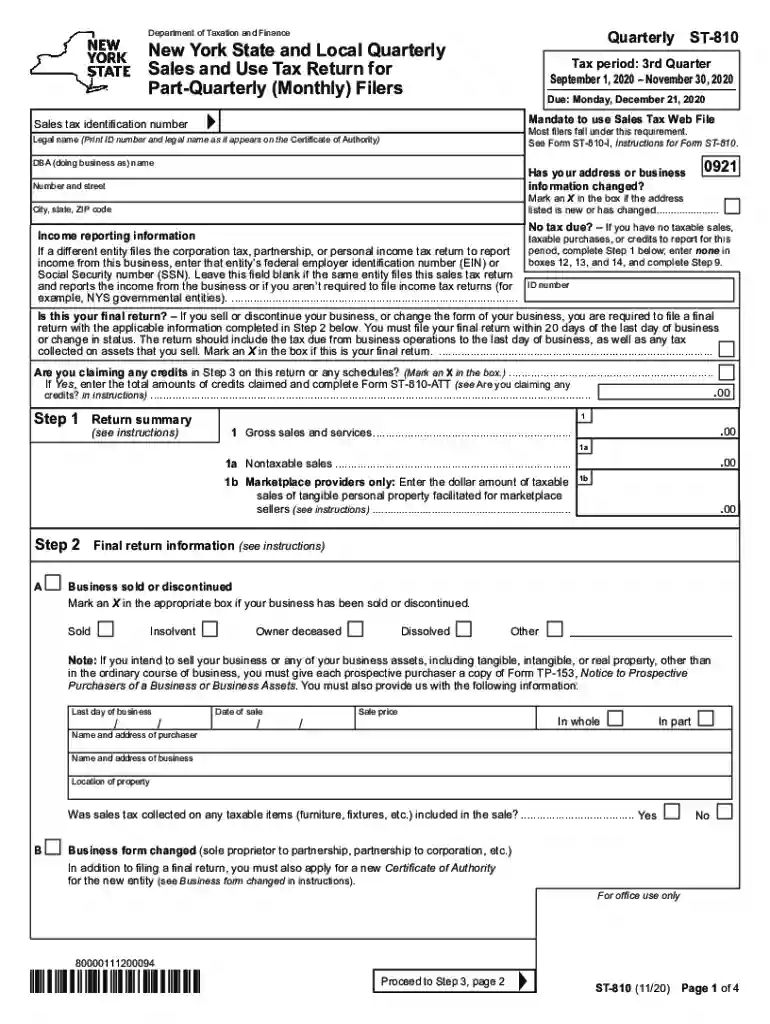
Type text, add images, blackout confidential details, add comments, highlights and more.

Draw your signature, type it, upload its image, or use your mobile device as a signature pad.

Send ny st 810 via email, link, or fax. You can also download it, export it or print it out.

Start using our platform today to streamline your ST-810 form completion for free!
We've got more versions of the st 810 form form. Select the right st 810 form version from the list and start editing it straight away!
| Versions | Form popularity | Fillable & printable |
|---|---|---|
| 2025 | 4.9 Satisfied (41 Votes) | |
| 2024 | 4.9 Satisfied (50 Votes) | |
| 2023 | 4.5 Satisfied (35 Votes) | |
| 2022 | 4.7 Satisfied (45 Votes) | |
| 2021 | 4.8 Satisfied (21 Votes) | |
| 2020 | 4.2 Satisfied (73 Votes) | |
| 2019 | 4.4 Satisfied (155 Votes) | |
| 2018 | 4.4 Satisfied (138 Votes) | |
| 2017 | 4.2 Satisfied (96 Votes) | |
| 2016 | 4.1 Satisfied (82 Votes) | |
| 2015 | 4 Satisfied (49 Votes) | |
| 2014 | 4.3 Satisfied (43 Votes) | |
| 2014 | 4.4 Satisfied (577 Votes) | |
| 2012 | 4 Satisfied (38 Votes) |
With DocHub, you can rapidly sign your st 809 vs st 810 or any other paperwork on iOS, even without installing additional applications. You can access your DocHub account from any web-connected browser and fill out and sign your document in any way you like with just a couple of clicks.
You can complete and eSign your st 810 on the internet, even on a tight deadline. All you need to access high quality editing tools on any device is a DocHub profile, that you can sign up within a few moments. Once you register, add your file or find what you are searching for in our catalog, complete it utilizing the editing tools you need, and put your electronic signature on it at the end.
At DocHub, your data security is our priority. We follow HIPAA, SOC2, GDPR, and other standards, so you can work on your documents with confidence.
Jan 1, 2008 St-Pierre, Canada ..7-1. Guy 810. 16.2. 0.50. FP-Mass. 1. 27. MRW. 600. 22.2. 0.27. FP-Trays. 1. 30. MRW.Read more
ST 810 Advanced Topics in Statistics (1-3 credit hours). Typically offered in Fall and Spring. ST 835 Readings (1-3 credit hours). Typically offered in SpringRead more
Feb 18, 2026 Quarterly filer forms (Form ST-810 series). 4th quarter: December 1, 2025 - February 28, 2026 Due date: Friday, March 20,Read more


