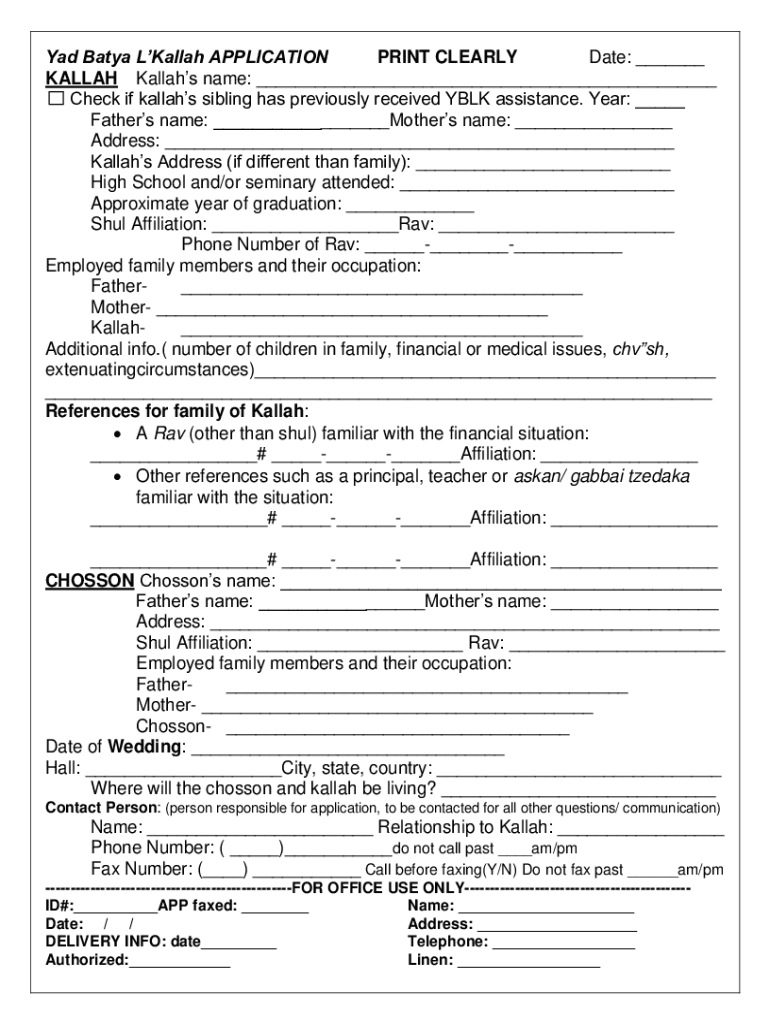
Yad batya l'kallah application 2026

Get Form
chasdei chashie l'kallah application Preview on Page 1

Here's how it works

01. Edit your chasdei chashie l'kallah application online
Type text, add images, blackout confidential details, add comments, highlights and more.
02. Sign it in a few clicks
Draw your signature, type it, upload its image, or use your mobile device as a signature pad.
03. Share your form with others
Send chasdei chashie l'kallah via email, link, or fax. You can also download it, export it or print it out.

How to use or fill out yad batya l'kallah application with our platform

Form edit decoration
9.5
Ease of Setup
DocHub User Ratings on G2
9.0
Ease of Use
DocHub User Ratings on G2
  1. Click ‘Get Form’ to open the yad batya l'kallah application in the editor.
  2. Begin by entering the date at the top of the form. This helps track your application timeline.
  3. Fill in the Kallah’s name and check if a sibling has previously received assistance, noting the year if applicable.
  4. Provide both parents' names and addresses. If the Kallah has a different address, include that as well.
  5. Indicate the high school or seminary attended along with the approximate year of graduation.
  6. List your Shul affiliation and provide contact details for your Rav, ensuring accuracy for follow-up.
  7. Detail employed family members and their occupations to give context to your financial situation.
  8. Include any additional information regarding family circumstances that may support your application.
  9. Complete references for both Kallah and Chosson, including contact numbers and affiliations.
  10. Finally, review all entries for clarity before submitting via fax, email, or mail as instructed.

Start filling out your yad batya l'kallah application today using our platform for free!

be ready to get more

Complete this form in 5 minutes or less

Get form

Got questions?

We have answers to the most popular questions from our customers. If you can't find an answer to your question, please contact us.
Contact us

Log in to your DocHub account and add your chasdei chashi l'kallah to our editor using one of its upload options - from your device, cloud storage, protected URL, or your DocHub folders if you have already processed your document before. Open our editor, click the Sign key in the upper toolbar, and decide on your signing method. You can upload a picture of your handwritten signature, draw it, type in your name, or utilize a QR code instead.

When you edit your chasdei chashie application with DocHub, you will not need to look for other software or services to sign it. An electronic signature is part of DocHub’s extensive editing toolset, which allows you to implement changes in your form without switching between websites. Just complete your form, double-check the correctness of your data and place your electronic signature at the end to make it submission-ready within minutes.

Security and compliance

At DocHub, your data security is our priority. We follow HIPAA, SOC2, GDPR, and other standards, so you can work on your documents with confidence.

Learn more
ccpa2
pci-dss
gdpr-compliance
hipaa
soc-compliance
be ready to get more

Complete this form in 5 minutes or less

Get form