




01. Edit your form online
Type text, add images, blackout confidential details, add comments, highlights and more.

Type text, add images, blackout confidential details, add comments, highlights and more.

Draw your signature, type it, upload its image, or use your mobile device as a signature pad.

Send it via email, link, or fax. You can also download it, export it or print it out.
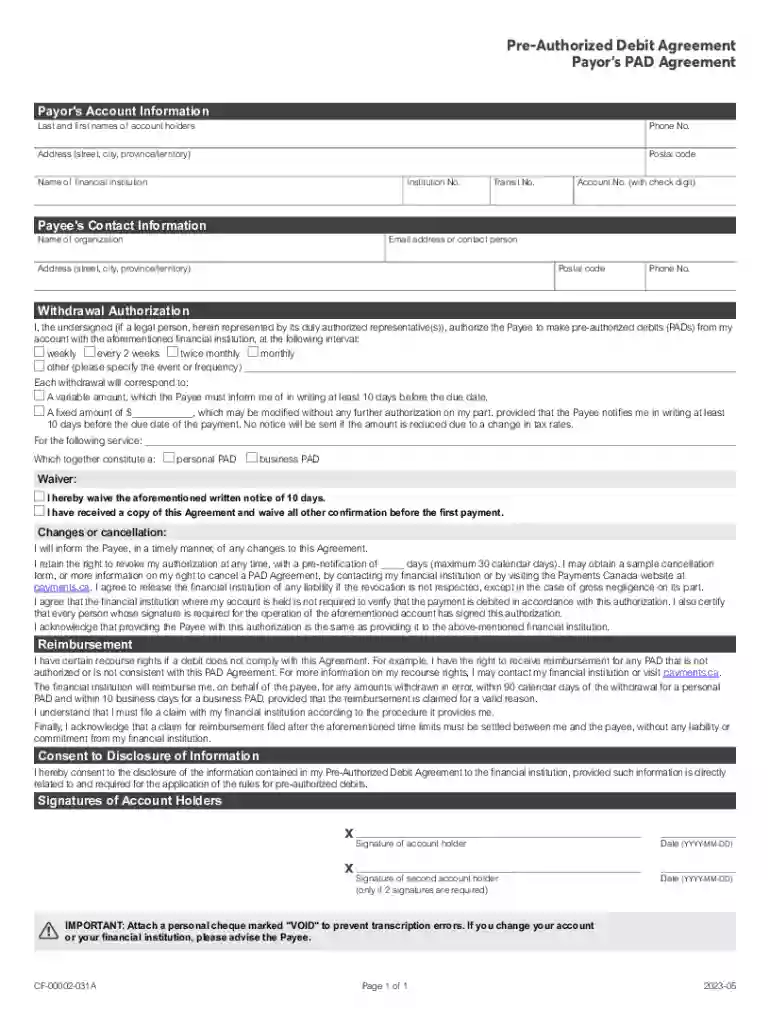
The Pre-Authorized Debit (PAD) Payor Agreement is a form that facilitates recurring payments from a payor's bank account to a payee. This agreement allows the payee to automatically withdraw specified amounts at agreed intervals, ensuring timely payments for services like utilities, loans, or subscriptions. It is commonly used by businesses to streamline billing processes and reduce the administrative burden associated with manual payment collections. The agreement aims to simplify financial transactions by automating payments, which ensures that obligations are met without requiring active monthly intervention from the payor.
To effectively utilize the PAD Payor Agreement, the payor must first ensure that their bank supports pre-authorized debits. The payor then completes the form by providing the required personal or business information, such as bank account details, withdrawal amount, and frequency of payments. The payor must sign the agreement to authorize the payee to initiate withdrawals on the scheduled dates. Once completed, it’s recommended to provide a voided check to verify bank account details. After submission, maintaining a record of the agreement is advisable to resolve any potential disputes regarding the payments.
Gather Required Information:
Fill Out Personal or Business Information:
Specify Withdrawal Information:
Read and Agree to Terms:
Attach a Voided Check:
Sign the Agreement:
Submit the Agreement:
The PAD Payor Agreement must comply with applicable U.S. federal regulations, such as the Electronic Funds Transfer Act, which governs electronic transactions. Payors have legal rights to dispute unauthorized transactions and must be informed about these rights within the agreement. Legal compliance requires the clear presentation of terms regarding cancellation and reimbursement procedures. Both parties must retain a copy of the signed agreement to address compliance issues efficiently.
The PAD Payor Agreement is widely used by businesses, financial institutions, and individuals for efficient financial transactions. Businesses leverage it to secure timely payments from clients for services or products offered on a subscription or credit basis. It is particularly beneficial for companies providing ongoing services, such as utility providers, insurance companies, and lenders. Individuals use this form to simplify recurring payments for loans, subscriptions, and utility bills, among other expenses.


Review Agreement Terms:
Provide Notification:
Follow Payee's Process:
Confirm Changes:
Notify Your Bank:
By adhering to these guidelines and understanding the nuances of the PAD Payor Agreement, users can efficiently manage their recurring payments while safeguarding their financial interests.
At DocHub, your data security is our priority. We follow HIPAA, SOC2, GDPR, and other standards, so you can work on your documents with confidence.


