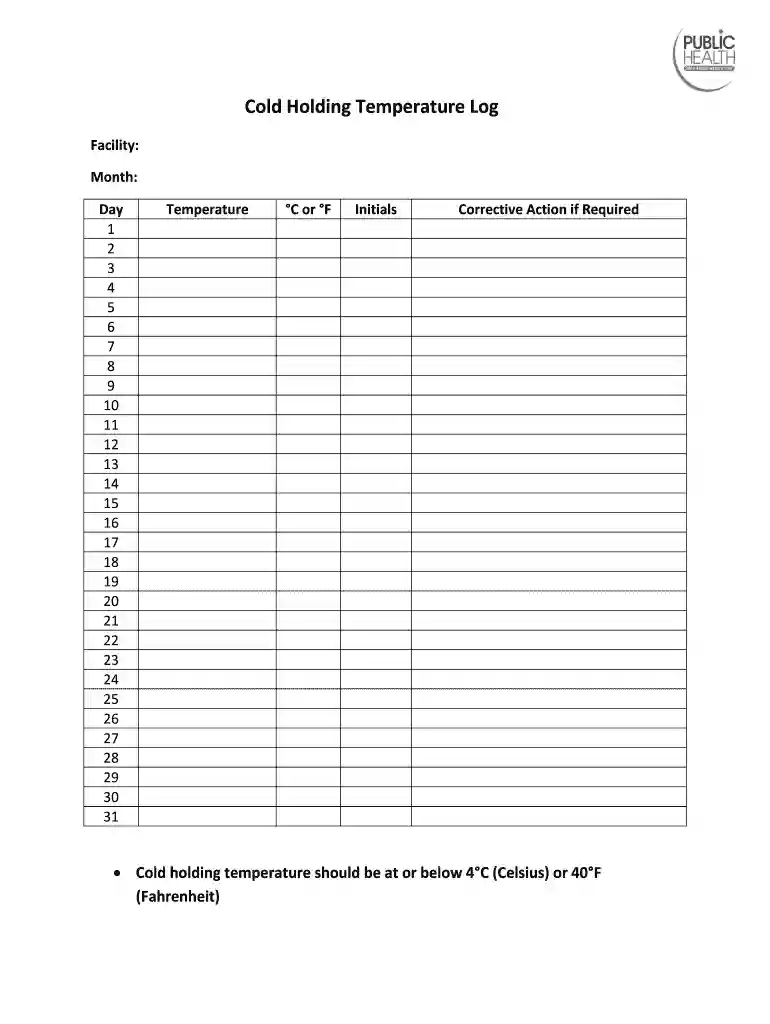
Cold Holding Temperature Log 2026

Get Form
Cold Holding Temperature Log Preview on Page 1

Here's how it works

01. Edit your form online
Type text, add images, blackout confidential details, add comments, highlights and more.

02. Sign it in a few clicks
Draw your signature, type it, upload its image, or use your mobile device as a signature pad.

03. Share your form with others
Send it via email, link, or fax. You can also download it, export it or print it out.

Definition & Meaning

A Cold Holding Temperature Log is a critical document in food safety that records the daily temperatures of food storage units in facilities, ensuring that temperatures remain at or below 4°C (40°F). This log is essential for compliance with health standards and to prevent foodborne illnesses by maintaining food at safe temperatures. Its purpose is to track and document the temperature of food storage areas, capturing data that can be used to verify that sanitary conditions are being upheld consistently.

Importance of Accurate Temperature Recording

Accurate temperature logging is vital for several reasons:

  • Ensures that food is stored at safe temperatures, reducing the risk of bacterial growth.
  • Provides a record that can be used to demonstrate compliance with health regulations during inspections.
  • Assists in identifying equipment failures or maintenance needs if temperatures exceed safe thresholds.

Steps to Complete the Cold Holding Temperature Log

To complete a Cold Holding Temperature Log accurately, follow these steps:

  1. Record Date and Time: Begin by noting the current date and the specific time when you take the temperature reading. Consistency is key, so taking readings at regular intervals is recommended.

  2. Measure the Temperature: Use a calibrated thermometer to measure the temperature of the food-holding unit. Place the thermometer in the warmest part of the unit to ensure the reading reflects the lowest potential temperature.

  3. Document Readings: Write down the temperature reading in the log. Ensure the measurement is recorded in the appropriate temperature unit (Celsius or Fahrenheit) as per the log's format.

  4. Initial the Entry: The person taking the reading should initial next to the recorded temperature, providing accountability and a point of reference for any follow-up.

  5. Corrective Actions (if required): If a temperature is above 4°C (40°F), note any corrective actions taken, such as adjusting the thermostat, relocating the food, or repairing faulty equipment.

Handling Deviations

If temperatures go above recommended levels, consider:

  • Relocating food to another storage unit.
  • Adjusting equipment settings and monitoring for further deviations.
  • Reporting significant issues that need immediate attention to ensure safety compliance.

Who Typically Uses the Cold Holding Temperature Log

The Cold Holding Temperature Log is typically used by:

  • Food Service Establishments: Restaurants, cafes, and other dining facilities need this log to ensure their storage practices meet health standards.
  • Grocery Stores and Markets: These businesses use temperature logs to keep track of perishable goods, ensuring they remain fresh and safe for consumers.
  • Institutions: Schools, hospitals, and care facilities maintain these logs to comply with regulations and provide safe food to their populations.
  • Food Handlers and Safety Inspectors: Individuals in charge of maintaining food safety standards regularly use these logs for inspections and audits.
decoration image ratings of Dochub

Key Elements of the Cold Holding Temperature Log

The Cold Holding Temperature Log typically includes the following elements:

  • Date and Time Columns: Spaces for entering each reading's date and corresponding time.
  • Temperature Reading Field: The core section where the thermometer reading is documented.
  • Initials Box: A field for the person taking the reading to add their initials, ensuring accountability.
  • Corrective Action Area: A column or field dedicated to describing any actions taken if temperatures exceed safety thresholds.

Enhancing Data Accuracy

To enhance the log's accuracy, consider the following practices:

  • Train staff on the importance of detailed and precise entries.
  • Use digital logs that can help minimize human error and allow easier data integration with management systems.

Why You Should Use a Cold Holding Temperature Log

Using a Cold Holding Temperature Log enables businesses to:

  • Ensure Compliance: It satisfies health department regulations for food safety.
  • Prevent Food Spoilage: By maintaining correct temperatures, the shelf life of perishable foods is extended.
  • Protect Consumer Safety: Consistent temperature logging helps in preventing outbreaks of foodborne illnesses.
  • Reduce Liability Risks: Provides a documented record that can act as a defense in case of food safety disputes or legal situations.

State-Specific Rules for the Cold Holding Temperature Log

While federal guidelines provide a general framework, individual states may have additional or more stringent rules regarding temperature logging:

  • California: May require more frequent daily logs due to warmer climates affecting storage conditions.
  • New York: Might implement additional corrective action documentation for public health recordkeeping.
  • Florida: Could stipulate additional reporting during hurricane warnings to ensure food safety in case of power outages.

Navigating Legal Requirements

Operators should familiarize themselves with state-specific food safety regulations to ensure that logs meet all legal standards and requirements. Consider consulting with state health departments or professional bodies for precise guidelines.

Examples of Using the Cold Holding Temperature Log

Practical examples of using the Cold Holding Temperature Log include:

  • Daily Operations: A restaurant logs temperatures as part of opening procedures, ensuring all refrigeration units are functioning correctly before business hours.
  • Audits: Food safety inspectors check logs during visits to confirm compliance with health standards.
  • Training Sessions: Kitchen staff use the log as a part of their food safety training, learning the importance of accurate temperature recordings in maintaining food quality.

Digital vs. Paper Version

Transitioning from traditional paper logs to digital systems can streamline operations:

  • Efficiency: Digital logs reduce manual entry time, allowing for automated alerts if readings fall outside acceptable ranges.
  • Storage and Retrieval: Electronic records are easier to store, retrieve, and analyze for trends, aiding in proactive maintenance.
  • Error Minimization: Reduces human errors associated with manual entry, creating a more reliable data source for audits and inspections.

Choosing the Right System

When selecting a digital logging system, consider integration with existing management platforms and ease of use for staff. Look for features like automatic time-stamping, data export options, and customizable alert parameters.

be ready to get more

Complete this form in 5 minutes or less

Get form

Got questions?

We have answers to the most popular questions from our customers. If you can't find an answer to your question, please contact us.
Contact us
Potentially hazardous foods must be cooled from 135 F to 70 F within 2 hours. These food items must then be chilled from 70 F to 41 F or below within 4 hours. Record temperatures every hour during the cooling cycle. Record corrective actions, if applicable.
Within 2 hours of cooking food or after it is removed from an appliance keeping it warm, leftovers must be refrigerated. Throw away all perishable foods that have been left in room temperature for more than 2 hours (1 hour if the temperature is over 90 F, such as at an outdoor picnic during summer).
Cold Plunging Mistake #1: Starting Too Cold Unless youre a cold exposure veteran, dont start at 39 degrees. We recommend starting somewhere from 50-60 degrees and dropping it a degree every week as long as you can stay in for at least 2 minutes. If you cant stay in for 2 minutes, raise the temp back up.

Security and compliance

At DocHub, your data security is our priority. We follow HIPAA, SOC2, GDPR, and other standards, so you can work on your documents with confidence.

Learn more
ccpa2
pci-dss
gdpr-compliance
hipaa
soc-compliance