Type text, add images, blackout confidential details, add comments, highlights and more.
02. Sign it in a few clicks
Draw your signature, type it, upload its image, or use your mobile device as a signature pad.
03. Share your form with others
Send aidet stands for via email, link, or fax. You can also download it, export it or print it out.
How to use or fill out aidet feedback forms with our platform
Ease of Setup
DocHub User Ratings on G2
Ease of Use
DocHub User Ratings on G2
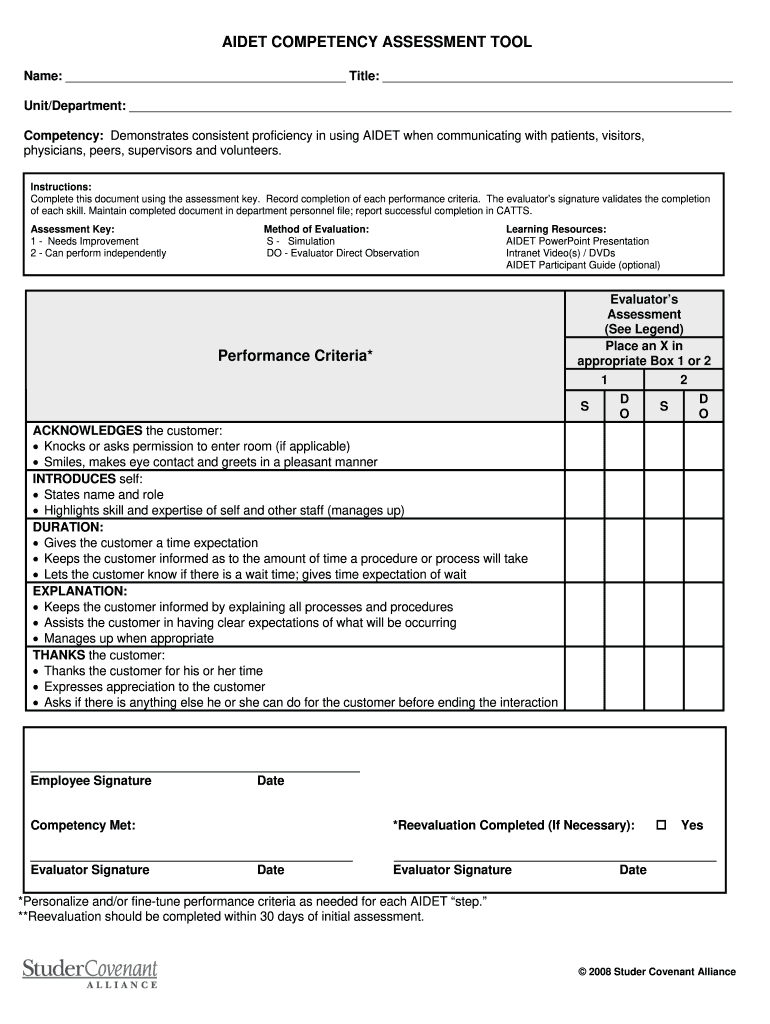
Click ‘Get Form’ to open the AIDET Competency Assessment Tool in the editor.
Begin by entering your name and title in the designated fields at the top of the form. This personalizes your feedback and ensures proper identification.
Fill in your unit or department information. This helps contextualize your assessment within your specific work environment.
Review each performance criterion listed under 'Competency'. For each criterion, assess your performance using the provided assessment key (1 for Needs Improvement, 2 for Can perform independently). Mark your evaluation by placing an 'X' in the appropriate box.
For each method of evaluation (Simulation or Direct Observation), indicate which methods were used by marking them accordingly.
Complete the evaluator’s section by signing and dating where indicated. This validates your assessment and confirms completion.
Finally, maintain a copy of this completed document in your department personnel file as required.
Start using our platform today to streamline your AIDET feedback process for free!
AIDET: Five steps to create positive interactions Acknowledge. Greet people with a smile. Introduce. Introduce yourself by sharing your name and explaining how you will be involved in the patients care or your role in the project. Duration. Discuss the duration of the procedure or project. Explanation. Thank.
What is the AIDET model?
When you encounter anyone that is 10 feet from you, please smile. When you encounter anyone 5 feet from you, please verbally engage with them by saying, Good Morning! or Hello or something appropriate for the moment.
What is the Aidet format?
Designed to keep patients informed and make them feel heard, AIDET stands for the five key communication behaviors that create positive care interactions: acknowledge, introduce, duration, explanation and thank you. Greet the patient by name. Make eye contact, smile and acknowledge family or friends in the room.
aidet meaning
What is AIDET in healthcareAIDET examplesAIDET training powerpointAIDET PDFAIDET nursing exampleWhat is AIDET in NursingAIDET Studer GroupAIDET framework
Security and compliance
At DocHub, your data security is our priority. We follow HIPAA, SOC2, GDPR, and other standards, so you can work on your documents with confidence.
Exploring nurses experiences in applying AIDET framework to
by W Panchuay 2023 Cited by 26 Using AIDET as a communication framework will reduce confrontation and complaints of patient relatives and patients (ID01: female, 1 year of experience).Read more
AIDET Template. A (Acknowledge). Example plan: Greet the person by name with a friendly smile. Acknowledge any family in the room. Your plan: Hi Ms. TreviaRead more
Cookie consent notice
This site uses cookies to enhance site navigation and personalize your experience.
By using this site you agree to our use of cookies as described in our Privacy Notice.
You can modify your selections by visiting our Cookie and Advertising Notice.