




01. Edit your form online
Type text, add images, blackout confidential details, add comments, highlights and more.

Type text, add images, blackout confidential details, add comments, highlights and more.

Draw your signature, type it, upload its image, or use your mobile device as a signature pad.

Send it via email, link, or fax. You can also download it, export it or print it out.
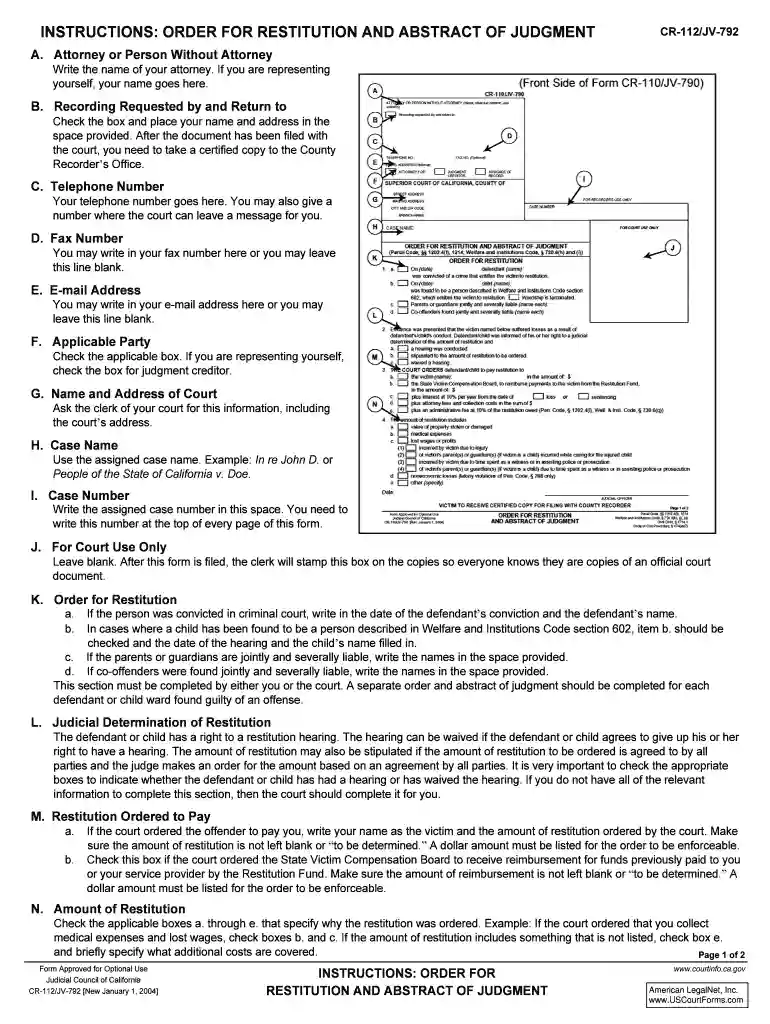
The "Attorney or Person Without Attorney INSTRUCTIONS: - courts ca" form is intended for use in California courts to guide both attorneys and self-represented individuals through specific legal processes. It provides detailed instructions on how to properly fill out and submit necessary legal forms, ensuring compliance with court requirements. This form is crucial for both parties to understand the procedures and documentation needed for court submissions.
California law dictates specific requirements for how this form must be completed. Differences may include varying deadlines, requirements for supplementary documentation, and submission procedures that differ from federal guidelines or those from other states.
This form is legally binding for court proceedings and must be used in compliance with California legal standards. It is intended to guide legal processes, either initiated by an attorney or an individual representing themselves, ensuring accurate and effective legal compliance.


Failure to follow the "Attorney or Person Without Attorney INSTRUCTIONS: - courts ca" can result in delays, dismissal of case filings, or even fines. The form’s accuracy and timely submission are critical to the success of any legal process.
These instructions can be used with document editing platforms like DocHub, allowing users to edit, sign, and manage forms efficiently. Integration with cloud services enables seamless uploading and filing of forms.
We've got more versions of the Attorney or Person Without Attorney INSTRUCTIONS: - courts ca form. Select the right Attorney or Person Without Attorney INSTRUCTIONS: - courts ca version from the list and start editing it straight away!
At DocHub, your data security is our priority. We follow HIPAA, SOC2, GDPR, and other standards, so you can work on your documents with confidence.
A conservatorship of the person may be created for a person who is unable properly to provide for his or her personal needs for.
The following rules are intended to regulate professional conduct of members of the State. Bar through discipline. They have been adopted.
If you are applying as one of the parties on this list, you may NOT act as your own attorney in most cases. Use this form to substitute one attorney for another


