Type text, add images, blackout confidential details, add comments, highlights and more.
02. Sign it in a few clicks
Draw your signature, type it, upload its image, or use your mobile device as a signature pad.
03. Share your form with others
Send step up to writing log in via email, link, or fax. You can also download it, export it or print it out.
How to use or fill out step up to writing with our platform
Ease of Setup
DocHub User Ratings on G2
Ease of Use
DocHub User Ratings on G2
Click ‘Get Form’ to open it in the editor.
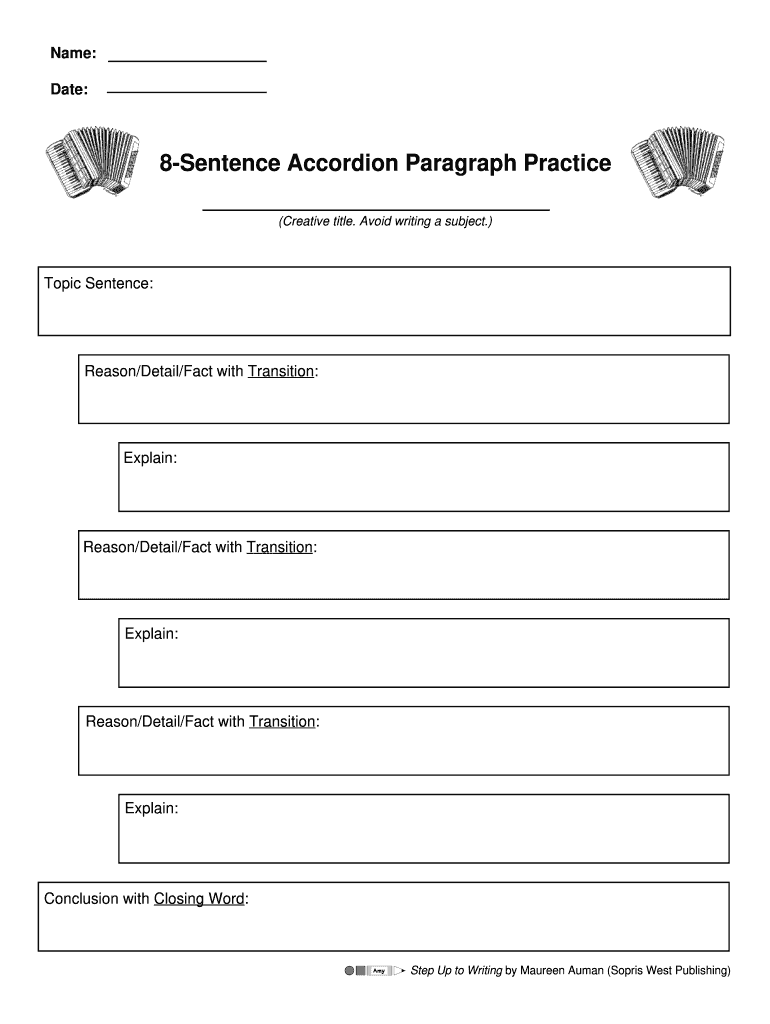
Begin by entering your creative title in the designated field. This sets the tone for your paragraph and should be engaging.
In the Topic Sentence section, clearly state the main idea of your paragraph. This will guide your readers on what to expect.
For each Reason/Detail/Fact with Transition, provide a supporting detail that connects logically to your topic sentence. Use transitions effectively to maintain flow.
In the Explain section, elaborate on each reason or detail. This is where you can add depth and clarity to your argument.
Conclude with a strong Conclusion with Closing Word that summarizes your main points and reinforces your topic sentence.
Start using our platform today for free and enhance your writing skills effortlessly!
Step up to writing pdfStep Up to Writing LoginStep up to writing curriculumStep Up to Writing K-2Step Up to Writing PDF free downloadStep Up to Writing teachers Manual PDFStep Up to Writing K--2 PDF Free downloadStep up to writing high school
Security and compliance
At DocHub, your data security is our priority. We follow HIPAA, SOC2, GDPR, and other standards, so you can work on your documents with confidence.
2.3 Step Up to Writing Words - Institute of Education Sciences
This video, part of A Kindergarten Teachers Guide to Supporting Family Involvement in Foundational Reading Skills, depicts a mother encouraging her son to
7 days ago Use it to define how to set up and execute various tools on your projects. For a step-by-step introduction, see the Getting Started tutorial.Read more
Cookie consent notice
This site uses cookies to enhance site navigation and personalize your experience.
By using this site you agree to our use of cookies as described in our Privacy Notice.
You can modify your selections by visiting our Cookie and Advertising Notice.