




01. Edit your form online
Type text, add images, blackout confidential details, add comments, highlights and more.

Type text, add images, blackout confidential details, add comments, highlights and more.

Draw your signature, type it, upload its image, or use your mobile device as a signature pad.

Send it via email, link, or fax. You can also download it, export it or print it out.
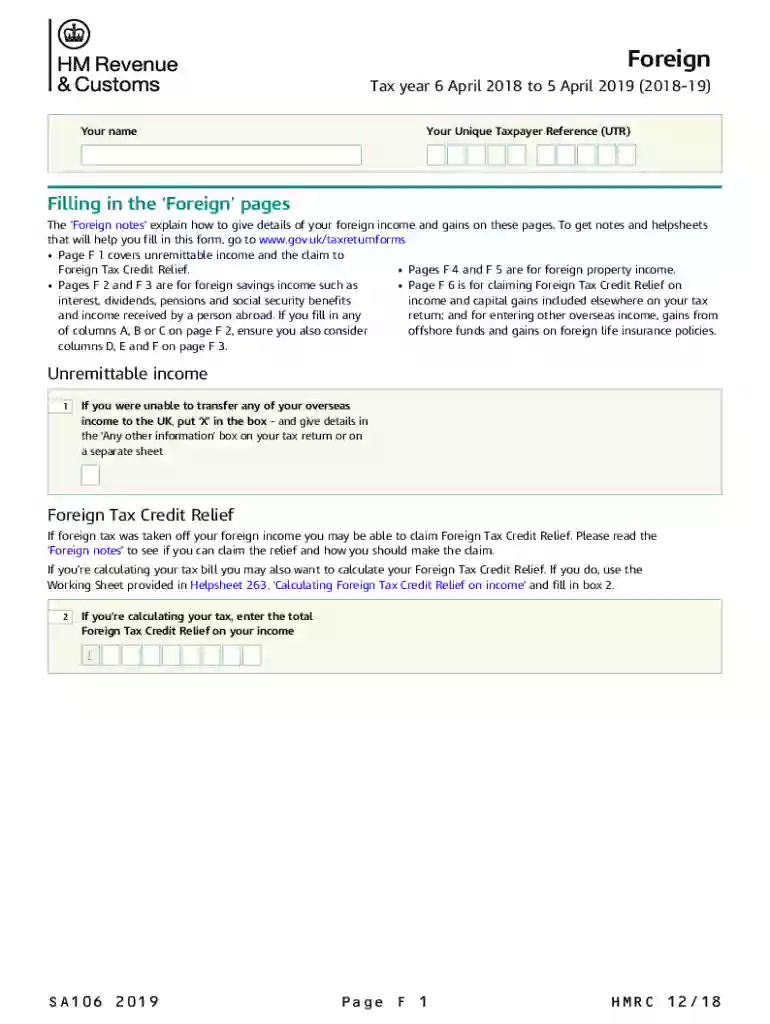
The SA106 (2019) supplementary pages are part of the United Kingdom's tax return framework. They are designed specifically for taxpayers who need to declare foreign income and gains. These pages serve to report various types of income received from outside the UK, such as savings, dividends, pensions, and capital gains. Additionally, the form allows for claims on Foreign Tax Credit Relief, providing taxpayers with an avenue to offset taxes paid overseas against their UK tax liabilities. Understanding this form is crucial to ensuring compliance with tax obligations for income received outside the country.
To use the SA106 (2019) form, taxpayers begin by gathering detailed information about their foreign income and gains for the relevant tax year. This includes all income types such as unremittable income, foreign property income, and others. Taxpayers must accurately complete each section of the form, ensuring that all fields are filled out with the necessary details. Using country codes and precisely calculating taxable amounts is essential. Once the form is completed, it is submitted along with the rest of the self-assessment tax return.
Taxpayers can obtain the SA106 (2019) supplementary pages through multiple channels, ensuring easy access to the necessary documentation. These forms can typically be downloaded directly from the official government website or obtained from a tax advisor. When accessing the form online, taxpayers should ensure they are downloading the official version to avoid accuracy and compliance issues.
Understanding the terminology associated with the SA106 (2019) form is crucial:
The SA106 (2019) form is typically used by UK taxpayers who have income or gains arising from foreign sources. This can include expatriates, individuals with overseas investments, pensioners receiving pensions from other countries, or business owners with international operations. Taxpayers residing in the UK but earning global income find this form especially relevant for maintaining tax compliance.


While the SA106 (2019) deals primarily with UK tax, individuals with income in the US must also be aware of IRS guidelines on foreign income. These cross-border tax situations necessitate careful attention to both UK and US tax regulations to ensure full compliance and optimal tax relief.
The filing deadlines for submitting the SA106 (2019) form align with the UK tax year timelines. For most individuals, this means ensuring all forms, including the SA106, are completed and submitted by January 31 following the end of the tax year. It is essential to adhere to this deadline to avoid potential penalties and interest charges.
Failure to properly complete and submit the SA106 (2019) supplementary pages can result in significant penalties. These penalties can include fines for late submission, interest charges on unpaid tax, and possible investigations. Ensuring thorough and timely completion of this form is critical to maintaining compliance and avoiding penalties.
Taxpayers have the option to file the SA106 (2019) form either digitally or on paper. The digital filing option allows for quicker submission and immediate confirmation of receipt. However, some individuals may prefer the traditional method of paper filing. Both methods are valid as long as they adhere to set deadlines and guidelines.
Using the SA106 (2019) form requires detailed disclosure of all applicable foreign income. This transparency ensures that the UK tax authorities have a comprehensive understanding of a taxpayer’s total income, which is critical for accurate tax calculations and maintaining compliance with national laws.
The SA106 (2019) form is compatible with popular tax software such as TurboTax and QuickBooks. These platforms offer tools and guidance to assist in completing the form accurately, ensuring all required information is provided and all relief claims are correctly applied. Utilizing tax software can provide additional assurance of compliance and accuracy in form submission.
We've got more versions of the Foreign (2019) Use the SA106(2019) supplementary pages to declare foreign income and gains and claim form. Select the right Foreign (2019) Use the SA106(2019) supplementary pages to declare foreign income and gains and claim version from the list and start editing it straight away!
At DocHub, your data security is our priority. We follow HIPAA, SOC2, GDPR, and other standards, so you can work on your documents with confidence.


