Birth certificate az 2026

Get Form
newborn birth certificate arizona Preview on Page 1

Here's how it works

01. Edit your newborn birth certificate arizona online
Type text, add images, blackout confidential details, add comments, highlights and more.

02. Sign it in a few clicks
Draw your signature, type it, upload its image, or use your mobile device as a signature pad.

03. Share your form with others
Send certificate of live birth vs birth certificate via email, link, or fax. You can also download it, export it or print it out.

How to use or fill out birth certificate az with our platform

Form edit decoration
9.5
Ease of Setup
DocHub User Ratings on G2
9.0
Ease of Use
DocHub User Ratings on G2
  1. Click ‘Get Form’ to open the birth certificate az in the editor.
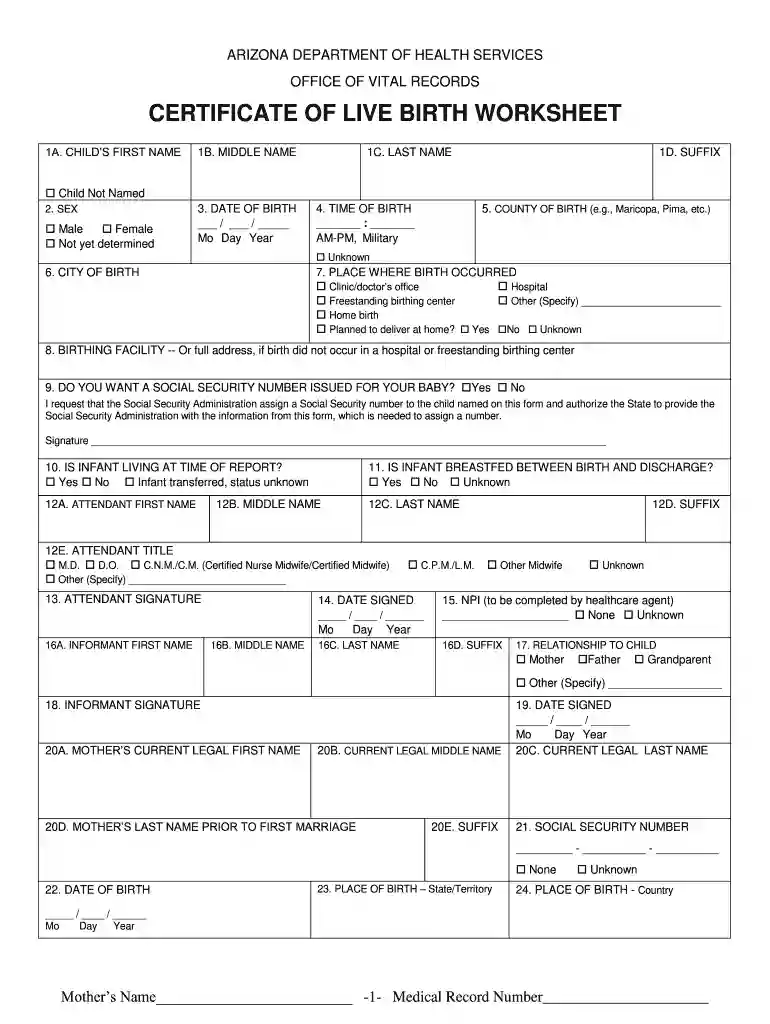
  2. Begin by entering the child's first name in section 1A. If the child is not named, check the corresponding box.
  3. Indicate the child's sex in section 2 by selecting Male, Female, or Not yet determined.
  4. Fill in sections 1B and 1C with the middle and last names of the child respectively.
  5. Provide the date of birth in section 3 using the format Mo/Day/Year.
  6. In section 4, enter the time of birth, specifying AM-PM or Military time as needed.
  7. Complete sections regarding place of birth and birthing facility, ensuring all relevant details are filled accurately.
  8. Review all entries for accuracy before saving your document. Utilize our platform's features to sign and distribute your completed form easily.

Start filling out your birth certificate az today for free using our platform!

be ready to get more

Complete this form in 5 minutes or less

Get form

Got questions?

We have answers to the most popular questions from our customers. If you can't find an answer to your question, please contact us.
Contact us
Mail Applications: Applicants must provide a photocopy of the front and back of their valid photo ID or submit a docHubd signature. IDs are checked for expiration, tampering, and matching signatures. Accepted IDs (for both In-Person and Mail): U.S. Drivers License (not temporary)

Security and compliance

At DocHub, your data security is our priority. We follow HIPAA, SOC2, GDPR, and other standards, so you can work on your documents with confidence.

Learn more
be ready to get more

Complete this form in 5 minutes or less

Get form