




01. Edit your form online
Type text, add images, blackout confidential details, add comments, highlights and more.

Type text, add images, blackout confidential details, add comments, highlights and more.

Draw your signature, type it, upload its image, or use your mobile device as a signature pad.

Send it via email, link, or fax. You can also download it, export it or print it out.
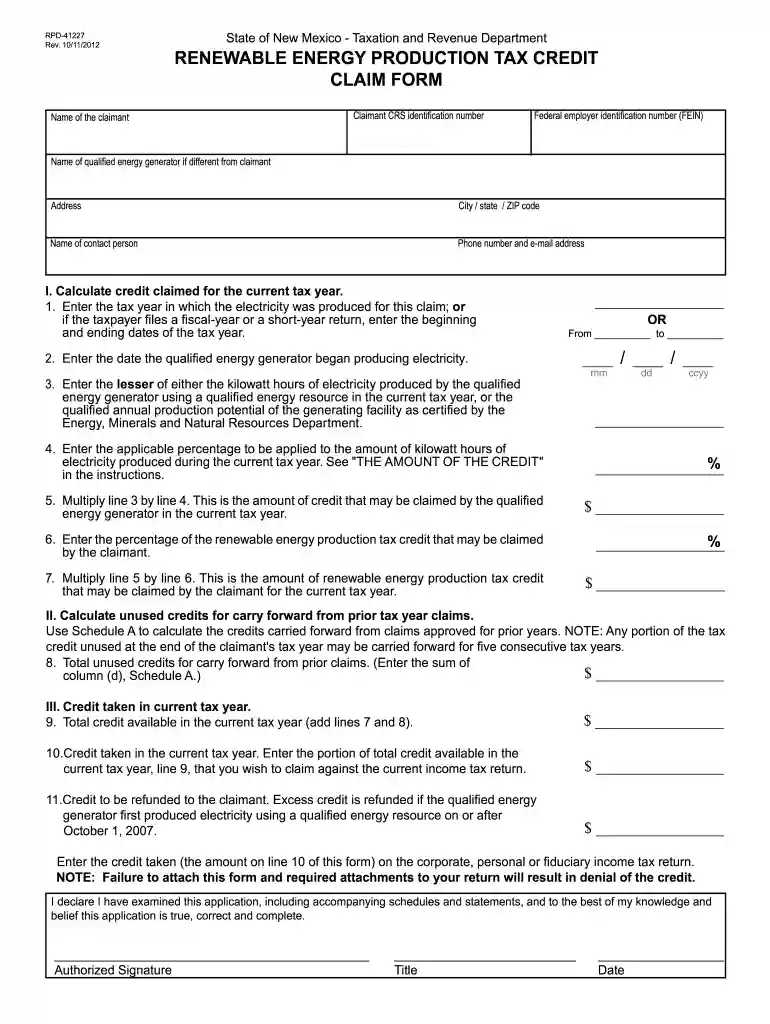
The RPD-4 form is specifically designed to facilitate claims for the Renewable Energy Production Tax Credit. This form is issued by the New Mexico Taxation and Revenue Department and serves as a crucial document for both corporate and personal income taxpayers who own or lease qualified renewable energy generators. The primary objective of this form is to enable eligible entities to claim tax credits corresponding to the electricity produced from renewable energy sources, such as solar or wind power. The form provides a structured process for calculating eligible credits, thus assisting taxpayers in reducing their tax liabilities.
Using the RPD-4 form involves several key steps tailored to accurately reflect electricity production from renewable sources:
Enter Personal Information:
Detail Energy Production:
Calculate the Tax Credit:
Attach Supporting Documentation:
Submit the Form:
Review Instructions Thoroughly:
Gather Required Information:
Fill Out Each Section:
Calculate Claim Amount:
Double-Check Entries:
Submit with Attachments:
The eligibility criteria for the RPD-4 form is clear and requires applicants to meet specific conditions:
Ownership or Lease of Equipment:
Type of Energy Production:
Residency Requirements:


Using the RPD-4 form legally ensures compliance with state tax laws:
Purpose of Use:
Verification Documents:
Accuracy of Information:
The practical application of this form is best illustrated through various scenarios:
Solar Panel Installation:
Wind Farm Operator:
Understanding and adhering to the filing deadlines associated with the RPD-4 form is critical to ensure the timely receipt of tax credits:
Annual Filing Schedule:
Specific State Deadlines:
Several key documents must accompany the RPD-4 form to facilitate successful processing:
Proof of Energy Production:
Documentation of Equipment Ownership:
Certification of Renewable Status:
We've got more versions of the rpd 41227 2012 form form. Select the right rpd 41227 2012 form version from the list and start editing it straight away!
At DocHub, your data security is our priority. We follow HIPAA, SOC2, GDPR, and other standards, so you can work on your documents with confidence.
Repossession Affidavit Form - MVD10012 Acceptable Documents Chart RPD-41243 Rural Job Tax Credit Claim Form RPD-41346 Geothermal Ground-Coupled Heat Pump
by TW Giegerich 2023 Cited by 39 Credit Claim Form RPD-41227. Another case in point is Virginias State Historic Rehabilitation Tax. Credit,337 which provides that credits


