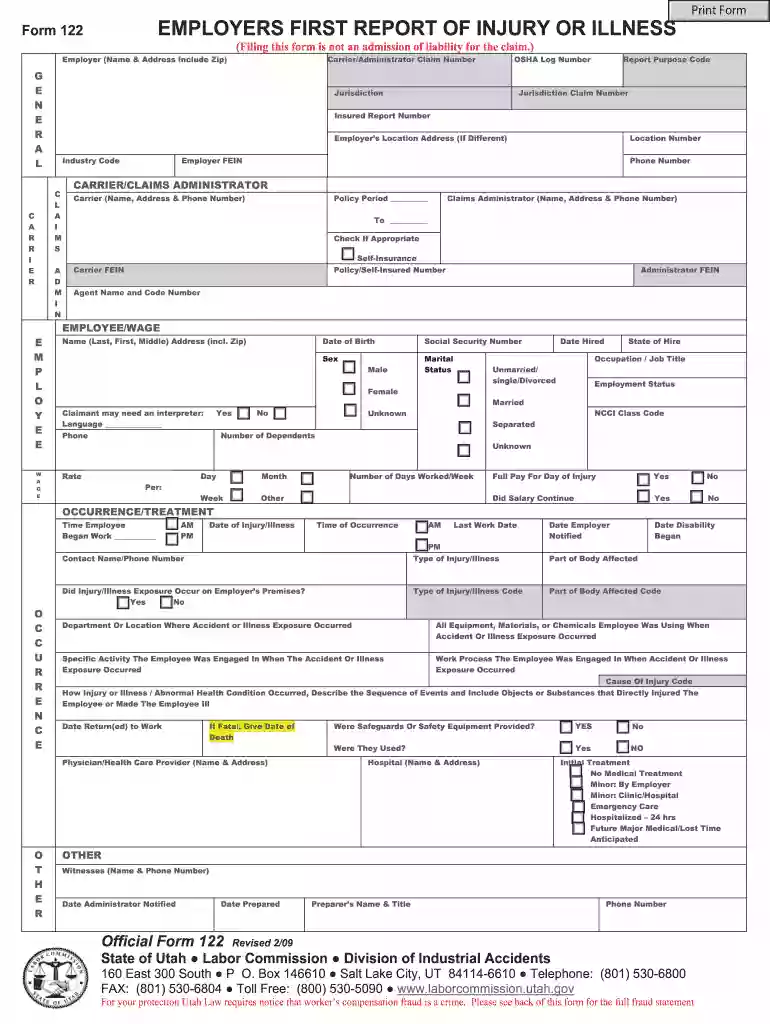
Identification Of Features - Fill Online, Printable 2026

Get Form
Identification Of Features - Fill Online, Printable Preview on Page 1

Here's how it works

01. Edit your form online
Type text, add images, blackout confidential details, add comments, highlights and more.

02. Sign it in a few clicks
Draw your signature, type it, upload its image, or use your mobile device as a signature pad.

03. Share your form with others
Send it via email, link, or fax. You can also download it, export it or print it out.

Definition & Understanding of the Identification of Features Form

The "Identification Of Features - Fill Online, Printable" is a form designed to capture specific features of a document for identification or reference purposes. Unlike standard forms that focus on personal or financial information, this form is oriented towards identifying characteristics and features within documents. It can include elements like document type, title, key identifiers, and content summaries.

Purpose and Utility

  • Capture Document Characteristics: Used primarily to record and identify critical features of documents, aiding in categorization and retrieval.
  • Standardization and Consistency: Ensures that all critical features of documents are documented uniformly.
  • Tracking and Reference: Facilitates easier searching and referencing by highlighting key features.

How to Use the Identification of Features Form

The form is typically used to streamline document workflow by providing a standardized method to capture essential features of documents.

Steps to Utilize the Form

  1. Document Analysis: Before completing the form, review the document to identify all its notable features.
  2. Feature Entry: Fill in the form fields, ensuring accuracy and completeness in capturing all identified features.
  3. Review and Verify: Double-check entries for any errors or omissions to maintain accuracy.
  4. Integration: Use the form in conjunction with electronic document management systems to enhance retrieval efficiency.

Practical Example

  • Corporate Usage: A company might use this form to classify internal reports by important features like report type, author, and summary.

Steps to Complete the Identification of Features Form

Completing the form involves a series of structured steps designed to ensure all relevant features are accurately captured.

  1. Section Identification: Begin by identifying each section of the form.
  2. Populate Details: Fill out each section with corresponding document features, such as title, identifiers, and key points.
  3. Cross-Verification: Ensure all fields are accurately filled and match the actual document features.
  4. Submit and File: Save the completed form in the desired format and store or submit it as needed for further processing.

Tips for Accuracy

  • Detail Oriented: Focus on capturing every relevant aspect of the document to ensure comprehensive documentation.
  • Consistent Format: Use consistent terminologies and abbreviations to maintain clarity and standardization.

Key Elements of the Identification of Features Form

Understanding the key elements helps in effectively using the form.

Main Components

  • Document Title: The name of the document being analyzed.
  • Key Identifiers: Specific numbers or alphanumeric codes related to the document.
  • Feature Summary: A brief description highlighting critical features or contents of the document.
  • Categorization: Method of classifying the document for retrieval or processing purposes.

Specific Field Examples

  • Date of Creation: Helps in placing the document in a chronological context.
  • Authorship Information: Provides details about the creator or contributor of the document.

Who Typically Uses the Identification of Features Form

The form is widely used across various sectors due to its versatility.

decoration image ratings of Dochub

Common Users

  • Corporate Environments: Companies often use this form to manage and archive reports, memos, and contracts.
  • Educational Institutions: Universities may use it to catalog research papers and academic documents.
  • Government Agencies: For regulatory compliance, documenting critical features of legislature or policies.
decoration image

User Benefits

  • Efficiency: Helps organizations manage document workflows more efficiently.
  • Enhanced Retrieval: Aids in quick and accurate document retrieval due to better categorization.

Legal Use of the Identification of Features Form

Understanding the legal implications and uses of the form ensures compliance and proper application.

Compliance and Regulations

  • Data Protection: The form should comply with applicable data protection laws, ensuring sensitive information is handled appropriately.
  • Regulatory Requirements: Use the form to fulfill obligations for documenting and categorizing documents per legal standards.

Case Studies

  • Litigation Support: Legal teams use the form to keep track of evidence and case-related documents.

Important Terms Related to the Form

Knowing these terms enhances understanding and application of the form.

Glossary

  • Identifier: A unique marker assigned to documents for quick identification.
  • Citation Index: Refers to the list of documents or references cited within the document.

Example Definitions

  • Feature Summary: A concise overview of a document's content or important aspects.
  • Document Type: Classification category indicating the nature or purpose of the document.

Form Submission Methods

There are different ways to submit this form based on organizational needs and technological infrastructure.

Submission Options

  1. Online Submission: Directly fill and submit the form via a document platform like DocHub.
  2. Email Submission: Completed forms can be sent as attachments through email.
  3. Hard Copy Submission: For organizations requiring paper documentation for audits or records.

Advantages of Online Submission

  • Efficiency: Faster processing and instant acknowledgment.
  • Eco-Friendly: Reduces paper use, aligning with environmentally sustainable practices.

This structure showcases comprehensive elucidation while maintaining clarity, ensuring users derive maximum benefit from understanding the "Identification Of Features - Fill Online, Printable" form.

See more Identification Of Features - Fill Online, Printable versions

We've got more versions of the Identification Of Features - Fill Online, Printable form. Select the right Identification Of Features - Fill Online, Printable version from the list and start editing it straight away!
Versions Form popularity Fillable & printable
2017 4.8 Satisfied (137 Votes)
2010 4.2 Satisfied (68 Votes)
2009 4.4 Satisfied (53 Votes)
be ready to get more

Complete this form in 5 minutes or less

Get form

Got questions?

We have answers to the most popular questions from our customers. If you can't find an answer to your question, please contact us.
Contact us
Students go on a scavenger hunt looking for specific text features in a text, and then they answer questions about the text features that they found. Give students a nonfiction book to use with this scavenger hunt or assign certain pages from a textbook.
The text feature. Examples of text features include title, headings and subheadings, graphics (such as charts, pictures, and map), captions table of contents, timeline, index, and glossary.
The idea is that each text feature adds something to the readers experience (a fun fact in a sidebar that makes readers laugh, a map that shows the topography of ancient Egypt, for example). This helps students connect text features to the bigger picture: reading comprehension.
There are four basic informational text types: literary nonfiction, expository writing, argumentative writing (also known as persuasive writing), and procedural writing.
The nonfiction text features include: table of contents, diagrams, tables, charts, graphs, captions, labels, bold print, subheadings, glossary, and index.

Security and compliance

At DocHub, your data security is our priority. We follow HIPAA, SOC2, GDPR, and other standards, so you can work on your documents with confidence.

Learn more
ccpa2
pci-dss
gdpr-compliance
hipaa
soc-compliance

People also ask

Lets talk about text features! Text features include resources like charts, maps, images, timelines, and other parts of a passage that arent just the words! They can help readers navigate the text and visualize information. Theyre just as important to comprehending a text as the words themselves.
Text features in this category include: timelines, tables, charts, graphs, bulleted list of facts. Nonfiction texts often include dates, statistics, and facts that include numbers. Usually, if an author includes a detail with a number in it, its important.

Related links