




01. Edit your uhc wol form online
Type text, add images, blackout confidential details, add comments, highlights and more.

Type text, add images, blackout confidential details, add comments, highlights and more.

Draw your signature, type it, upload its image, or use your mobile device as a signature pad.

Send united healthcare waiver of liability form via email, link, or fax. You can also download it, export it or print it out.
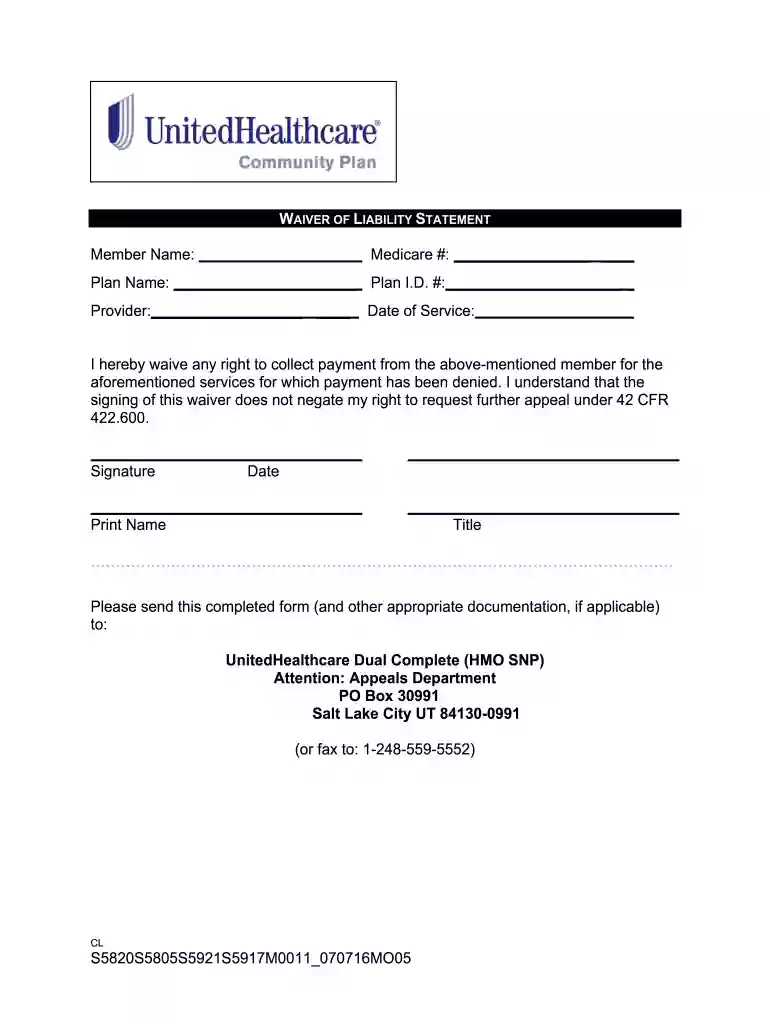
The UHC waiver of liability form editable is a document that allows healthcare providers to waive their right to collect payment from a Medicare member for services deemed non-covered by Medicare. This waiver is essential for ensuring that providers do not incur losses while providing necessary medical services. The editable format of the form enables users to personalize information, making it easier to fill out and manage in various settings.
Key components of the UHC waiver of liability include:
This document also emphasizes that signing the waiver does not interfere with the member's right to appeal decisions made by Medicare concerning coverage.
Accessing the UHC waiver of liability form editable is a straightforward process, ensuring that healthcare providers can efficiently acquire the necessary documentation.
This accessibility empowers healthcare providers to prepare the necessary documentation in a timely manner.
Completing the UHC waiver of liability form requires a methodical approach to ensure all information is accurately captured. Follow these steps:
Provide Provider Information:
Enter Member Information:
Describe Services Provided:
Signature Section:
Submission Instructions:
Taking these steps ensures that the form is completed properly, maintaining compliance with necessary regulations.
Understanding key terminology related to the UHC waiver of liability form is vital for both providers and members. Here are some of the most relevant terms:
Familiarity with these terms will assist users in navigating regulatory discussions and completing documentation accurately.
The UHC waiver of liability form is available in both digital and paper formats, each with its advantages and disadvantages.
Digital Version:
Paper Version:
Understanding the differences can help users choose the best format based on their specific needs and situations.
We've got more versions of the uhc wol form form. Select the right uhc wol form version from the list and start editing it straight away!
At DocHub, your data security is our priority. We follow HIPAA, SOC2, GDPR, and other standards, so you can work on your documents with confidence.


