




01. Edit your form online
Type text, add images, blackout confidential details, add comments, highlights and more.

Type text, add images, blackout confidential details, add comments, highlights and more.

Draw your signature, type it, upload its image, or use your mobile device as a signature pad.

Send it via email, link, or fax. You can also download it, export it or print it out.
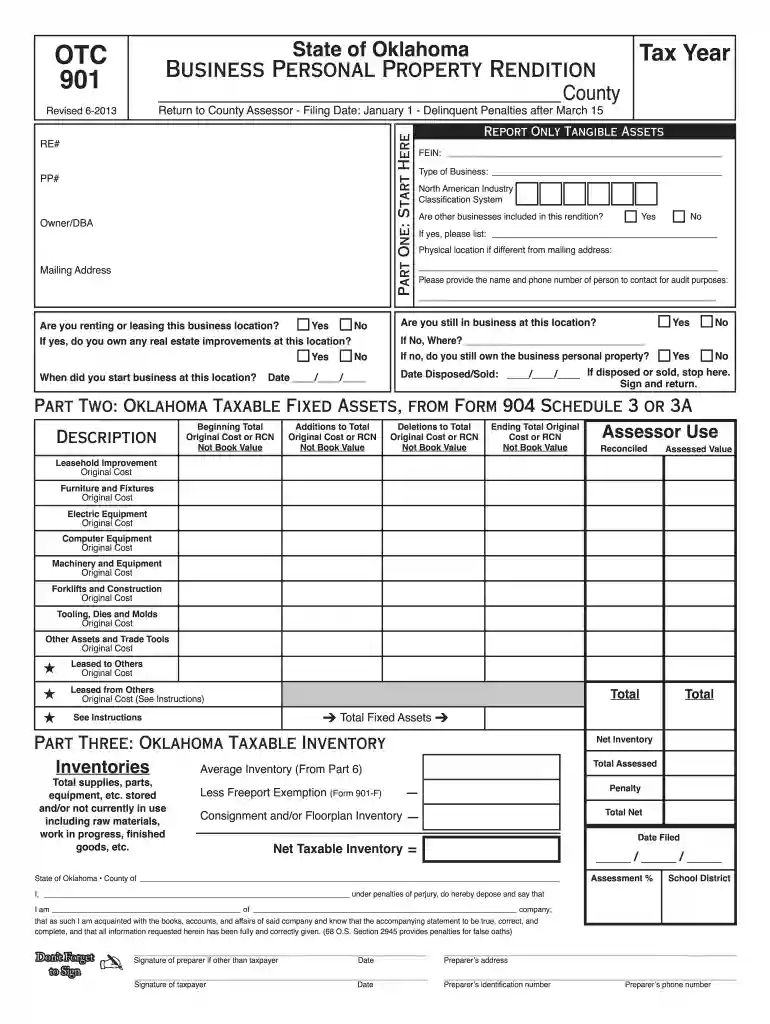
The "OTC Form" is a Business Personal Property Rendition form used within the State of Oklahoma. Designed for business entities, this form requires the reporting of taxable tangible assets pertaining to business operations as of January 1 each year. Its primary function is to provide a comprehensive inventory of a business's tangible personal property for tax assessment purposes.


Individuals in authorized positions within the business, such as CFOs, tax managers, or business owners, are responsible for signing and submitting the form.
Ensure all information is accurate and verified. The form must be signed by an authorized individual before submission.
The OTC Form should be submitted to the county assessor by March 15 of each year. Failure to comply with this deadline may result in penalties impacting the business financially.
While primarily a state-specific document, the information on the form must correlate with federal filings where applicable. Businesses need to maintain congruency between state reports and IRS submissions.
Given the sensitive nature of the data, maintain secure handling practices including encryption as provided by platforms like DocHub.
A failure to submit or late submission can result in substantial fines. The form is pivotal in tax calculation and late submissions disrupt the state's ability to levy correct taxes.
Beyond financial penalties, businesses might face increased scrutiny or audits from the Oklahoma Tax Commission, leading to further complications.
DocHub and similar platforms provide enhanced digital form capabilities that comply with legal requirements, ensuring a seamless submission process.
A local retail business uses the form to report all shop inventory and furnishings. By accurately listing their tangible assets, they prevent over-assessment and optimize tax obligations.
A manufacturing company utilizes advanced asset tracking to ensure their equipment and machinery are reported correctly, facilitating proper depreciation and tax calculations.
By maintaining organized records and utilizing platforms like DocHub, businesses can efficiently manage the complexities of completing and submitting the OTC Form.
We've got more versions of the otc 901 2013 form form. Select the right otc 901 2013 form version from the list and start editing it straight away!
| Versions | Form popularity | Fillable & printable |
|---|---|---|
| 2026 | 4.8 Satisfied (58 Votes) | |
| 2025 | 4.7 Satisfied (50 Votes) | |
| 2023 | 4.8 Satisfied (63 Votes) | |
| 2022 | 4.8 Satisfied (112 Votes) | |
| 2021 | 4.3 Satisfied (163 Votes) | |
| 2020 | 4.2 Satisfied (73 Votes) | |
| 2019 | 4.4 Satisfied (261 Votes) | |
| 2018 | 4.4 Satisfied (184 Votes) | |
| 2016 | 4.4 Satisfied (565 Votes) | |
| 2015 | 4 Satisfied (61 Votes) | |
| 2013 | 4 Satisfied (22 Votes) | |
| 2011 | 4.2 Satisfied (26 Votes) |
At DocHub, your data security is our priority. We follow HIPAA, SOC2, GDPR, and other standards, so you can work on your documents with confidence.


