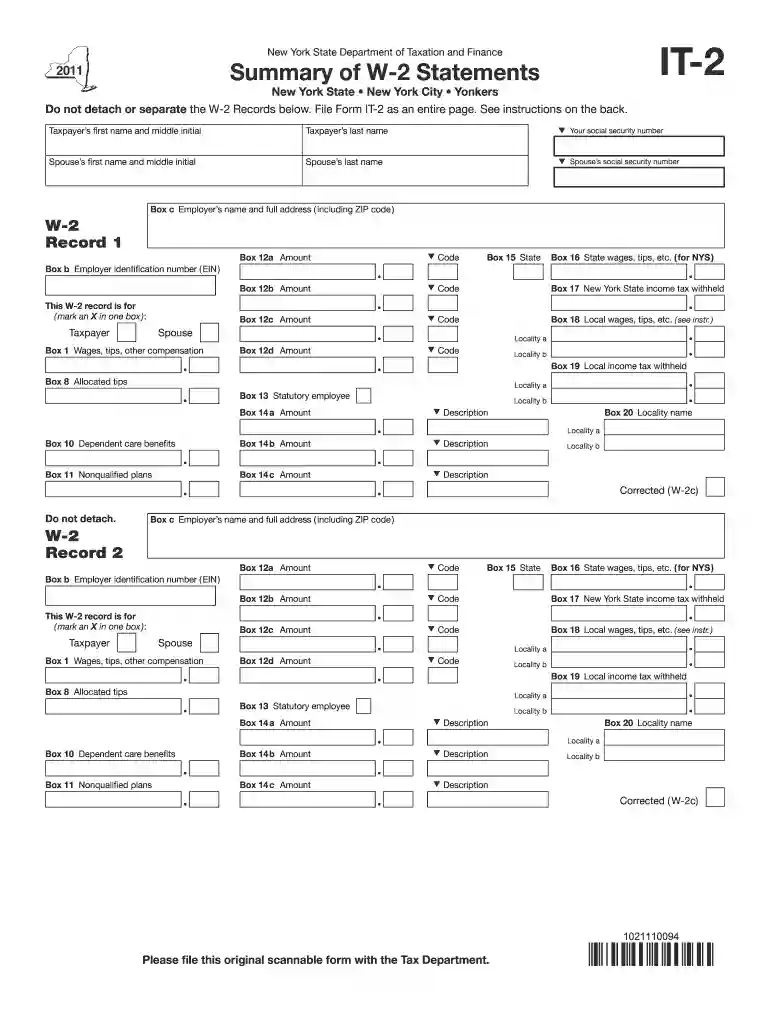
Definition and Purpose of Form IT-2
Form IT-2 is a document created by the New York State Department of Taxation and Finance. It is used to summarize W-2 statements provided by employers to taxpayers. This form is an essential part of filing income tax returns in New York State for those who have received federal W-2 forms. It includes detailed sections for taxpayer information, including personal details, employer information, wages, and tax withholdings.
Key Aspects of Form IT-2
- Used to report income information for New York State tax returns.
- Summarizes W-2 information, ensuring correct reporting for state taxes.
- Must be filed without detaching any records to maintain complete documentation.
Steps to Complete Form IT-2
Completing Form IT-2 involves a few detailed steps to ensure accurate filing. These steps guide users through the process of entering relevant information.
- Gather Necessary Information: Collect all W-2 forms provided by your employer(s) during the tax year. Make sure these documents are complete and accurate.
- Fill Out Taxpayer Information: Enter your name, Social Security number, and address as it appears on your federal tax return.
- Enter Employer Details: Input the name, address, and federal Employer Identification Number (EIN) of your employer(s) as recorded on the W-2 forms.
- Report Wages and Withholding: Accurately report the wages and withholding information as indicated on each W-2 form, ensuring entries in the appropriate sections.
- Review and Attach to Tax Return: Before finalizing, review all entries for accuracy and attach Form IT-2 to your New York State tax return without detaching any part of the form.
Common Mistakes in Completion
- Incorrect Social Security numbers or mismatch with federal tax records.
- Overlooked or misreported employer EINs and withholding amounts.
- Detaching parts of the form, leading to incomplete submissions.
How to Obtain Form IT-2
Form IT-2 can be obtained from various sources, facilitating easy access for taxpayers.
- New York State Department of Taxation and Finance Website: Download the form directly from the official site.
- Physical Copies: Request a physical copy through mail from the Department or obtain it from local tax offices.
- Tax Software: Use tax preparation software that supports New York State tax forms, often including downloadable versions of Form IT-2.
Important Terms Related to Form IT-2
Understanding key terminology enhances accurate form completion:
- W-2 Statements: Forms issued by employers, detailing wages and taxes withheld for the year.
- Employer Identification Number (EIN): A unique number assigned to employers by the IRS, essential for tax reporting.
- Withholding: Amounts deducted from wages to cover income taxes, reported on both W-2 and IT-2 forms.
Clarification of Terms
- Taxpayer Information: Personal details required for tax filing, including your Social Security number and address.
- Filing Status: Determines the tax liability and filing requirements, pivotal when reporting state taxes alongside federal returns.
Who Typically Uses Form IT-2
Form IT-2 is primarily used by specific groups within New York State.
- Employees in New York State: Any taxpayer who has received a W-2 from an employer in New York.
- Filers of New York State Income Tax Returns: Those required to file state returns incorporating federal W-2 information.
- Dual-State Employment: Individuals who work in New York but reside in a different state may also need to complete this form for accurate state tax processing.
Required Documents for Form IT-2
Ensuring all necessary documents are collected simplifies the form completion process:
- Federal W-2 Forms: Essential for accurate reporting of income and withholding.
- Previous Year's Tax Returns: Helpful as a reference for consistency and verification.
- Employer Confirmation Documents: Letters or digital confirmations validating any employment changes or corrections in earnings.
State-Specific Rules for Form IT-2
New York has particular regulations that differentiate its tax form requirements from other states.
- Complete Submission: The form must be filed as a whole document; any detachment renders it invalid.
- State Tax Deductions: Refer to state-specific allowance and deduction rules to optimize tax outcomes.
- Filing Deadline Alignment: Ensure form submission aligns with state deadlines to avoid penalties.
Software Compatibility for Form IT-2
Utilizing compatible software tools can enhance accuracy and streamline the tax filing process.
- TurboTax and QuickBooks: These platforms often include support for state-specific forms like IT-2.
- DocHub Integration: Allows for digital form completion, secure storage, and seamless integration with platforms like Google Drive.
- Updates and Compatibility: Regularly check for software updates to ensure compatibility with the latest tax form versions.
By comprehensively addressing these aspects of Form IT-2, individuals can accurately report their income, adhere to state tax regulations, and navigate the filing process with confidence.