Type text, add images, blackout confidential details, add comments, highlights and more.
02. Sign it in a few clicks
Draw your signature, type it, upload its image, or use your mobile device as a signature pad.
03. Share your form with others
Send bank application sample via email, link, or fax. You can also download it, export it or print it out.
How to use or fill out sample bank application with our platform
Ease of Setup
DocHub User Ratings on G2
Ease of Use
DocHub User Ratings on G2
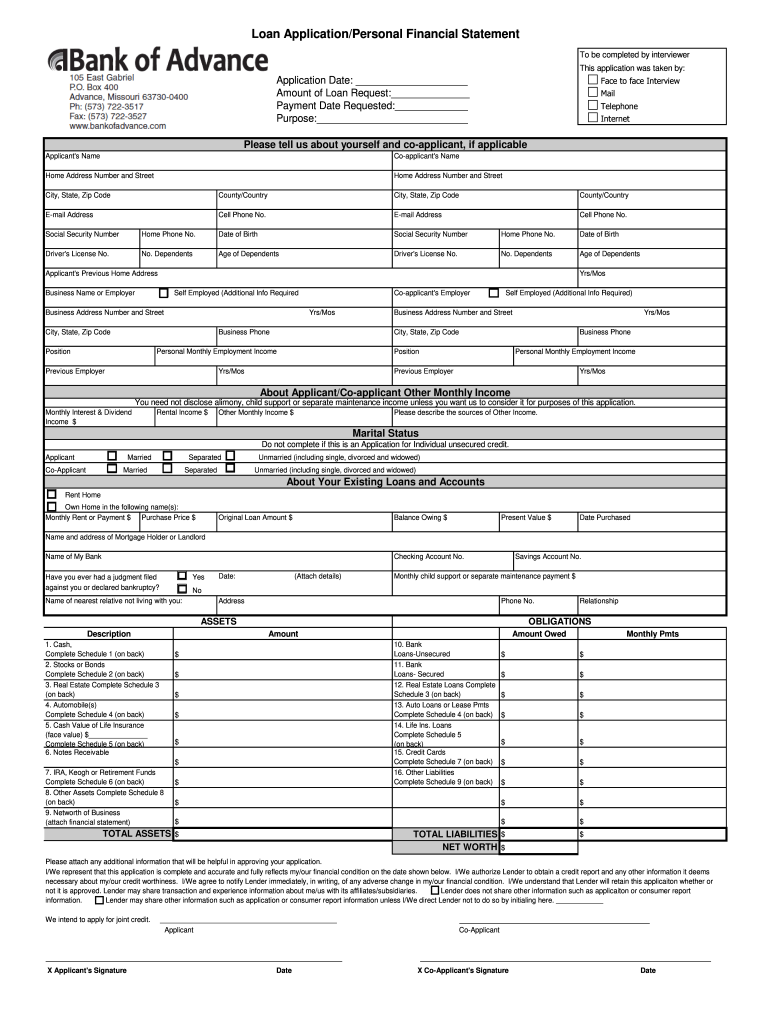
Click ‘Get Form’ to open the sample bank application in the editor.
Begin by entering the Application Date and Amount of Loan Request at the top of the form. This information is crucial for processing your application.
Fill in your personal details, including your name, address, email, and phone number. If applicable, provide co-applicant information as well.
Complete the Employment Information section by detailing your current job status, employer's name, and monthly income. Ensure accuracy for a smoother approval process.
In the Assets and Liabilities section, list all relevant financial information such as cash deposits, real estate owned, and any existing loans. Use the provided schedules to organize this data effectively.
Review all entries for completeness and accuracy before signing. Once satisfied, you can easily sign directly within our platform.
Start filling out your sample bank application today for free using our intuitive editor!
Sample bank application pdfSample bank application for mortgageSample bank application for loanSample bank application for credit cardSample bank application for account openingBank account application form PDFAccount Opening Form template wordBanking Forms
Security and compliance
At DocHub, your data security is our priority. We follow HIPAA, SOC2, GDPR, and other standards, so you can work on your documents with confidence.
This letter is verification that the customer named above, [name of account holder], has an account with [name of bank] with a current and available balanceRead more
Feb 10, 2026 Download, fill out, and submit the following forms depending on use: Electronic Submission: For public use when digital signatures (viaRead more
Accessing Large Memories and Bank-Switching with the
The four sample programs provided in TN241.zip implement bank-switching. Each sample remaps the xmem segment (logical memory) to Quadrant 3 (physical memory) toRead more
Cookie consent notice
This site uses cookies to enhance site navigation and personalize your experience.
By using this site you agree to our use of cookies as described in our Privacy Notice.
You can modify your selections by visiting our Cookie and Advertising Notice.