







Definition & Meaning
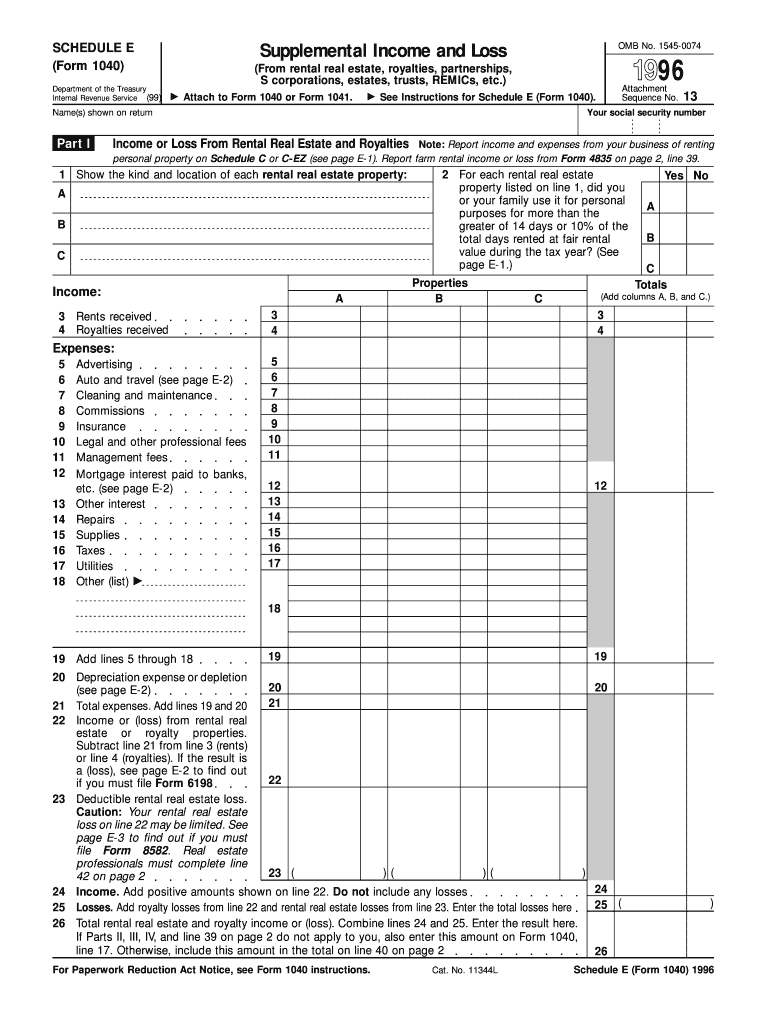
Schedule E (Form 1040) is used to report supplemental income and loss for activities beyond traditional employment. This includes income and expenses from rental real estate, royalties, partnerships, S corporations, estates, and trusts. The form enables taxpayers to detail their earnings and expenditures in these areas, contributing to the calculated total income or loss on their annual tax return.
Key Elements of the 1996 Form 1040 (Schedule E). Supplemental Income and Loss
- Partnerships and S Corporations: List your share of income or loss from entities that pass their profits directly to shareholders.
- Rental Income and Expenses: Document rental income and related costs, like maintenance and mortgage interest.
- Royalties: Include payments from intellectual property or natural resources.
- Estates and Trusts: Record distributions received as a beneficiary.
- REMICs (Real Estate Mortgage Investment Conduits): Account for any taxable income, which can be complex and multi-layered.
Understanding these key elements ensures accurate reporting and maximizes compliance with tax obligations.
Steps to Complete the 1996 Form 1040 (Schedule E). Supplemental Income and Loss
- Gather Financial Documents: Collect rental agreements, K-1 forms from partnerships, and any other relevant financial records.
- Separate Income Types: Allocate income and expenses to appropriate sections, distinguishing rental earnings from partnership profits.
- Calculate Expenses Accurately: Deduct legitimate expenses like repairs, insurance, and management fees.
- Summarize Information: Accumulate data for each category to reflect accurately on the form.
- Cross-Verify: Ensure calculations match records and prior filings to avoid discrepancies.
- Finalize and Attach: Combine figures with the main Form 1040 before submission.
Why Use the 1996 Form 1040 (Schedule E). Supplemental Income and Loss
Schedule E is essential for taxpayers with income streams beyond a regular paycheck. Filing this form ensures all supplemental income is legally reported, potentially reducing tax liability through deductions. Additionally, for landlords or those investing in joint ventures, Schedule E can help clarify income distribution and provide an accurate financial picture.
Who Typically Uses the 1996 Form 1040 (Schedule E). Supplemental Income and Loss
- Real Estate Investors: To report rental income and associated costs.
- Partners in a Business: Especially those involved in pass-through entities like S corps.
- Beneficiaries: Individuals receiving funds from trusts or estates.
- Royalties Earners: Individuals with intellectual property or resource-based income.
These users must accurately file to align with IRS guidelines and optimize financial outcomes.


IRS Guidelines
The IRS provides definitive instructions for completing Schedule E, accessible via their website or through authorized publications. Key requirements include reporting all forms of supplemental income, maintaining records of legitimacy for gained deductions, and meeting submission deadlines to avoid penalties.
Filing Deadlines / Important Dates
Schedule E is typically submitted in conjunction with the federal income tax return, due by April 15. If this falls on a weekend or holiday, the deadline extends to the next business day. Timely submission is crucial to prevent late fees or interest on unpaid taxes.
Software Compatibility (TurboTax, QuickBooks, etc.)
Software platforms like TurboTax and QuickBooks facilitate Schedule E completion by offering step-by-step guidance. These tools simplify data input, verify calculations, and often include features that directly e-file forms with the IRS, ensuring accuracy and security in submission.
Required Documents
- Rental Agreements and Receipts: For income validation.
- K-1 Forms: For partnerships and S corporations.
- Expense Receipts: To support deductions claimed, like repairs and tax expenses.
- Royalty Statements: From licensers or publishers for authenticity.
Collecting these documents ahead of filing will streamline the process and reduce errors.
Penalties for Non-Compliance
Failing to file or incorrectly submitting Schedule E can incur penalties. The IRS may impose fines for incomplete or misleading information. Furthermore, an audit risk increases with non-disclosure, potentially resulting in additional fines or legal repercussions. Taxpayers should ensure complete and accurate filing to avoid these consequences.




