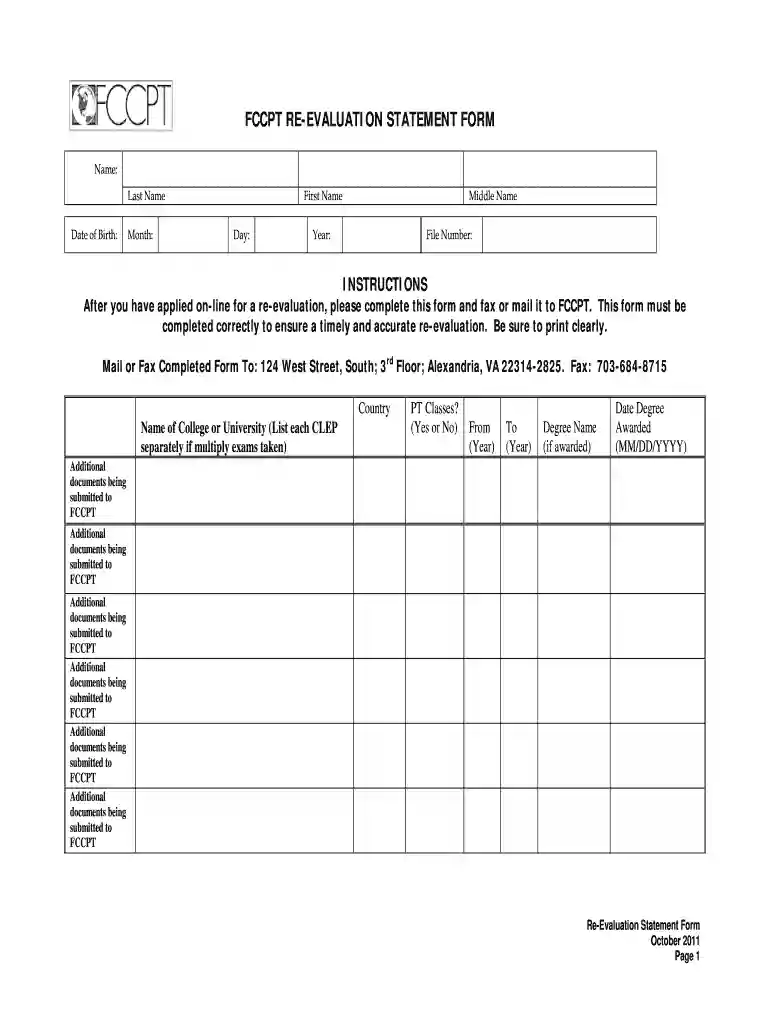
fccpt login Preview on Page 1

Fccpt re form 2026

Here's how it works

  • 01. Edit your fccpt login online

    Type text, add images, blackout confidential details, add comments, highlights and more.

  • 02. Sign it in a few clicks

    Draw your signature, type it, upload its image, or use your mobile device as a signature pad.

  • 03. Share your form with others

    Send fccpt log in via email, link, or fax. You can also download it, export it or print it out.

How to use or fill out fccpt re form with our platform

Form edit decoration
9.5
Ease of Setup
DocHub User Ratings on G2
9.0
Ease of Use
DocHub User Ratings on G2
  1. Click ‘Get Form’ to open the FCCPT Re-Evaluation Statement Form in the editor.
  2. Begin by filling in your personal information: enter your first name, middle name, last name, and date of birth. Ensure all details are printed clearly for accuracy.
  3. Next, provide your file number and list the names of colleges or universities you attended. If you took multiple CLEP exams, list each separately.
  4. Indicate whether you completed PT classes by selecting 'Yes' or 'No'. Fill in the years attended and the degree name if awarded, along with the date it was awarded in MM/DD/YYYY format.
  5. If applicable, list any additional documents being submitted for your re-evaluation process. Make sure to include all necessary documentation.
  6. Finally, review the attestation section. Confirm that all information is accurate and sign the form with the date before submission.

Start using our platform today to easily complete your FCCPT Re-Evaluation Statement Form online for free!

See more fccpt login versions

We've got more versions of the fccpt login form. Select the right fccpt login version from the list and start editing it straight away!

VersionsForm popularityFillable & printable
20114.9 Satisfied (47 Votes)

be ready to get more

Complete this form in 5 minutes or less

Security and compliance

At DocHub, your data security is our priority. We follow HIPAA, SOC2, GDPR, and other standards, so you can work on your documents with confidence.

fccpt re evaluation

Physical Therapy: Licensing, Registration, and Renewal

Click here to apply or renew. To Renew: Visit the NM-PLUS link above and click on the Self Register link. Fill out the presented formRead more

Learn more
Non-Degree Physical Therapy Online Courses

These physical therapy online courses are designed specifically to meet the needs of non-degree-seeking students, particularly foreign-trained physicalRead more

Learn more
If you believe that this page should be taken down, please follow our DMCA take down process here