




Here's how it works



How to use or fill out Illinois Contractors Credit Application Form with DocHub

- Click ‘Get Form’ to open the Illinois Contractors Credit Application in our editor.
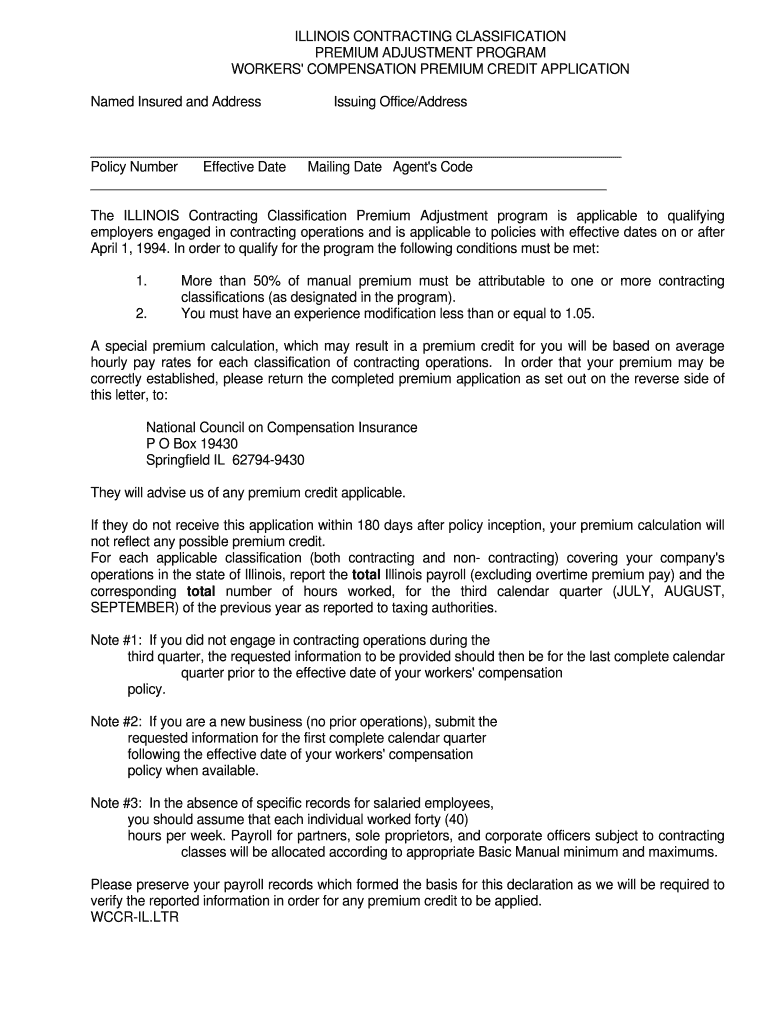
- Begin by filling in the 'Named Insured and Address' section. Ensure that all details are accurate to avoid processing delays.
- Next, enter the 'Policy Number', 'Effective Date', and 'Mailing Date'. This information is crucial for identifying your application.
- Indicate whether this is a new business by selecting 'Yes' or 'No'. Depending on your answer, provide payroll information for the appropriate calendar quarter.
- For each contracting classification, report the total Illinois wages paid and total hours worked. Be sure to exclude overtime pay as specified.
- Finally, sign and date the application at the bottom. This step is essential for processing your request.
Start using our platform today to fill out your Illinois Contractors Credit Application form easily and for free!
It's free
Got questions?
Can I type my eSignature on my illinois contractors credit application form?
Sure, a typed name is accepted as a legitimate electronic signature when you create it on your document using a compliant solution like DocHub. Simply import your illinois contractors credit application form to our editor, click Sign in the top tool pane → Create your signature → Type your name in the appropriate tab, and choose how it will appear on your document.
Do I need to set up software to modify my illinois contractors credit application form?
When you edit your illinois contractors credit application form with DocHub, you merely need a stable web connection and virtually any browser installed on your device. No need to install any third-party software or study tutorials. Simply open a tab with DocHub, drag and drop your file, and modify it immediately.
What is a contractors credit?
What is Premium Credit direct debit?
Who owns premium credit?
Security and compliance
At DocHub, your data security is our priority. We follow HIPAA, SOC2, GDPR, and other standards, so you can work on your documents with confidence.
Learn more




