Type text, add images, blackout confidential details, add comments, highlights and more.
02. Sign it in a few clicks
Draw your signature, type it, upload its image, or use your mobile device as a signature pad.
03. Share your form with others
Send nj medical records release form via email, link, or fax. You can also download it, export it or print it out.
How to use or fill out medical release form nj with our platform
Ease of Setup
DocHub User Ratings on G2
Ease of Use
DocHub User Ratings on G2
Click ‘Get Form’ to open the medical release form nj in the editor.
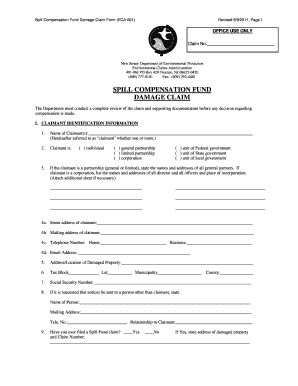
Begin by entering the patient’s name in the designated field. Ensure that the spelling is correct for accurate record retrieval.
Fill in the address fields, including street, city, state, and zip code. This information is crucial for proper identification.
Input the date of birth in the specified format. This helps verify the identity of the patient.
In the authorization section, write down the physician’s name, phone number, fax number (if known), and address (if known). This identifies who is authorized to release records.
Select whether you want your medical records sent via mail or fax to ensure they reach the New Jersey Department of Health and Senior Services.
Sign and date the form at the bottom. Include your relationship to the patient if applicable.
Start using our platform today to easily complete your medical release form nj for free!
Printable medical release form njMedical release form nj templateMedical release form nj pdfMedical release form nj onlineHIPAA release form PDF NJHIPAA release form NJFree medical release form njMedical release form nj 2021
Security and compliance
At DocHub, your data security is our priority. We follow HIPAA, SOC2, GDPR, and other standards, so you can work on your documents with confidence.
Specific information to be disclosed in my medical record may include information regarding drug or alcohol use, counseling referrals, and/or a history ofRead more
HIPAA Authorization to Disclose Protected Information
If the request includes disclosure of SUD information/records, explicitly identify the SUD information that may be disclosed. Use additional pages if necessary.Read more
Jul 19, 2005 ✓ Click on Provider Enrollment Forms. ✓ Under Provider Maintenance Forms, click on Electronic Remittance Request. Form. For additionalRead more
Cookie consent notice
This site uses cookies to enhance site navigation and personalize your experience.
By using this site you agree to our use of cookies as described in our Privacy Notice.
You can modify your selections by visiting our Cookie and Advertising Notice.