




Here's how it works

01. Edit your ca poa form online
Type text, add images, blackout confidential details, add comments, highlights and more.

02. Sign it in a few clicks
Draw your signature, type it, upload its image, or use your mobile device as a signature pad.

03. Share your form with others
Send california franchise tax board power of attorney via email, link, or fax. You can also download it, export it or print it out.
How to use or fill out ftb power of attorney 2010 form with our platform

- Click ‘Get Form’ to open the ftb power of attorney 2010 form in the editor.
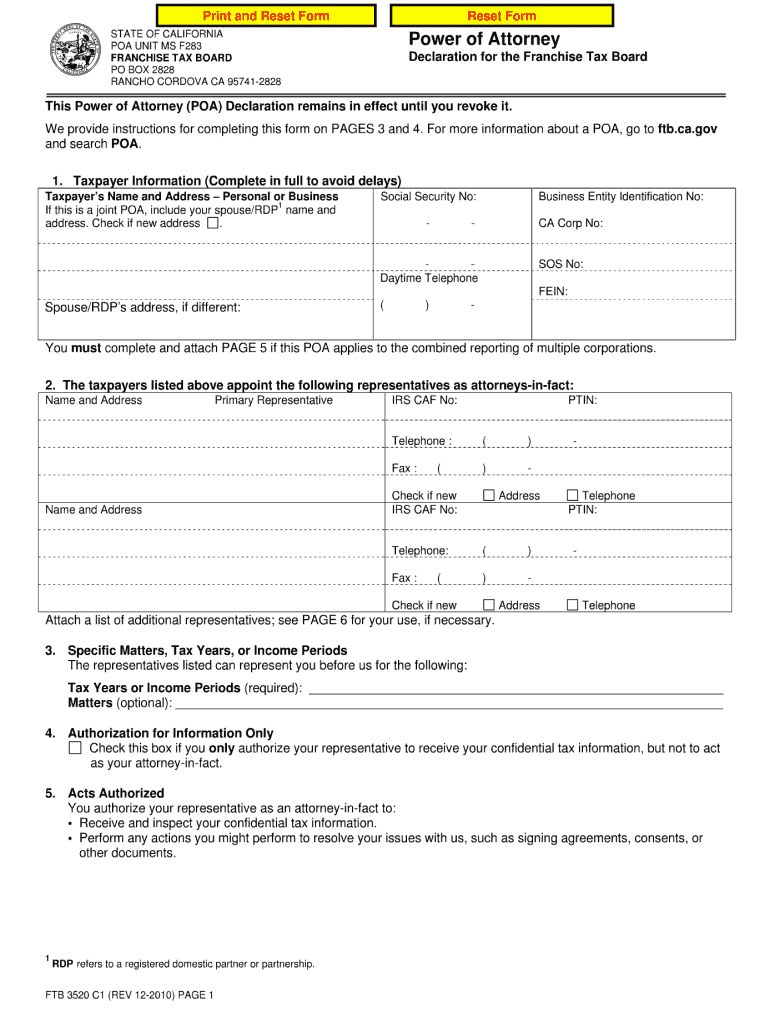
- Begin with Part 1 – Taxpayer Information. Fill in your name, SSN or ITIN, address, and contact details. Ensure accuracy as this identifies you.
- In Part 2 – Representative, enter the full name and contact information of your appointed representative. This section is crucial for granting them authority.
- Proceed to Part 3 – General Privileges. Here, check the boxes that authorize your representative to perform specific actions on your behalf regarding FTB matters.
- In Part 4, decide if you want to authorize your representative for all tax years or a limited duration. Make sure to understand the implications of each choice.
- Complete Parts 5 and 6 by specifying any additional tax years or privileges you wish to grant your representative.
- Finally, sign and date the form in Part 10. If applicable, include your title if signing on behalf of a business entity.
Start using our platform today for free to streamline filling out your ftb power of attorney form!
Fill out ftb power of attorney 2010 form online
It's free
It's free
See more ftb power of attorney 2010 form versions
We've got more versions of the ftb power of attorney 2010 form form. Select the right ftb power of attorney 2010 form version from the list and start editing it straight away!
Got questions?
We have answers to the most popular questions from our customers. If you can't find an answer to your question, please contact us.
Contact us
Where do I get a California power of attorney form?
You can get a blank Power of Attorney form from: a stationery store or other store that sells pre-printed legal forms. your estate planning lawyer, or. Section 4401 of the Probate Code .
Where can I get a California power of attorney form?
To file a POA Declaration, use the online submission in MyFTB for faster processing. Use form FTB 3520-PIT to authorize an individual to represent you in any matter before FTB, and to request, receive and inspect your confidential tax information.
Does a power of attorney form need to be docHubd in California?
Must A Power of Attorney be docHubd? California law requires that the Power of Attorney must be either docHubd or signed in the presence of two witnesses.
Do I need a lawyer for power of attorney in California?
You do not need a lawyer to get or create a power of attorney in California. A power of attorney is a document giving another person (named your agent) the right to act in your name (wherein you are the principal) within the scope and limitations set by the document.
Can I write my own power of attorney in California?
Yes, under California probate code 4401, there is a statutory power of attorney form. However, you can use something other than the statutory form as it is limited and sometimes confusing. You can either create your own power of attorney document customized to your needs or hire an estate planning attorney.
Security and compliance
At DocHub, your data security is our priority. We follow HIPAA, SOC2, GDPR, and other standards, so you can work on your documents with confidence.
Learn more


People also ask
How do I submit a POA to the FTB?
And keep in mind that hiring a lawyer isnt required to make a legal power of attorney. Use free online software. You can use a free provider, like FreeWill, to create a durable financial power of attorney or a living will (which includes a healthcare power of attorney).