




01. Edit your affidavit in lieu of title online
Type text, add images, blackout confidential details, add comments, highlights and more.

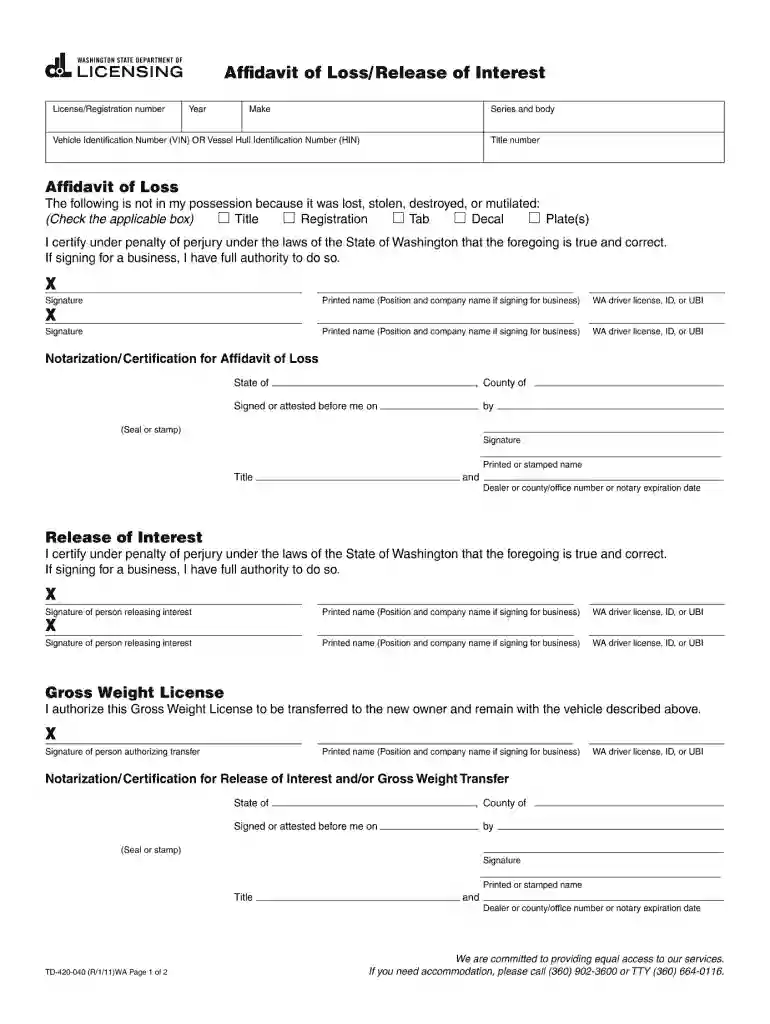
Type text, add images, blackout confidential details, add comments, highlights and more.

Draw your signature, type it, upload its image, or use your mobile device as a signature pad.

Send affidavit in lieu of title washington state via email, link, or fax. You can also download it, export it or print it out.

Start using our platform today to easily fill out your td 420 040 2011 form for free!
We've got more versions of the affidavit in lieu of title form. Select the right affidavit in lieu of title version from the list and start editing it straight away!
Sure, and it’s really straightforward! DocHub is an online PDF editor with advanced document processing functions that allow you promptly modify your documents, fill out empty fields and insert new ones for others to fill out, and create electronic signatures in several ways. Add your td 420, give information as required, and select how you want to eSign your template - by typing your name, drawing your signature, uploading its picture, or utilizing a QR code.
If you are using Chrome, there are two easy methods to modify your form td 420 040 online. First, visit the DocHub site, add your file, and modify it using our toolbar. You can also set up our Chrome extension and modify any document by dragging and dropping it in your browser window.
At DocHub, your data security is our priority. We follow HIPAA, SOC2, GDPR, and other standards, so you can work on your documents with confidence.
Find and download frequently used agency forms used for doing business with us. These forms require DocHub Reader or Microsoft Word or otherwise noted.Read more
Fall Semester 2010. Orientation: Thursday, September 2 -Monday, September 6. Labor Day Holiday: Monday, September 6. PLU Offices are closed.Read more
Mar 26, 2021 To prevent the risk of personal injury or loss related to equipment malfunction, Anritsu Corporation uses the following.Read more


