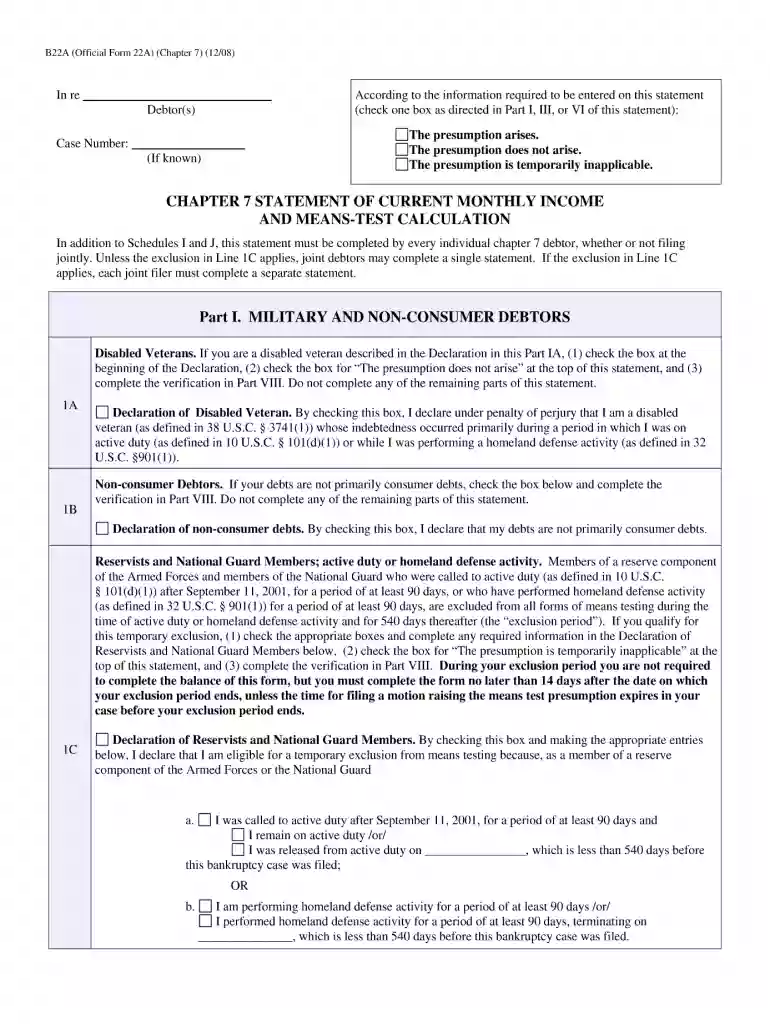
B22a official form 2008-2026

Get Form
form b22a Preview on Page 1

Here's how it works

01. Edit your form b22a online
Type text, add images, blackout confidential details, add comments, highlights and more.

02. Sign it in a few clicks
Draw your signature, type it, upload its image, or use your mobile device as a signature pad.

03. Share your form with others
Send it via email, link, or fax. You can also download it, export it or print it out.

How to use or fill out b22a official form 2008 with our platform

Form edit decoration
9.5
Ease of Setup
DocHub User Ratings on G2
9.0
Ease of Use
DocHub User Ratings on G2
  1. Click ‘Get Form’ to open the b22a official form 2008 in the editor.
  2. Begin by entering your personal information in the designated fields, including your name, address, and contact details. Ensure accuracy as this information is crucial for processing.
  3. Next, navigate to the financial information section. Here, you will need to provide details about your income, expenses, and debts. Use our platform's text boxes to input these figures clearly.
  4. Review any additional sections that may require signatures or dates. Utilize the signing feature in our editor to add your signature electronically where needed.
  5. Finally, double-check all entries for completeness and accuracy before saving or exporting the completed form. Our platform allows you to easily download or share your finalized document.

Start using our platform today for free and streamline your b22a official form completion!

See more b22a official form 2008 versions

We've got more versions of the b22a official form 2008 form. Select the right b22a official form 2008 version from the list and start editing it straight away!
Versions Form popularity Fillable & printable
2013 4.9 Satisfied (41 Votes)
2008 4 Satisfied (42 Votes)
be ready to get more

Complete this form in 5 minutes or less

Get form

Got questions?

We have answers to the most popular questions from our customers. If you can't find an answer to your question, please contact us.
Contact us

Signing documents on a mobile device is fast, simple, and doesn’t require software installation when you have an account with DocHub. Log in from any browser, complete your empty fields with your data, and click on Sign → Create your signature. You can draw your eSignature the same way you usually do on paper, add its picture to your b22a official form 2008, or type in your name and stylize its look. No matter what option you choose, your documentation will be valid.

You can find the latest and most relevant version of the b22a official form 2008 in our DocHub forms collection. Browse it by categories or utilize the search field to find the exact template that suits your situation. You can open this form for editing once you find it.

The means test compares a debtor's income for the previous six months to what he or she owes on debts. If a person has enough money coming in to gradually pay down debts, the bankruptcy judge is unlikely to allow a Chapter 7 discharge.
On the first form\u2014Chapter 7 Statement of Your Current Monthly Income (Form 122A-1)\u2014you'll list all gross income received during the six full months before your bankruptcy filing date. You'll pass the test as long as your income doesn't exceed the state median income.
For the means test purposes, your current monthly income (CMI) is the average monthly income you receive from all sources during the full six-month period preceding your filing date.

Security and compliance

At DocHub, your data security is our priority. We follow HIPAA, SOC2, GDPR, and other standards, so you can work on your documents with confidence.

Learn more
ccpa2
pci-dss
gdpr-compliance
hipaa
soc-compliance
be ready to get more

Complete this form in 5 minutes or less

Get form

People also ask

The means test is calculated by comparing the debtor's average income for the past six months (current monthly income), annualized, to the median income for households of the same size in the debtor's state of residence.
The bankruptcy means test uses the average gross monthly income derived from all different sources for 6 full months before you file your bankruptcy for the first part of the means test. This can be found in the bankruptcy form titled Chapter 7 Statement of Your Current Monthly Income.
For the means test purposes, your current monthly income (CMI) is the average monthly income you receive from all sources during the full six-month period preceding your filing date.
The Applicable Median Family Income is currently $86,259. So, if you are a household size of 4 and make less than $86,259 then you would be able to pass the means test and qualify for a Chapter 7. However, even if you are a household size of 4 and make more than $86,259 you still may qualify.
Form Number: B 122A-1. Category: Means Test Forms. Effective onDecember 1, 2019. This is an Official Bankruptcy Form. Official Bankruptcy Forms are approved by the Judicial Conference and must be used under Bankruptcy Rule 9009.

Related links