Type text, add images, blackout confidential details, add comments, highlights and more.
02. Sign it in a few clicks
Draw your signature, type it, upload its image, or use your mobile device as a signature pad.
03. Share your form with others
Send tpri blackline masters pdf via email, link, or fax. You can also download it, export it or print it out.
How to use or fill out tpri score sheet with our platform
Ease of Setup
DocHub User Ratings on G2
Ease of Use
DocHub User Ratings on G2
Click ‘Get Form’ to open the tpri score sheet in the editor.
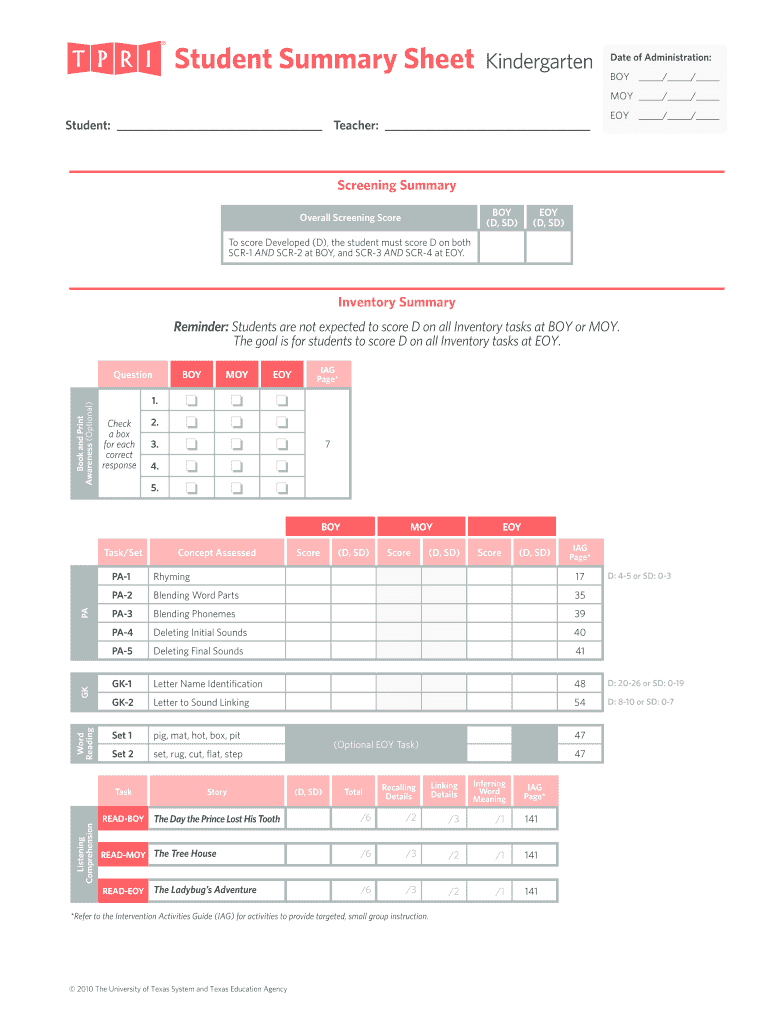
Begin by entering the 'Date of Administration' for BOY, MOY, and EOY in the designated fields. This helps track student progress over time.
Fill in the 'Student' and 'Teacher' names to personalize the score sheet. This ensures clarity when reviewing assessments.
In the 'Screening Summary' section, input scores for each screening task (SCR-1, SCR-2) at BOY and EOY. Ensure that you follow the criteria for scoring Developed (D) or Somewhat Developed (SD).
Complete the 'Inventory Summary' by checking boxes for each correct response under Book and Print Awareness, Listening Comprehension, and Word Reading tasks.
Review all entries for accuracy before saving your completed score sheet. Utilize our platform's features to easily modify any information as needed.
Start using our platform today to streamline your tpri score sheet completion!
Texas Primary Reading Inventory TPRI provides a comprehensive overview of students reading and language arts development It is designed to be used with.
Cookie consent notice
This site uses cookies to enhance site navigation and personalize your experience.
By using this site you agree to our use of cookies as described in our Privacy Notice.
You can modify your selections by visiting our Cookie and Advertising Notice.