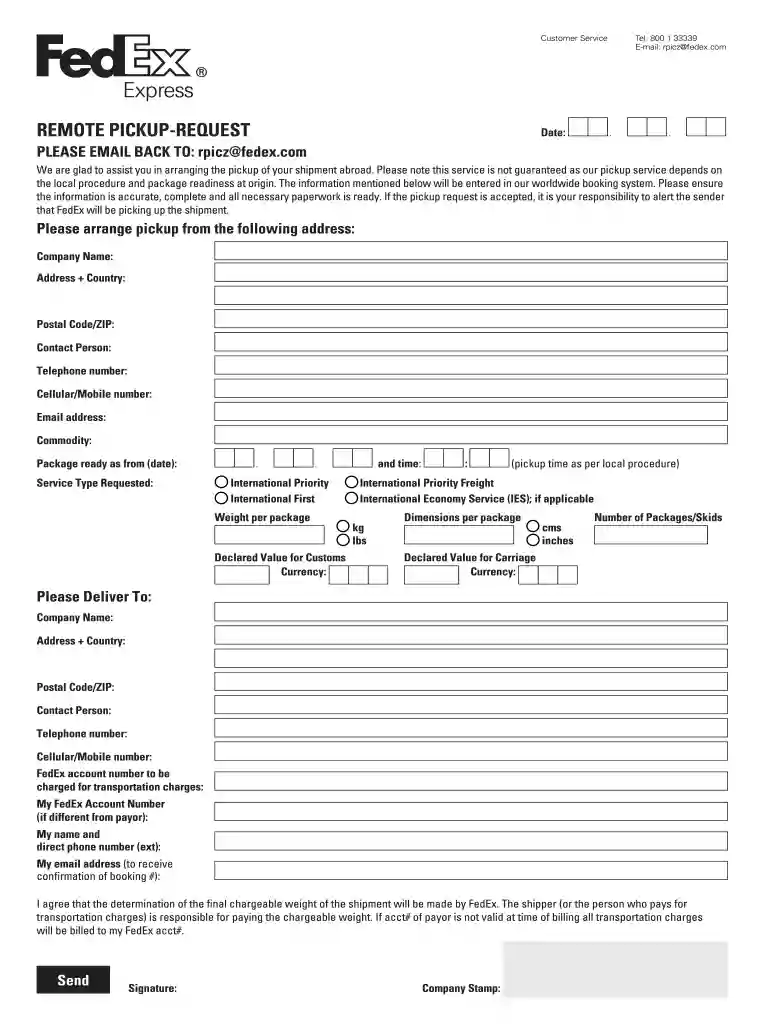
fedex pickup request form Preview on Page 1

Fedex rpi form 2026

Here's how it works

  • 01. Edit your fedex pickup request form online

    Type text, add images, blackout confidential details, add comments, highlights and more.

  • 02. Sign it in a few clicks

    Draw your signature, type it, upload its image, or use your mobile device as a signature pad.

  • 03. Share your form with others

    Send fedex rpi form via email, link, or fax. You can also download it, export it or print it out.

How to use or fill out FedEx RPI Form with DocHub

Form edit decoration
9.5
Ease of Setup
DocHub User Ratings on G2
9.0
Ease of Use
DocHub User Ratings on G2
  1. Click ‘Get Form’ to open the FedEx RPI form in our editor.
  2. Begin by entering the date at the top of the form. This is essential for tracking your pickup request.
  3. Fill in your contact details, including telephone number and email address, ensuring accuracy for effective communication.
  4. Provide the pickup address, including company name, full address, postal code/ZIP, and contact person’s details.
  5. Specify the commodity being shipped and indicate when the package will be ready for pickup.
  6. Select the service type requested from options like International Priority or International Economy Service.
  7. Input weight per package and dimensions, ensuring you choose between kilograms or pounds and centimeters or inches as needed.
  8. Complete the delivery information section with recipient details and ensure to include a valid FedEx account number for billing purposes.
  9. Review all entered information for accuracy before signing and adding your company stamp at the bottom of the form.

Start using our platform today to fill out your FedEx RPI form quickly and efficiently!

be ready to get more

Complete this form in 5 minutes or less

Security and compliance

At DocHub, your data security is our priority. We follow HIPAA, SOC2, GDPR, and other standards, so you can work on your documents with confidence.

fedex remote pickup request

CBIS Shipping Form - Webforms

Once you have submitted your form, CBIS Admin will DocHub out within 2 business days to confirm the total cost of your shipment and request an approvalRead more

Learn more
If you believe that this page should be taken down, please follow our DMCA take down process here