




Here's how it works



How to use or fill out fraser application health with our platform

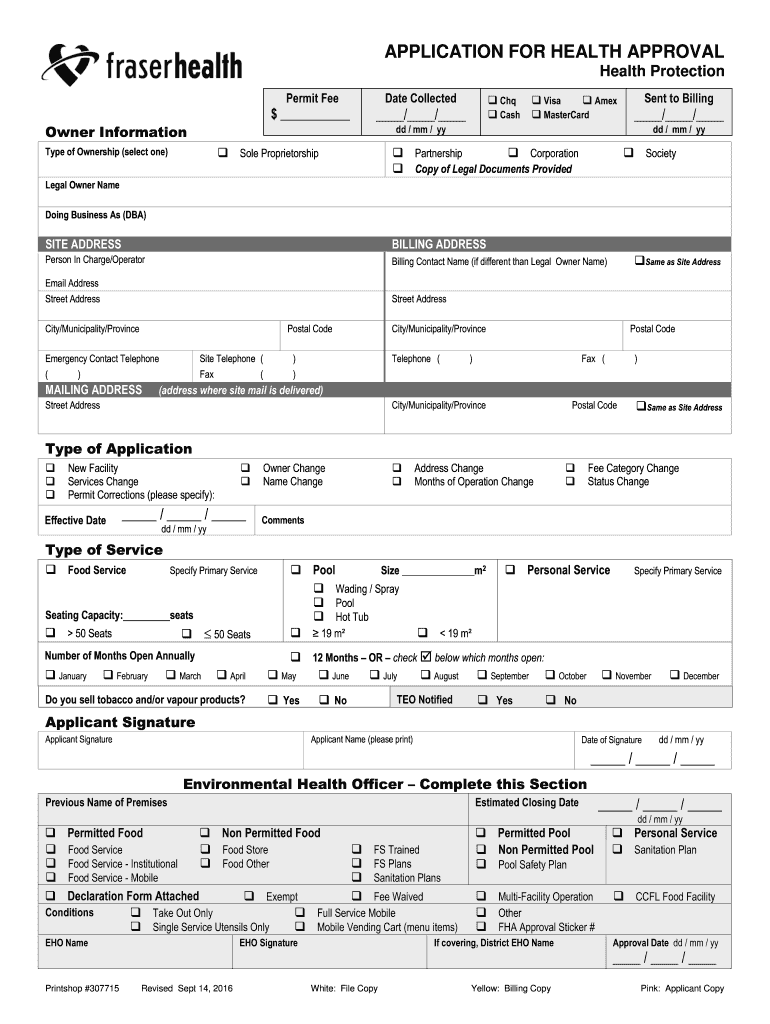
- Click ‘Get Form’ to open the fraser application health in the editor.
- Begin by entering the date collected in the designated field. This is crucial for tracking your application.
- Fill out the Owner Information section, selecting your payment method and entering the permit fee amount.
- Indicate your type of ownership by checking one of the options provided, such as Sole Proprietorship or Corporation.
- Complete the Legal Owner Name and Doing Business As (DBA) fields, followed by entering both Site Address and Billing Address.
- Provide contact details for the Person In Charge/Operator, including email address and telephone numbers.
- Select the Type of Application you are submitting and specify any changes if applicable.
- In the Type of Service section, indicate whether you provide Food Service or Personal Service, along with additional details like seating capacity.
- Finally, ensure to sign and date your application before submitting it through our platform for processing.
Start filling out your fraser application health today using our platform for free!
It's free
See more fraser application health versions
Got questions?
Can I use DocHub to create legal eSignatures on my fraser health pulse?
Yes, you can utilize DocHub for signing any business and private paperwork, including your fraser health pulse. All eSignatures you generate with our service are legally binding and court-admissible, as DocHub complies with standards required by ESIGN and UETA. Save your completed paperwork with a detailed Audit Trail if necessary.
Do I need to set up software to modify my myfh info?
When you edit your myfh info with DocHub, you merely require a steady internet connection and virtually any browser installed on your device. No need to set up any third-party applications or research tutorials. Just open a tab with DocHub, drag and drop your file, and edit it on the spot.
Security and compliance
At DocHub, your data security is our priority. We follow HIPAA, SOC2, GDPR, and other standards, so you can work on your documents with confidence.
Learn more


