




Here's how it works

01. Edit your out of state party declaration online
Type text, add images, blackout confidential details, add comments, highlights and more.

02. Sign it in a few clicks
Draw your signature, type it, upload its image, or use your mobile device as a signature pad.

03. Share your form with others
Send out of state affidavit via email, link, or fax. You can also download it, export it or print it out.
How to use or fill out Exhibit: Out-of-State Party Affidavit - TexasLawHelp.org with our platform

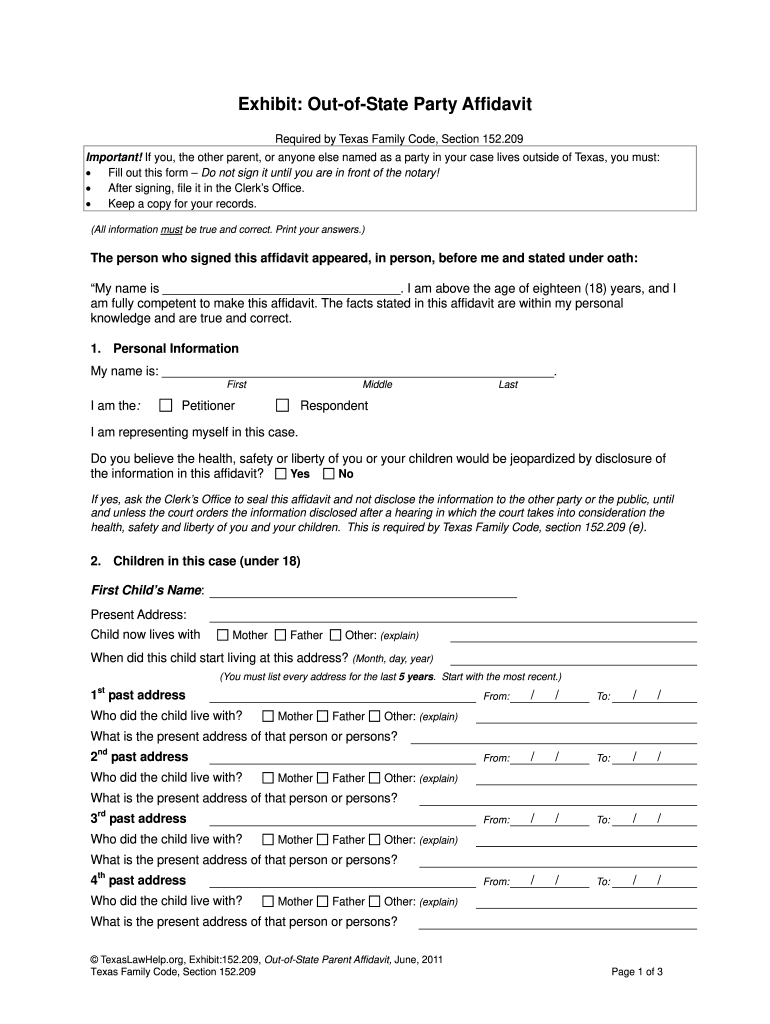
- Click ‘Get Form’ to open the Exhibit: Out-of-State Party Affidavit in the editor.
- Begin by filling in your personal information in Section 1. Enter your full name and indicate whether you are the Petitioner or Respondent. Ensure all details are accurate.
- In Section 2, provide information about any children involved. List each child's name, current address, and living arrangements. Be thorough and include past addresses for the last five years.
- Proceed to Section 3 to disclose any other court cases related to the children. Answer truthfully and provide details if applicable.
- In Section 4, identify any other individuals claiming custody or visitation rights. Fill out their names, addresses, and relationships to the children.
- Once completed, do not sign until you are in front of a notary public. After notarization, file the affidavit with the Clerk’s Office and keep a copy for your records.
Start using our platform today for free to streamline your document editing and signing process!
Fill out Exhibit: Out-of-State Party Affidavit - TexasLawHelp.org - texaslawhelp online
It's free
It's free
Security and compliance
At DocHub, your data security is our priority. We follow HIPAA, SOC2, GDPR, and other standards, so you can work on your documents with confidence.
Learn more


