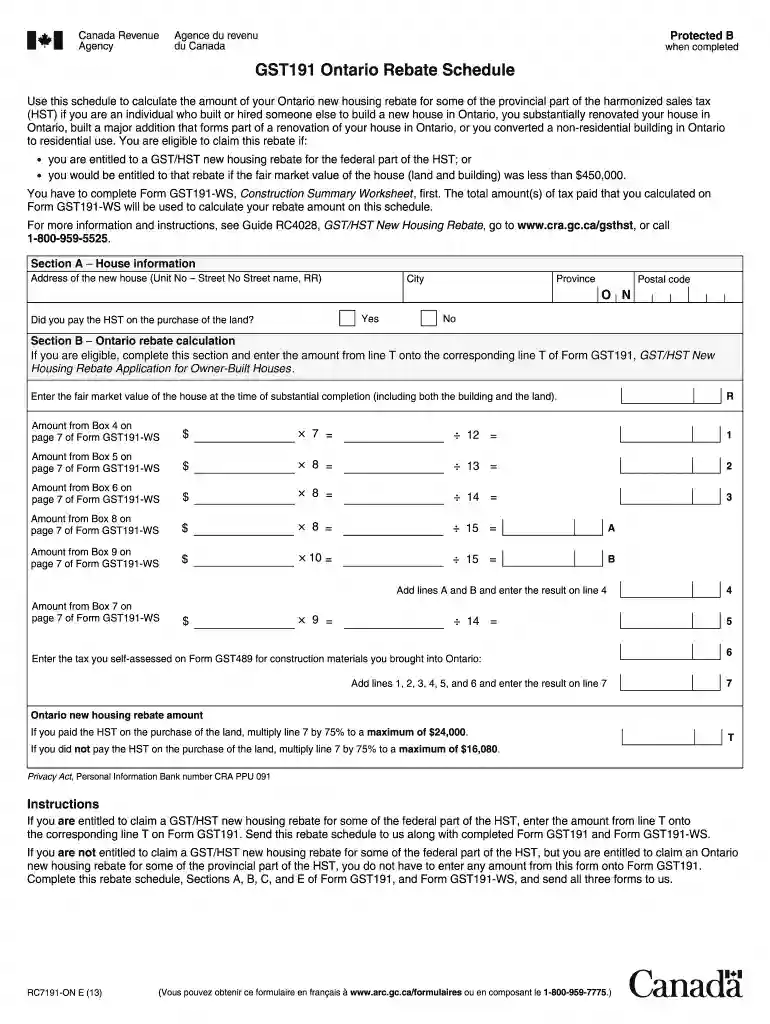
Rc7191 on 2026

Get Form
form rc7191 on Preview on Page 1

Here's how it works

01. Edit your form rc7191 on online
Type text, add images, blackout confidential details, add comments, highlights and more.

02. Sign it in a few clicks
Draw your signature, type it, upload its image, or use your mobile device as a signature pad.

03. Share your form with others
Send rc7191 on via email, link, or fax. You can also download it, export it or print it out.

The best way to change Rc7191 on online

Form edit decoration
9.5
Ease of Setup
DocHub User Ratings on G2
9.0
Ease of Use
DocHub User Ratings on G2

With DocHub, making adjustments to your paperwork takes just a few simple clicks. Make these quick steps to change the PDF Rc7191 on online free of charge:

  1. Sign up and log in to your account. Log in to the editor with your credentials or click Create free account to evaluate the tool’s capabilities.
  2. Add the Rc7191 on for editing. Click on the New Document option above, then drag and drop the sample to the upload area, import it from the cloud, or via a link.
  3. Alter your file. Make any adjustments required: insert text and pictures to your Rc7191 on, underline details that matter, remove parts of content and substitute them with new ones, and insert icons, checkmarks, and areas for filling out.
  4. Complete redacting the form. Save the updated document on your device, export it to the cloud, print it right from the editor, or share it with all the people involved.

Our editor is very intuitive and efficient. Give it a try now!

See more rc7191 on versions

We've got more versions of the rc7191 on form. Select the right rc7191 on version from the list and start editing it straight away!
Versions Form popularity Fillable & printable
2018 4.8 Satisfied (146 Votes)
2013 4.2 Satisfied (25 Votes)
be ready to get more

Complete this form in 5 minutes or less

Get form

Security and compliance

At DocHub, your data security is our priority. We follow HIPAA, SOC2, GDPR, and other standards, so you can work on your documents with confidence.

Learn more
ccpa2
pci-dss
gdpr-compliance
hipaa
soc-compliance