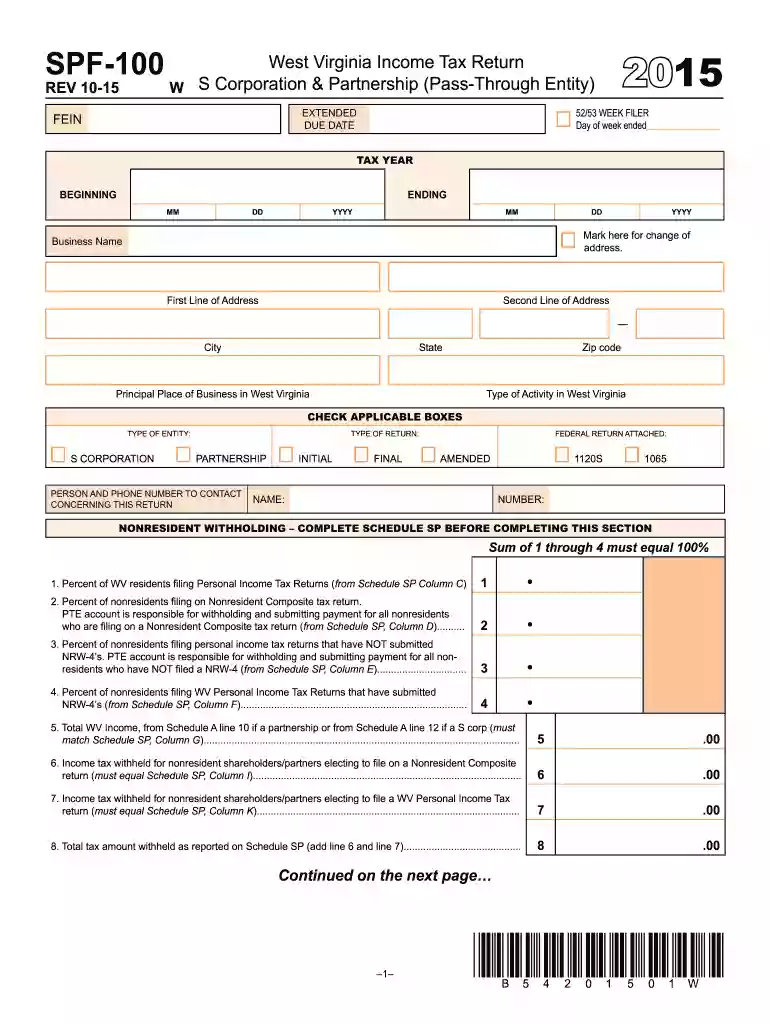
West virginia form spf 100 2015-2026

Get Form
wv pte 100 instructions 2021 Preview on Page 1

Here's how it works

01. Edit your wv pte 100 instructions 2021 online
Type text, add images, blackout confidential details, add comments, highlights and more.

02. Sign it in a few clicks
Draw your signature, type it, upload its image, or use your mobile device as a signature pad.

03. Share your form with others
Send it via email, link, or fax. You can also download it, export it or print it out.

How to use or fill out West Virginia Form SPF 100 2015 with DocHub

Form edit decoration
9.5
Ease of Setup
DocHub User Ratings on G2
9.0
Ease of Use
DocHub User Ratings on G2
  1. Click ‘Get Form’ to open the West Virginia Form SPF 100 in our platform.
  2. Begin by entering your FEIN and tax year at the top of the form. Ensure that you accurately mark any changes of address.
  3. Fill in your business name and address details, including city, state, and zip code. Specify your principal place of business in West Virginia.
  4. Select the type of entity (S Corporation or Partnership) and indicate whether this is an initial, final, or amended return.
  5. Complete the income sections by entering relevant percentages for residents and non-residents as required. Make sure totals match across related schedules.
  6. Review all entries for accuracy before signing. Use our editor's features to add your signature electronically.

Start filling out your West Virginia Form SPF 100 today for free using our platform!

See more west virginia form spf 100 2015 versions

We've got more versions of the west virginia form spf 100 2015 form. Select the right west virginia form spf 100 2015 version from the list and start editing it straight away!
Versions Form popularity Fillable & printable
2022 4.3 Satisfied (54 Votes)
2019 4.8 Satisfied (175 Votes)
2017 4.2 Satisfied (57 Votes)
2016 4.4 Satisfied (597 Votes)
2015 4 Satisfied (41 Votes)
2014 4 Satisfied (41 Votes)
2013 4 Satisfied (40 Votes)
2011 4 Satisfied (47 Votes)
be ready to get more

Complete this form in 5 minutes or less

Get form

Got questions?

We have answers to the most popular questions from our customers. If you can't find an answer to your question, please contact us.
Contact us
FORM WV IT-104 WEST VIRGINIA EMPLOYEES WITHHOLDING EXEMPTION CERTIFICATE. Complete this form and present it to your employer to avoid any delay in adjusting the amount of state income tax to be withheld from your wages.
Tax-exempt goods Examples include most textbooks, prescription drugs, and medical supplies. We recommend businesses review the laws and rules put forth by the West Virginia State Tax Department to stay up to date on which goods are taxable and which are exempt, and under what conditions.
You must file a resident return and report all of your income in the same manner as any other resident individual unless you did not maintain a physical presence in West Virginia for more than 30 days during the taxable year.
Knowing that, West Virginia has embarked on a plan to completely eliminate its state personal income tax. In 2023, West Virginia passed a tax cut that reduced its income tax rate from 6.5 percent to 5.12 percent, a 21 percent cut in a single year.

Security and compliance

At DocHub, your data security is our priority. We follow HIPAA, SOC2, GDPR, and other standards, so you can work on your documents with confidence.

Learn more
ccpa2
pci-dss
gdpr-compliance
hipaa
soc-compliance
be ready to get more

Complete this form in 5 minutes or less

Get form