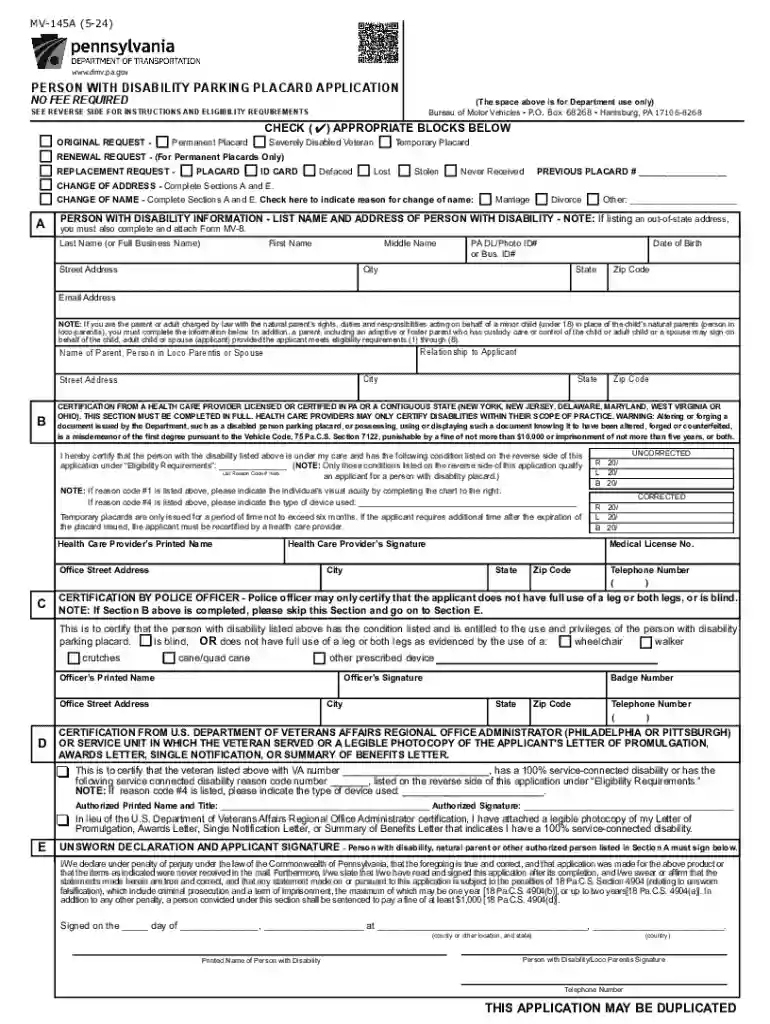
(The space above is for Department use only) 2025

Get Form
pa handicap placard application Preview on Page 1

Here's how it works

01. Edit your pa handicap placard application online
Type text, add images, blackout confidential details, add comments, highlights and more.

02. Sign it in a few clicks
Draw your signature, type it, upload its image, or use your mobile device as a signature pad.

03. Share your form with others
Send pa mv 145a form via email, link, or fax. You can also download it, export it or print it out.

How to use or fill out the Person with Disability Parking Placard Application

Form edit decoration
9.5
Ease of Setup
DocHub User Ratings on G2
9.0
Ease of Use
DocHub User Ratings on G2
  1. Begin by clicking ‘Get Form’ to open the application in our editor.
  2. In Section A, provide the personal information of the person with a disability, including their first name, last name, date of birth, and address. Ensure accuracy as this information is crucial for processing.
  3. Select the appropriate request type at the top of the form: Original Request, Renewal Request, Replacement Request, or Change of Address/Name. Make sure to check only one box.
  4. If applicable, complete Section B for certification from a health care provider. This section must be filled out entirely by a licensed professional.
  5. For veterans applying under Section D, ensure you have the necessary documentation ready and complete that section accordingly.
  6. Finally, sign and date Section E to certify that all information provided is true and correct before submitting your application.

Start using our platform today to easily fill out your application for free!

See more (The space above is for Department use only) versions

We've got more versions of the (The space above is for Department use only) form. Select the right (The space above is for Department use only) version from the list and start editing it straight away!
Versions Form popularity Fillable & printable
2024 4.1 Satisfied (53 Votes)
2023 4.6 Satisfied (52 Votes)
2021 4.8 Satisfied (145 Votes)
2016 4.4 Satisfied (143 Votes)
2014 4.4 Satisfied (250 Votes)
2013 4.4 Satisfied (388 Votes)
2006 4 Satisfied (55 Votes)
2002 4.2 Satisfied (37 Votes)
be ready to get more

Complete this form in 5 minutes or less

Get form

Got questions?

We have answers to the most popular questions from our customers. If you can't find an answer to your question, please contact us.
Contact us
To apply for and be qualified for your initial retired status registration, you must complete form MV-371 (PDF) and mail to PennDOT.
To submit the DL-17 form, you can email it to the specified PennDOT email address provided in your restoration letter. Alternatively, fax the completed form to the designated number listed. You may also opt for online submission if available, or send it via physical mail to PennDOTs driver services office.
If you want to use an out-of-state or out-of-country address, you need to fill out Form MV-8(opens in a new tab) (PDF). It is called Self-Certification for Proof of Residency. You must have the vehicle inspected within ten days of returning to Pennsylvania. You can have another person take the car in for inspection.
The DL-17 form serves as a declaration for individuals in Pennsylvania who do not own any motor vehicles. This official statement is necessary for restoring driving privileges, particularly for those who have received a restoration requirement letter.
be ready to get more

Complete this form in 5 minutes or less

Get form