BehaviorObservation doc 2026

Get Form
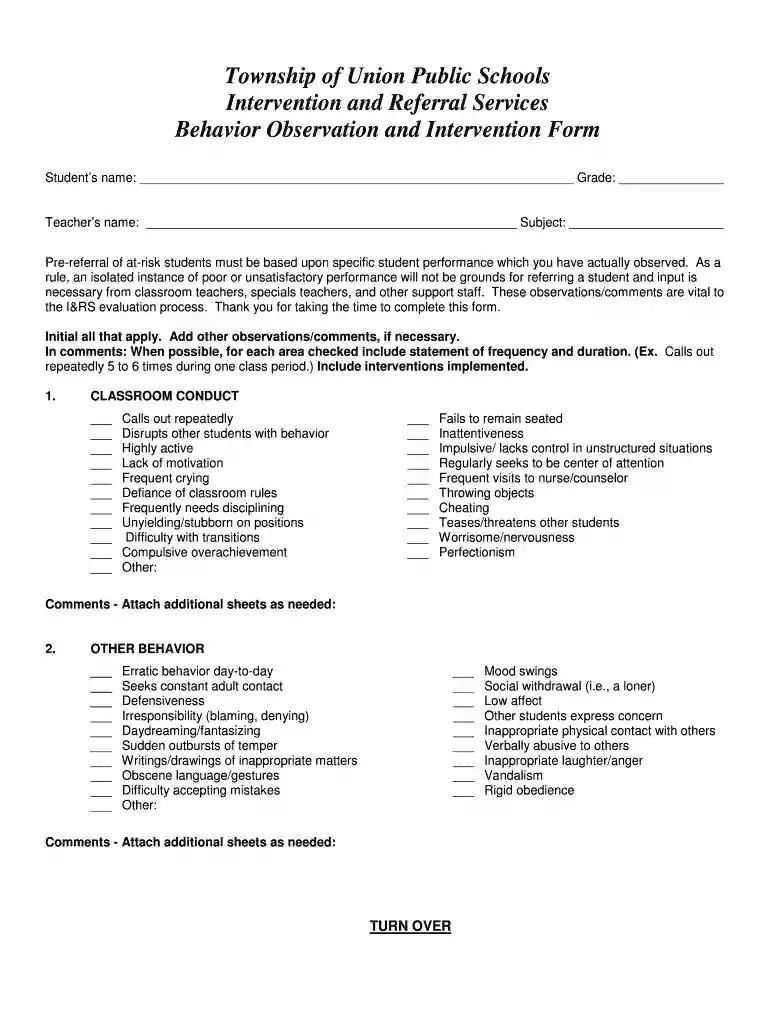
BehaviorObservation doc Preview on Page 1

Here's how it works

01. Edit your form online
Type text, add images, blackout confidential details, add comments, highlights and more.

02. Sign it in a few clicks
Draw your signature, type it, upload its image, or use your mobile device as a signature pad.

03. Share your form with others
Send it via email, link, or fax. You can also download it, export it or print it out.

How to use or fill out Behavior Observation doc with our platform

Form edit decoration
9.5
Ease of Setup
DocHub User Ratings on G2
9.0
Ease of Use
DocHub User Ratings on G2
  1. Click ‘Get Form’ to open the Behavior Observation document in the editor.
  2. Begin by entering the student's name and grade at the top of the form. This information is crucial for identifying the student being observed.
  3. Next, fill in your name as the teacher and specify the subject you teach. This helps contextualize your observations.
  4. In the 'CLASSROOM CONDUCT' section, initial all applicable behaviors observed. For each checked item, provide detailed comments on frequency and duration, such as how often a behavior occurs during class.
  5. Proceed to 'OTHER BEHAVIOR' and repeat the process of initialing relevant behaviors while adding any necessary comments.
  6. In 'PHYSICAL CONDITIONS', indicate any physical issues that may affect learning. Again, provide comments if needed.
  7. Finally, document prior interventions and strategies attempted. Note dates and outcomes for each strategy to give a comprehensive view of previous efforts.

Start using our platform today to streamline your document editing and enhance your workflow!

be ready to get more

Complete this form in 5 minutes or less

Get form

Got questions?

We have answers to the most popular questions from our customers. If you can't find an answer to your question, please contact us.
Contact us
Tips for Writing an Observation Background information - the childs name, age, the date, if others were involved, the name of the observing educator. Behaviours during play time - play behaviours allow us to gather information on the development of the child, their social skills, strengthsand interests.
Observation Examples: To check if employees are using their legs when lifting heavy objects. To check if workers know where to place themselves and avoid awkward positions when doing certain activities.
Examples of behavioral observations that should be noted include: Childs response to the stress of testing, the tasks they evade and the tasks they prefer, and ability to persist and sustain attention to difficult tasks.
So, what is the difference between BARS and BOS? Both terms refer to scales that can be used to measure performance. BOS is used to measure the frequency of a behavior. BARS assigns a specific descriptor to each level on a scale for the behavior being measured.
Your observations should: focus only on what you see and hear, rather than what you think about a child or young persons behaviours, emotions and thoughts. take note of when and where the child or young persons behaviour changes and what the surrounding environment was like at the time.

Security and compliance

At DocHub, your data security is our priority. We follow HIPAA, SOC2, GDPR, and other standards, so you can work on your documents with confidence.

Learn more
ccpa2
pci-dss
gdpr-compliance
hipaa
soc-compliance