Type text, add images, blackout confidential details, add comments, highlights and more.
02. Sign it in a few clicks
Draw your signature, type it, upload its image, or use your mobile device as a signature pad.
03. Share your form with others
Send media release form via email, link, or fax. You can also download it, export it or print it out.
How to use or fill out media release form with our platform
Ease of Setup
DocHub User Ratings on G2
Ease of Use
DocHub User Ratings on G2
Click ‘Get Form’ to open the media release form in the editor.
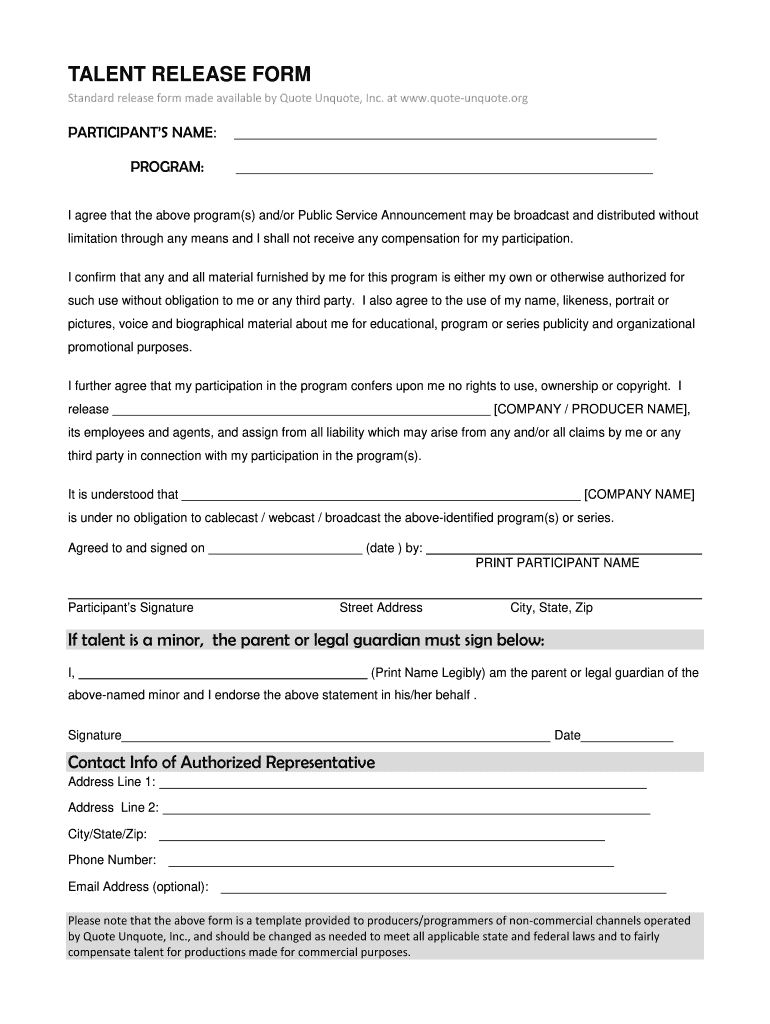
Begin by entering the participant’s name and the program title in the designated fields at the top of the form.
Review the agreement section carefully. This outlines your consent for broadcasting and distribution without compensation. Ensure you understand your rights regarding any materials you provide.
Fill in the company or producer name where indicated, confirming that you release them from any liability related to your participation.
Sign and date the form in the appropriate sections. If you are a minor, ensure a parent or legal guardian signs below your signature.
Complete the contact information section, including address, phone number, and optional email address for further communication.
Start using our platform today to easily complete your media release form for free!
Media release form templateMedia release form pdfMedia Release form for studentsMedia release form template wordMedia release form pdf free DownloadSocial media release formMedia Release Form for MinorsSimple media release form
Security and compliance
At DocHub, your data security is our priority. We follow HIPAA, SOC2, GDPR, and other standards, so you can work on your documents with confidence.
They change until they form the words MEDIA CINEMA RELEASE, in Avant-Garde font, and being tinted yellow. The words A MEDIA CREATIONS, LTD. COMPANYRead more
I am the parent or legal guardian of the individual named above, and I hereby sign this Media Consent and Release on behalf of such individual in accordanceRead more
I hereby release and discharge the College from any and all claims and demands arising out of or in connection with the use of the photographs or video,Read more
Cookie consent notice
This site uses cookies to enhance site navigation and personalize your experience.
By using this site you agree to our use of cookies as described in our Privacy Notice.
You can modify your selections by visiting our Cookie and Advertising Notice.