




Here's how it works

01. Edit your thomas aquinas college online
Type text, add images, blackout confidential details, add comments, highlights and more.

02. Sign it in a few clicks
Draw your signature, type it, upload its image, or use your mobile device as a signature pad.

03. Share your form with others
Send request form transcript via email, link, or fax. You can also download it, export it or print it out.
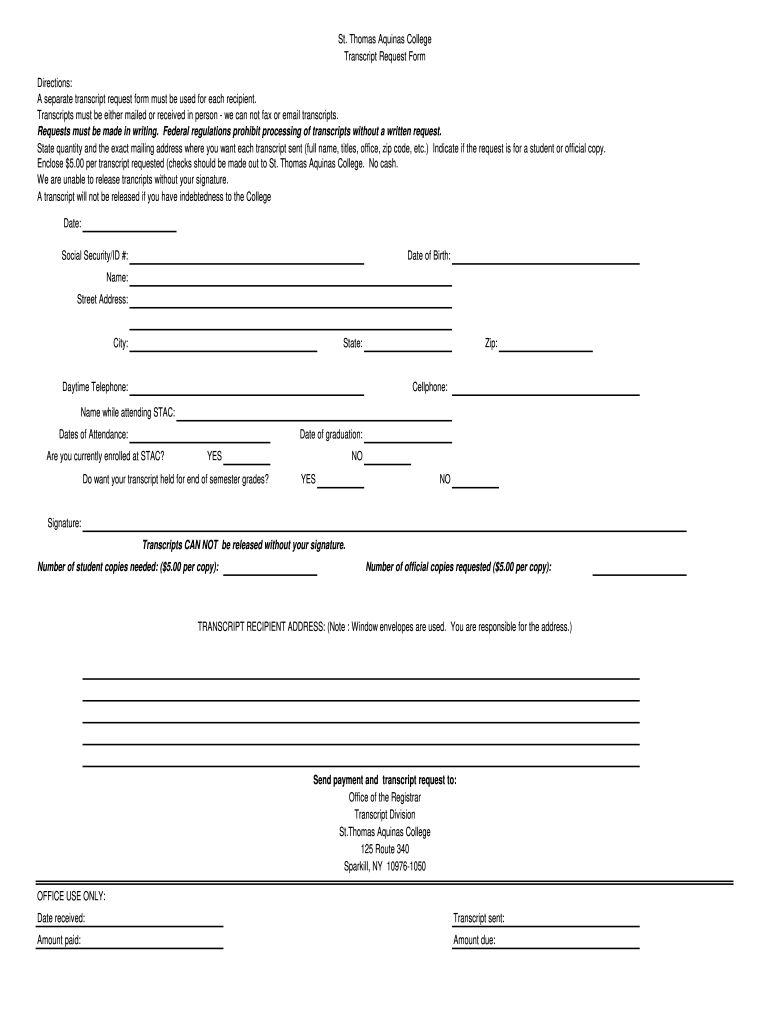
How to use or fill out the St. Thomas Aquinas College Transcript Request Form

- Click ‘Get Form’ to open it in the editor.
- Begin by entering your personal information, including your name, date of birth, and Social Security/ID number. This information is crucial for identifying your records.
- Fill in your current address details: street address, city, state, and zip code. Ensure accuracy to avoid any delays in processing.
- Indicate whether you are currently enrolled at STAC and if you want your transcript held for end-of-semester grades by selecting 'YES' or 'NO'.
- Specify the number of student and official copies needed, remembering that each copy incurs a $5.00 fee. Total this amount for payment.
- Provide the exact mailing address for where you want each transcript sent. Double-check this information as it is your responsibility.
- Sign the form to authorize the release of your transcripts; without a signature, processing cannot occur.
- Finally, send the completed form along with payment to the Office of the Registrar at St. Thomas Aquinas College.
Start using our platform today to streamline your transcript request process!
Fill out how to stac transcript online
It's free
It's free
Security and compliance
At DocHub, your data security is our priority. We follow HIPAA, SOC2, GDPR, and other standards, so you can work on your documents with confidence.
Learn more


