




01. Edit your cpcn application online
Type text, add images, blackout confidential details, add comments, highlights and more.

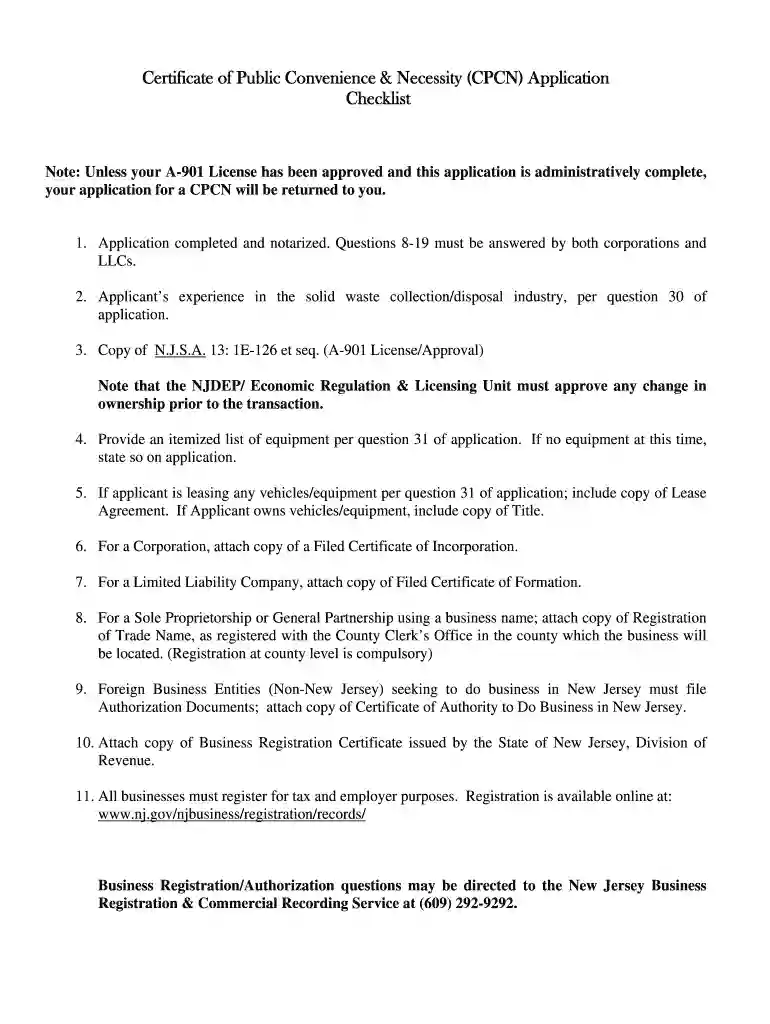
Type text, add images, blackout confidential details, add comments, highlights and more.

Draw your signature, type it, upload its image, or use your mobile device as a signature pad.

Send cpcn contact number via email, link, or fax. You can also download it, export it or print it out.

Start using our platform today to streamline your New Jersey CPCN application process for free!
At DocHub, your data security is our priority. We follow HIPAA, SOC2, GDPR, and other standards, so you can work on your documents with confidence.
Applicant must attach a copy of their A-901 Approval Letter/License as issued by the New Jersey Department of. Environmental Protection - If theRead more
May 1, 2021 In January 2009, IM filed a petition with the IURC requesting approval of a Certificate of Public Convenience and Necessity (CPCN) to useRead more
Mar 23, 2026 The Sabin Center for Climate Change Law publishes monthly summaries of developments in climate-related litigation.Read more


