




01. Edit your form online
Type text, add images, blackout confidential details, add comments, highlights and more.

Type text, add images, blackout confidential details, add comments, highlights and more.

Draw your signature, type it, upload its image, or use your mobile device as a signature pad.

Send it via email, link, or fax. You can also download it, export it or print it out.

Start using our platform today to easily complete your motion to appear via telephone for free!
At DocHub, your data security is our priority. We follow HIPAA, SOC2, GDPR, and other standards, so you can work on your documents with confidence.
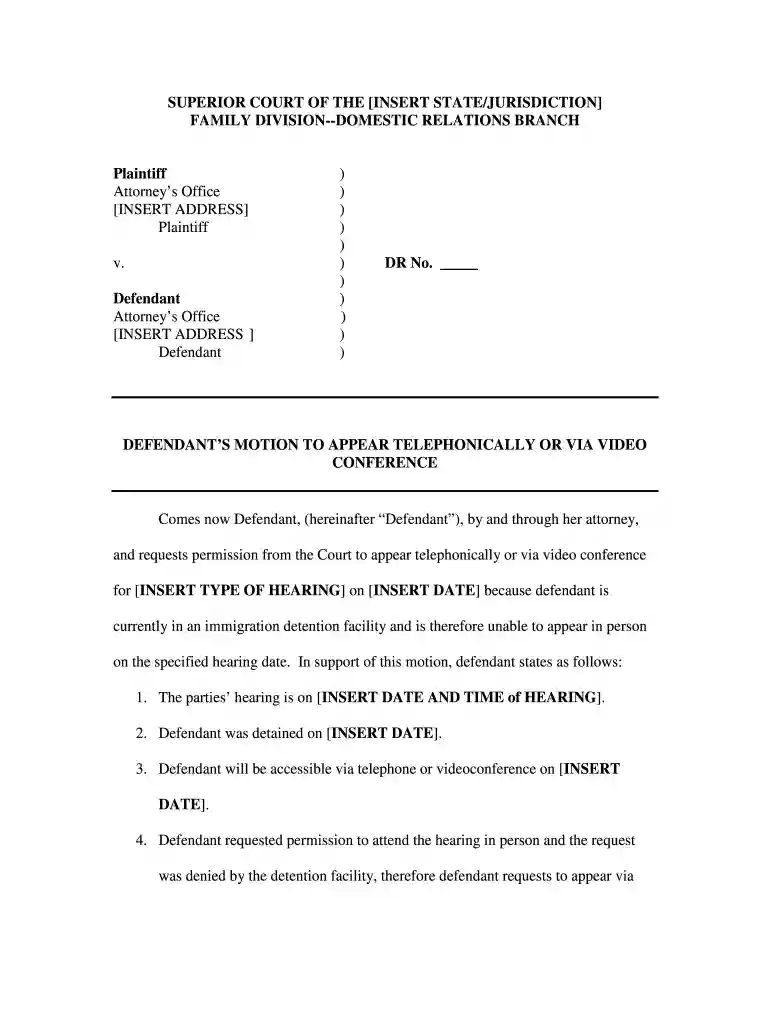
Comes now Defendant, (hereinafter Defendant), by and through her attorney, and requests permission from the Court to appear telephonically or via videoRead more
Walt Disney Studios Home Entertainment Italia was the Italian home video distribution arm of The Walt Disney Company, responsible for releasing
A template of a defendants motion to appear telephonically or via video conference.


